







1. Breakthrough WordPress navigation limitations
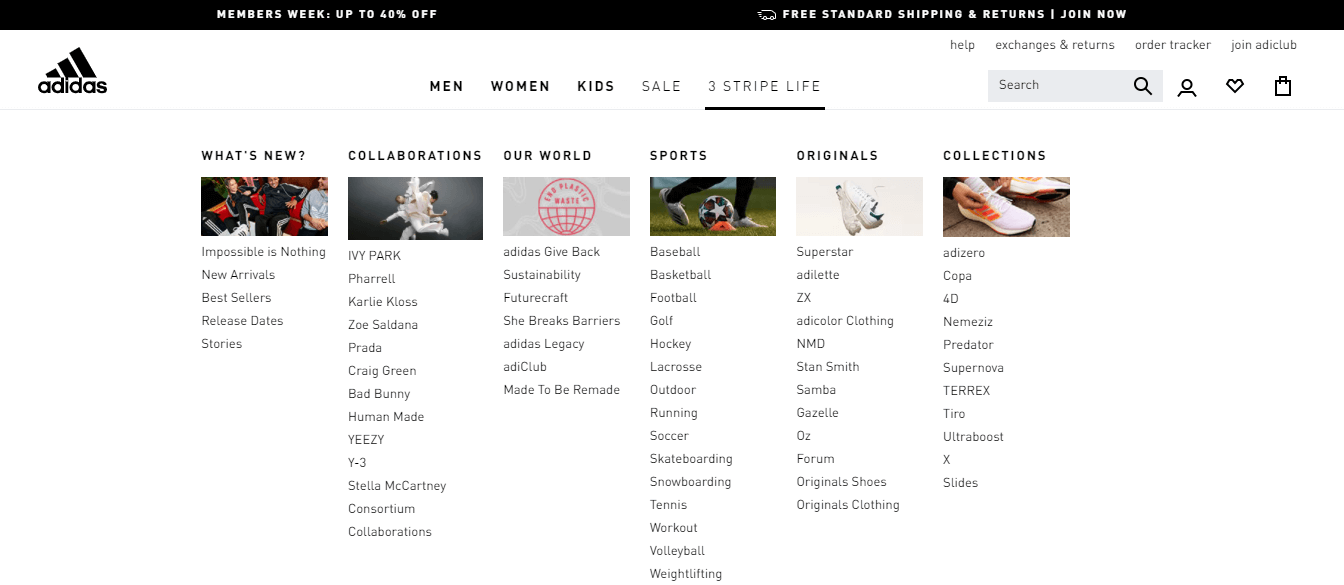
WordPressThe site's traditional navigation menus have limited functionality and make it difficult to display complex content structures.Max Mega Menuis a powerful menu plugin designed for WordPress to create feature-rich mega menus without programming knowledge. This tutorial will explain step-by-step instructions to operate this plugin to create a professional-grade navigation menu.
2. Max Mega Menu plug-in overview
Max Mega Menu is a lightweight but powerful WordPress menu plugin with over 200,000 active installs worldwide. The plugin perfectly supports responsive layouts, offers rich customization options and is compatible with most WordPress themes.
2.1 Main characteristics
- Visualized menu editing interface with real-time preview of modification effects
- Flexible grid layout system with multi-column display support
- Full style control options to customize each element
- Complete mobile support, automatically adapted to different devices
- Deep WordPress customizer integration with live previews
3. Installation and basic configuration
Before you can start creating a mega menu, you need to complete the plugin installation and basic configuration.
3.1 Plug-in installation process
- Log into the WordPress backend and go to "plug-in (software component)"→ "Install plug-in"
![Image [1]-Max Mega Menu: Lightweight and Powerful Menu Solution](https://www.361sale.com/wp-content/uploads/2025/11/20251103184323864-image.png)
- Search "Max Mega Menu“
![Image [2]-Max Mega Menu: Lightweight and Powerful Menu Solution](https://www.361sale.com/wp-content/uploads/2025/11/20251103184401573-image.png)
- Click "Install Now" and wait for the installation to complete.
![Image [3]-Max Mega Menu: Lightweight and Powerful Menu Solution](https://www.361sale.com/wp-content/uploads/2025/11/20251103184417976-image.png)
- Activate the plug-in and prepare for subsequent configuration
3.2 Enabling menu functions
- Go to "Max Mega Menu" → "Menu lacations".
![Image [4]-Max Mega Menu: Lightweight and Powerful Menu Solution](https://www.361sale.com/wp-content/uploads/2025/10/20251029172652430-image.png)
- Select the menu location where you want to enable the Super Menu
- Check the "Enabled" checkbox and click "save changes".
![Image [5]-Max Mega Menu: Lightweight and Powerful Menu Solution](https://www.361sale.com/wp-content/uploads/2025/10/20251029173521171-image.png)
- Click "Save Changes" to complete the base configuration.
4. Creation of the first mega-menu
Follow the steps below to create your first mega menu.
4.1 Configuring parent menu items
![Image [6]-Max Mega Menu: Lightweight and Powerful Menu Solution](https://www.361sale.com/wp-content/uploads/2025/10/20251029175038195-image.png)
- Go to "Appearance" → "Menu".
- Expand target parent menu item
- Check "Enable Mega Menu" in the Max Mega Menu settings area.
- Choose grid layout as infrastructure
- Saving menu settings
![Image [7]-Max Mega Menu: Lightweight and Powerful Menu Solution](https://www.361sale.com/wp-content/uploads/2025/10/20251029175615843-image.png)
4.2 Using the Grid Layout System
![Image [8]-Max Mega Menu: Lightweight and Powerful Menu Solution](https://www.361sale.com/wp-content/uploads/2025/10/20251029175824777-image.png)
- Click on the "Mega Menu" link next to the menu item to enter the editor.
- Drag and drop grid columns from the right side to the editing area
- Drag the menu item into the corresponding grid column
![Image [9]-Max Mega Menu: Lightweight and Powerful Menu Solution](https://www.361sale.com/wp-content/uploads/2025/10/20251030143926154-image.png)
- Preview and adjust the layout in real time
5. Style customization and beautification
Make the menu fit perfectly into the website design with detailed appearance settings.
- Go to "Max Mega Menu" → "Menu Themes".
![Image [10]-Max Mega Menu: Lightweight and Powerful Menu Solution](https://www.361sale.com/wp-content/uploads/2025/10/20251029190040523-image.png)
- Create a new topic or edit an existing one
- Setting the menu bar background color, height and other basic styles
- Configuring fonts, spacing and hover effects for top-level menu items
- Define the width, margins and shadow effects of the panel area
6. Summary
Max Mega Menu provides WordPress users with a complete solution for creating professional-grade navigation menus. By the end of this tutorial, you have mastered the complete process from installation and configuration to advanced customization. It is recommended to start with simple configurations and gradually experiment with more complex features to end up with a website navigation system that is both beautiful and functional.

Link to this article:https://www.361sale.com/en/79403/The article is copyrighted and must be reproduced with attribution.



















![Emoji[wozuimei]-Photonflux.com | Professional WordPress repair service, worldwide, rapid response](https://www.361sale.com/wp-content/themes/zibll/img/smilies/wozuimei.gif)

![Emoticon[baoquan] - Photon Wave Network | Professional WordPress Repair Services, Worldwide Coverage, Rapid Response](https://www.361sale.com/wp-content/themes/zibll/img/smilies/baoquan.gif)


 简体中文
简体中文  English
  日本語
日本語  Français
  Español


No comments