





When we talk about WordPress security.disallow_file_edit is a key configuration that is often mentioned. Almost all security guides will tell you that the wp-config.php file with the define('DISALLOW_FILE_EDIT', true);This will disable the theme and plugin editors in the backend, preventing "slippage" or tampering by hackers.
But have you ever thought deeply about a question:Why does it have to be wp-config.php? Why can't you just save yourself the trouble and put this code in the topic's functions.php file or in a custom plugin?
Today, we're going to dive into the core WordPress startup process and demystify the wp-config.php The file loading secret reveals the fundamental reason why this simple line of code is the "first line of defense in security".
Reacquainting yourself with the "nerve center" of WordPress - wp-config.php
Before demystifying its loading order, a common misconception must be corrected.
1.1 The real identity of wp-config.php
Most users are interested in wp-config.php The perception of being stuck in aConfiguration file storing database connection information (database name, username, password). While this is certainly one of its most critical roles, it is much more than that.
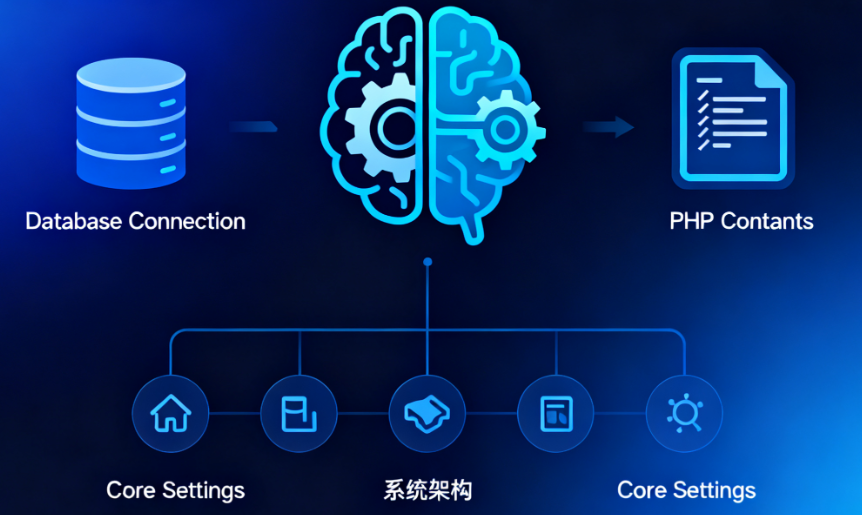
wp-config.php beWordPress"nerve center" or "brain".. It is loaded at the very beginning of the WordPress startup sequence and is responsible for defining those things that affect the underlying behavior of the entire system, in the core code, themes and pluginsbeforehandIt is then necessary to determine the settings. These settings are usually summarized as PHP Constants form of existence.
1.2 The "power of life and death" that it wields
In addition to the database information, thewp-config.php Still in charge:
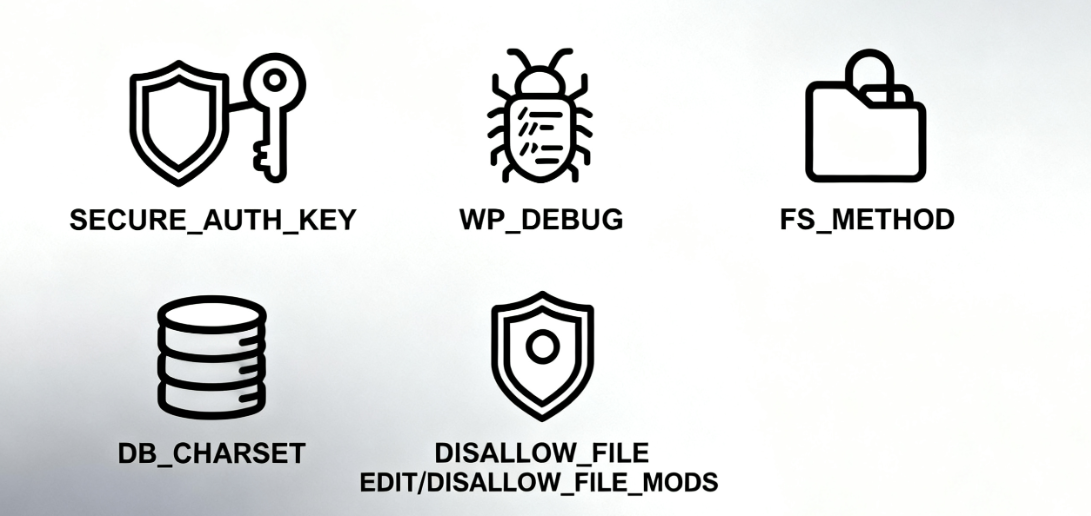
Security Key: Use the AUTH_KEY, SECURE_AUTH_KEY etc., encrypting user cookies to enhance login security.
Debug Mode: Use WP_DEBUGIt controls whether PHP errors and warnings are displayed, and is a must-have tool for developers.
File system permissions: use FS_METHOD, mandating how WordPress writes to files (e.g., direct, FTP, SSH).
Database Character Set: Set the character set for the database connection, such as DB_CHARSETThe
As well as our protagonist of the day - aSeries Safety Switchese.g. disallow_file_edit, DISALLOW_FILE_MODS etc.
Now that we understand its "hub" status, let's look at how it works.
Second, reveal the startup sequence: WordPress startup process
The WordPress startup process is like a rocket launch with a strict, irreversible sequence of ignition.wp-config.php It is at the very beginning of ignition that it is enabled.
2.1 A diagram to understand the loading process
Let's visualize this process with a simplified sequence diagram:
User request -> index.php -> wp-blog-header.php -> wp-load.php -> wp-config.php -> Initialize database -> Load core -> Load themes and plugins -> Display site2.2 Description of key aspects
- index.php: This is the entry point for all front-end requests. It contains little to no logic of its own; its main responsibility is to load the
wp-blog-header.phpThe - wp-blog-header.php: This file is the "mastermind" of the startup process. It sets up the WordPress environment and calls the
wp-load.phpThe - wp-load.php::Here is the key! The core task of this document is toPosition and load
wp-config.php. It will start from the current directory and search upwards until it finds thewp-config.phpfile until it is found. As soon as it is found, execute all the code in it. - wp-config.php execute: At this point, all the constants you defined in this file (including the
disallow_file_edit) are in effect. The database connection is also established at this stage. - wp-settings.php: in
wp-config.phpAfter execution, the core loads thewp-settings.phpThis file is an "assembly shop". This file is an "assembly plant" which is responsible:- Load WordPress core functions and classes.
- Initialize and run allActivated plug-insThe
- Load the currently usedthematic(including
functions.php).
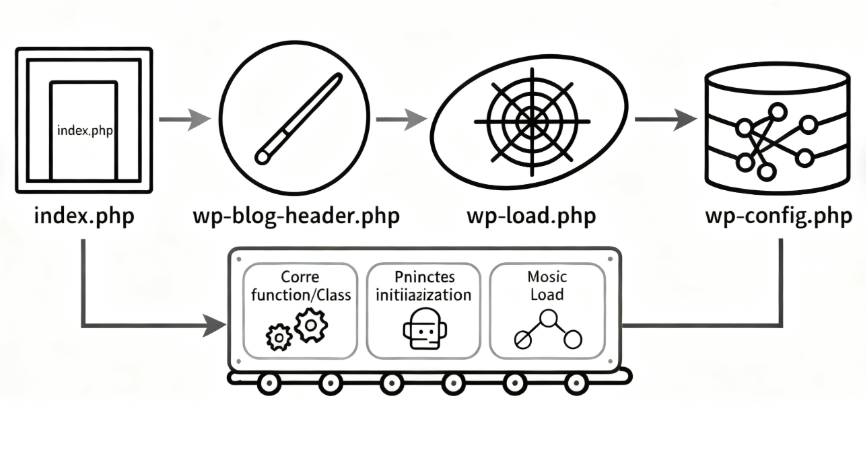
This sequence reveals a core fact: the code execution of wp-config.php is much earlier than the functions.php of any plugin or theme.
Timing is everything: why is it "too late" to put it in functions.php or a plugin?
Now, let's answer the central question. Let's say you put disallow_file_edit The definition of the topic is placed in the functions.php In the file:
// This is in the theme's functions.php - the wrong way around! // This is in the theme functions.php - wrong way!
define('DISALLOW_FILE_EDIT', true);
What's going to happen?
3.1 Background menu generation mechanism
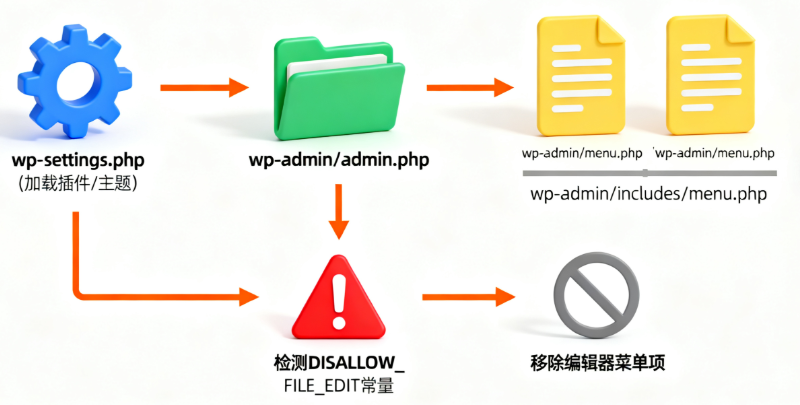
The WordPress backend admin menu is generated in the wp-admin/admin.php The process takes place in the wp-settings.php Loaded all plugins and themesbeyondThe
Specifically, when a user accesses the /wp-admin/ When it does, WordPress will:
1. Complete the startup process
2. Start building the back-end management interface
3. During the build process, it will execute the wp-admin/menu.php respond in singing wp-admin/includes/menu.php The functions in theprobe disallow_file_edit Whether the constant has been definedThe
4. Detected disallow_file_edit because of trueIt removes the "Theme Editor" under "Appearance" and the "Plugin Editor" under "Plugins". menu items under "Appearance" and "Plugin Editor" under "Plugins".
3.2 Analysis of core issues
Therein lies the problem:
(coll.) fail (a student)functions.php hit the nail on the head define statement finally gets a chance to execute when, the time for WordPress core to check this constant is long gone.
This is because the check occurs when the menu is being generated, and the menu is generated in theadminThe initialization process in the environment is the same one that determines key constants before the theme/plugin has been loaded. The core code doesn't wait for a latecomer to define security rules that should have been set in the first place.
The result: even in thefunctions.phpis defined in thedisallow_file_edit, the theme and plugin editor menus still show up and the security settings are completely ineffective.
IV. Practical Guide: Editing wp-config.php
Having understood the theory, let's get practical. How do you safely locate and edit this all-important file?
4.1 Document location methods
wp-config.phpUsually located in the root directory of your WordPress installation. It is the same as thewp-admin(math.) genuswp-content(math.) genuswp-includesThese three folders are on the same level.
This can be viewed via FTP, SFTP or a file manager provided by the hosting provider.
4.2 Editing step-by-step instructions
Always back up before editing! Misuse may render the entire site inaccessible.
1. Download backup: via FTP or file manager, the currentwp-config.phpThe file is downloaded to your local computer as a backup.
2. Use a plain text editor: Use code editors such as VS Code, Notepad++, Sublime Text. Do not use rich text editors such as Word, which introduces hidden characters.
3. Finding the insertion point: After the database is defined, the/* That's all, stop editing! Happy publishing. */Add the code before the comment on this line.
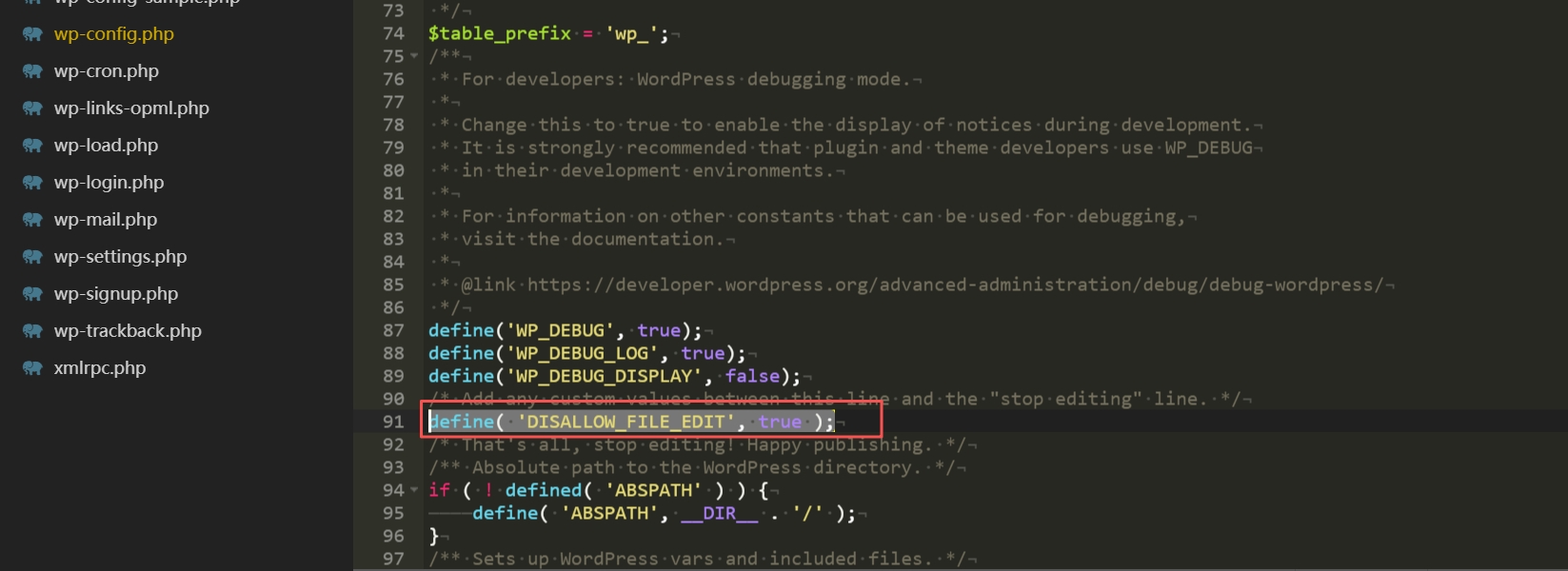
4. Add code: In the appropriate location, insert the following code:
// Disable theme and plugin editors
define('DISALLOW_FILE_EDIT', true);
5. Save and upload: Save the file and then upload it back to the server via FTP or file manager, overwriting the original file. In most cases, this will not affect the normal operation of the website.
6. Verify the effect: Login to your WordPress background, check the "Appearance" and "Plugins" menu. If the operation is successful, the submenu items of "Theme Editor" and "Plugin Editor" should have disappeared!
V. Extended security protection: related configuration options
disallow_file_editis an excellent line of defense, but true security requires multiple layers of protection. In thewp-config.phpin which other security configurations can also be enabled.
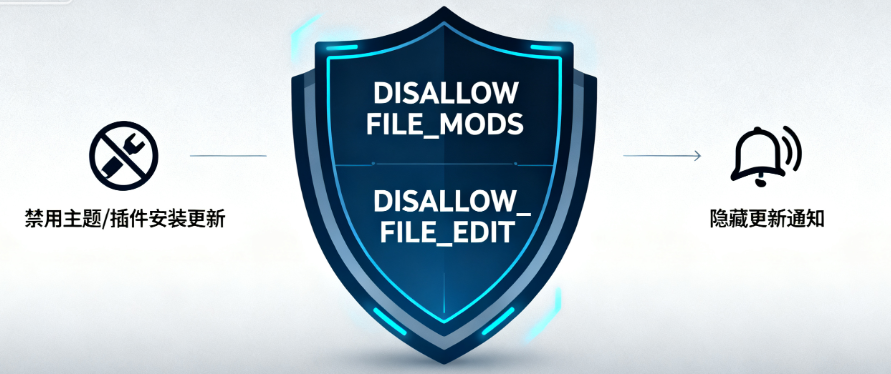
5.1 DISALLOW_FILE_MODS function
This is a tighter control option:
<br>define('DISALLOW_FILE_MODS', true);Its role includes and is not limited todisallow_file_edit. Will also:
- Disable WordPress backend theme and plugin installation, update features
- Hide related update notifications
- Usage Scenario: For production sites that have been stabilized, or sites that use version control tools for code deployment, this can completely eliminate the possibility of modifying code through the backend.
5.2 Security configuration combinations
Security configuration blocks can be built in wp-config.php as required:
// Security Enhancement Configuration
// Disable theme and plugin editors
define('DISALLOW_FILE_EDIT', true);

// For strict production environments, disable all file modifications
// define('DISALLOW_FILE_MODS', true); // For strict production environments, disable all file modifications.

// Force SSL access to the backend
define('FORCE_SSL_ADMIN', true); // For strict production environments, disable all file modifications.

// enable debug logging (can be turned off for production environments, but very useful for development environments)
define('WP_DEBUG', false); // Enable debug logging (can be turned off for production environments, very useful for development environments).
define('WP_DEBUG_LOG', true); // log errors to /wp-content/debug.log
define('WP_DEBUG_DISPLAY', false); // Do not display the error on the page
reach a verdict
Through this review of the wp-config.php Loaded secrets are deeply demystified, we get it:disallow_file_edit The fundamental reason why it is an effective first line of defense for security is the "timing" of its implementation.The
It has to be laid at the foundation of the WordPress building, rather than waiting for the interior to be fixed. wp-config.php, the "nerve center" of WordPress, occupies an irreplaceable early position in the startup sequence, enabling the security directives defined therein to take fundamental control over the system before all other code does. directive can be defined in it before all other code, the most fundamental control of the system.
The next time you see this line of code in a security guide, you will no longer see an isolated operational step, but a subtle design that is about the core architecture of WordPress. Used correctly, it's an important step in the journey of a WordPress novice to a proficient administrator.

Link to this article:https://www.361sale.com/en/79668The article is copyrighted and must be reproduced with attribution.




















![Emoji[wozuimei]-Photonflux.com | Professional WordPress repair service, worldwide, rapid response](https://www.361sale.com/wp-content/themes/zibll/img/smilies/wozuimei.gif)

![Emoticon[baoquan] - Photon Wave Network | Professional WordPress Repair Services, Worldwide Coverage, Rapid Response](https://www.361sale.com/wp-content/themes/zibll/img/smilies/baoquan.gif)


 简体中文
简体中文  English
  日本語
日本語  Français
  Español


No comments