





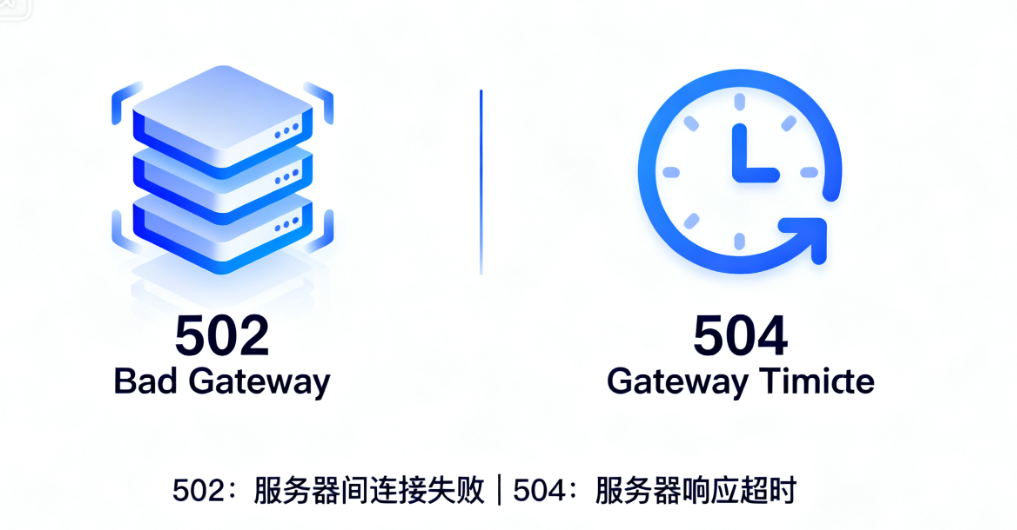
While managing and maintaining a website, it is always mind-numbing to come across gateway errors. Among them.502 Bad Gateway respond in singing 504 Gateway Timeout This pair of "brother" error is the most common, but also the most confusing. Many administrators are confused when facing these two errors, which leads to the wrong direction of problem troubleshooting. In this article, we will analyze the fundamental difference between the two, and provide a clear framework for troubleshooting to help you quickly locate and solve the problem.
I. Core concepts: using the restaurant analogy to understand the nature of two errors
To quickly distinguish between the two, a classic restaurant analogy works very well.
1.1 502 Bad Gateway: the backroom is closed
Imagine you are dining at a restaurant (your website). You (the browser) place an order with a waiter (a web server such as Nginx/Apache). The waiter takes the order and needs to give it to the backstage chef (upstream service like PHP-FPM, database, etc.) to make it.
- 502 Wrong Scene: The waiter runs to the back kitchen and finds the door locked and there is no chef to be found; or the back kitchen is a mess and the chef can't understand the order. The waiter can't get the dish and has to come back to you and report, "The back kitchen can't be reached, the dish can't be made."
- Technical substance: This indicates that the server acting as a gateway or proxy (server) was unable to receive a valid, expected response from the upstream server (backroom). A 502 error can be triggered by a connection being denied, an upstream service crashing, or returning invalid data.

1.2 504 Gateway Timeout: backroom cooking is too slow
Now, the scenario is slightly different.
- 504 Error Scenario: The waiter handed the order to the back kitchen and then began to wait. He waits for a long, long time, well beyond the reasonable wait time set by the restaurant, but the back kitchen still hasn't handed out the finished dish. The waiter can't wait any longer, so he has to come back to you and apologize: "The back kitchen has exceeded the time limit for making the food, and your order can't be completed."
- Technical substance: This indicates that the gateway or proxy server (waiter) exceeded the preset timeout while waiting for a response from the upstream server (backroom). The slow processing speed of the upstream service is the main reason for the 504.

II. Root cause analysis: comparison of the specific causes of the two errors
After understanding the metaphor, let's analyze its technical roots specifically.
2.1 Common Root Causes of 502 Bad Gateway
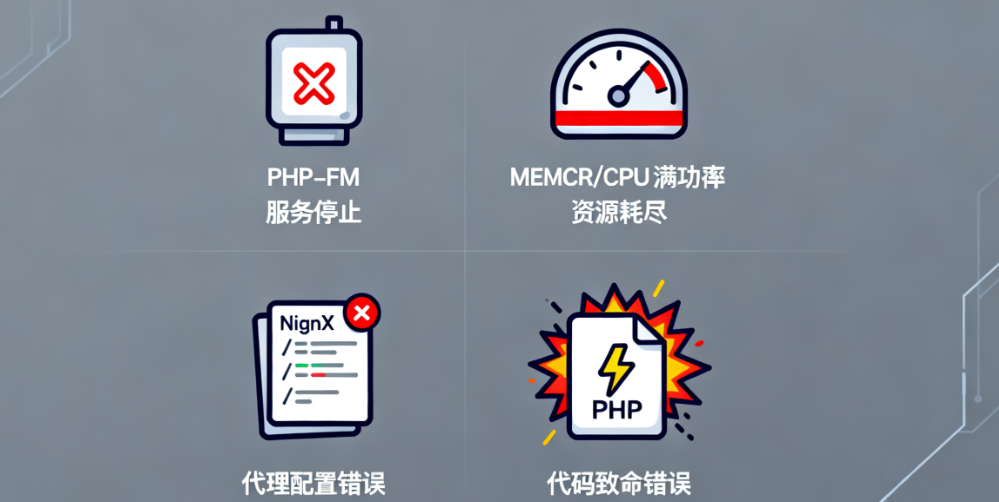
- PHP-FPM service stopped working: This is the most common reason. the PHP-FPM process manager itself crashes or stops running for some reason, causing Nginx to be unable to communicate with it over a socket or TCP port.
- resource exhaustion: The server's memory or CPU resources are completely exhausted, preventing new PHP processes from being created.
- Wrong proxy configuration: inNginxin the configuration file of the
proxy_pass,fastcgi_passetc. directives point to the wrong address, port, or non-existent socket file. - Code Fatal Error::PHPA serious error in the code that caused the process to exit immediately caused the PHP-FPM child process to suddenly crash while processing a request.
2.2 Common Root Causes of 504 Gateway Timeout
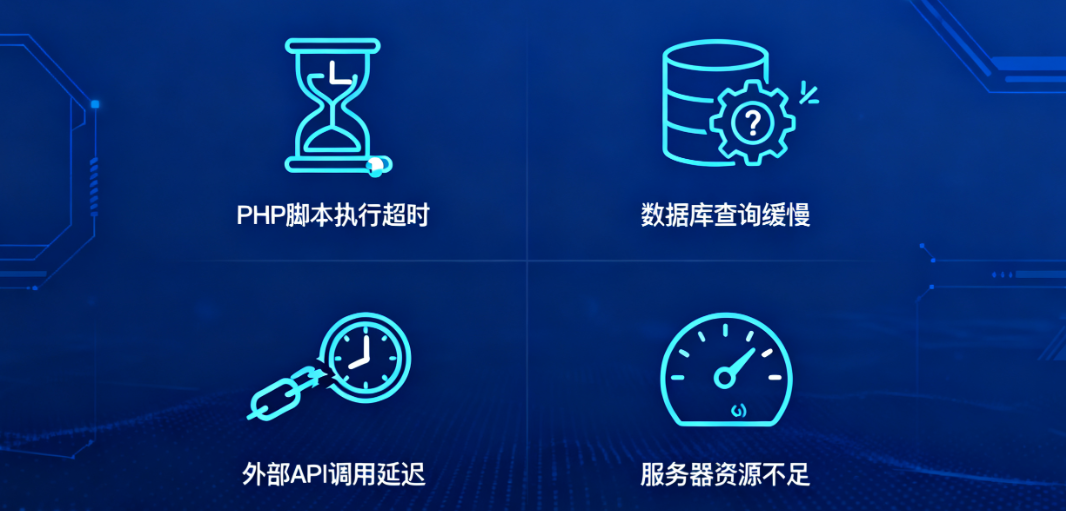
- PHP script execution timeout: A PHP script (e.g. a complex data import task) takes too long to execute and exceeds Nginx's
proxy_read_timeoutor PHP-FPMrequest_terminate_timeoutSetting. - Slow database queries: The site executes a very large or unoptimized database query, the database is delayed in returning the result, the PHP script keeps waiting, and eventually the entire request times out.
- External API call latency: YourWordPressThe website needs to call an external API service (e.g. payment gateway, social media interface) that responds extremely slowly or not at all.
- Insufficient server resources: Although the service is still running, the request is processed extremely slowly and cannot be completed within the timeout period due to server performance bottlenecks.
Third, the actual combat troubleshooting: step by step to locate and solve the problem
Here is a systematic troubleshooting process to help you get from the surface to the root cause.
3.1 The first step: check the server log
Logs are the first site to diagnose problems.
- Nginx / Apache Error Log::
- Example of a path::
/var/log/nginx/error.logmaybe/var/log/apache2/error.logThe - Find Content: Search for entries containing "502" or "504" near the point in time when the error occurred. The log will usually provide more specific error information, such as "Connection refused to upstream" (pointing to 502) or "upstream timed out" (pointing to 504).
- Example of a path::
3.2 Step 2: Targeted solutions
Fixes for 502 Bad Gateway:
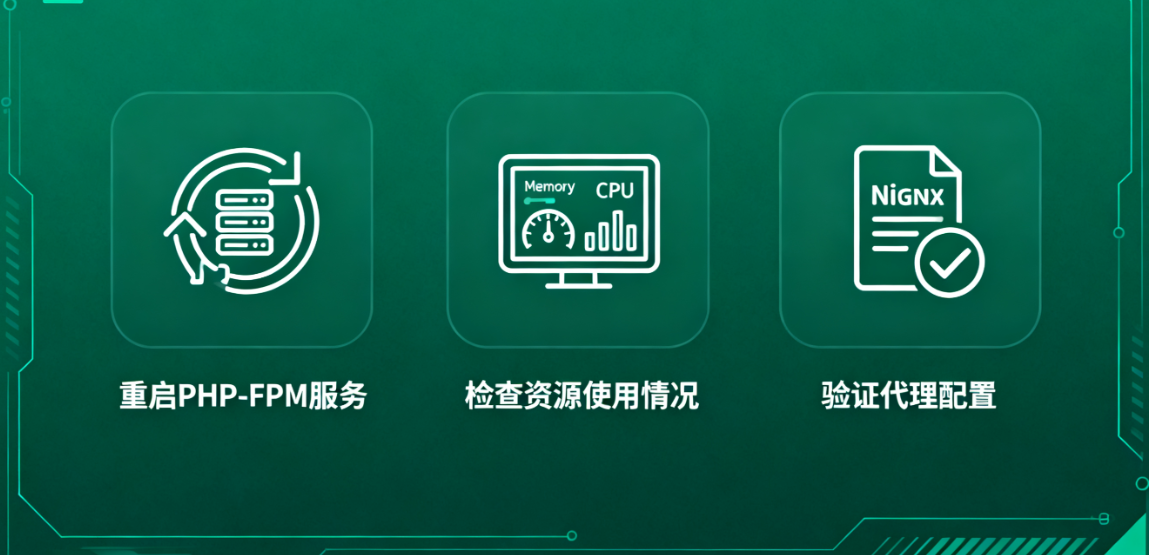
- Restart the back-end service: Try to restart the PHP-FPM service. The command is usually
sudo systemctl restart php-fpm(The specific service name may bephp8.1-fpm(etc.). - Inspection of resource utilization: Use
free-mTo check memory, use thetopmaybehtopCheck CPU utilization. If resources are depleted, you need to identify the processes that are consuming resources or consider upgrading the server configuration. - Verifying Proxy Configuration: Check your site's Nginx configuration file to make sure that the
fastcgi_passThe path pointed to by the directive (e.g.unix:/var/run/php/php8.1-fpm.sock) or port (e.g.127.0.0.1:9000) does exist and is correct.
Fixes for 504 Gateway Timeout:
- Optimizing Slow Queries and Scripts::
- Use a tool such as "Query Monitor" such WordPress plugins to find out slow executing database queries and optimize them.
- Review your own code to avoid performing long loops or heavy computational tasks.

- Adjusting timeout settings::
- In the Nginx configuration file's
locationIn the block, add the appropriateproxy_read_timeoutrespond in singingfastcgi_read_timeoutvalue (e.g., from the default 60 seconds to 120 seconds). This is only a temporary mitigation solution; the root cause is still the need to optimize performance. - exist
php-fpmThe pool profile (www.conf) in which the checkrequest_terminate_timeoutSetting.
- In the Nginx configuration file's
- Checking external services: If your site relies on external APIs, check the status and responsiveness of these services.
3.3 Step 3: Troubleshooting WordPress-Specific Factors
Whether it's 502 or 504, a WordPress plugin or theme could be the culprit.

- Disable all plug-ins: Via FTP or a file manager, transfer the
wp-content/pluginsRename the directory toplugins.deactivateThis will immediately disable all plugins. This will immediately disable all plugins. Then check if the error goes away. If the problem is solved, enable the plugins again one by one to find the problematic one. - Switch Default Theme: Temporarily switch the current theme to the default theme that comes with WordPress (e.g. Twenty Twenty-Four) to troubleshoot theme compatibility issues.
IV. Summary and table of key differences
| hallmark | 502 Bad Gateway | 504 Gateway Timeout |
|---|---|---|
| Core meaning | Gateway unable to contact upstream services | Gateway waits for upstream service response timeout |
| restaurant metaphor | Backroom closure/collapse | The kitchen is too slow. |
| Issue Stage | connection establishment phase | Request processing stage |
| Primary checkpoints | PHP-FPM Service Status, Resources, Configuration | PHP/database script execution time, external calls |
Accurately distinguishing between 502 and 504 errors is the first step in efficiently resolving website gateway issues. 502 points to "connectivity" and "availability", while 504 points to "performance" and "efficiency". "Efficiency. By following the troubleshooting path provided in this article, from log analysis to targeted fixes to troubleshooting WordPress components, you will be able to systematically resolve these issues and restore your site to stable operation. Remember, logs are your best friend, and a systematic approach to troubleshooting is your most powerful tool.

Link to this article:https://www.361sale.com/en/80041The article is copyrighted and must be reproduced with attribution.



















![Emoji[wozuimei]-Photonflux.com | Professional WordPress repair service, worldwide, rapid response](https://www.361sale.com/wp-content/themes/zibll/img/smilies/wozuimei.gif)

![Emoticon[baoquan] - Photon Wave Network | Professional WordPress Repair Services, Worldwide Coverage, Rapid Response](https://www.361sale.com/wp-content/themes/zibll/img/smilies/baoquan.gif)


 简体中文
简体中文  English
  日本語
日本語  Français
  Español


No comments