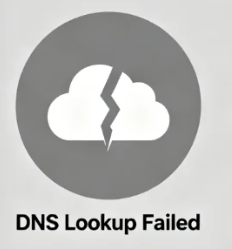





When you eagerly type a URL into your browser, hit Enter, and are met with a cold error page instead, the feeling is undeniably frustrating. Among these error messages, "Origin DNS Error" stands out as a common yet perplexing roadblock. This article aims to serve as your web navigation map, thoroughly dissecting the origins of this error and pointing you in the right direction.
![Image[1] - Decoding Origin DNS Errors: A Comprehensive Diagnostic and Repair Guide](https://www.361sale.com/wp-content/uploads/2025/12/20251201102656290-image.png)
Chapter 1: The Cornerstone of the Online World—Understanding the Core Role of DNS
Before delving into the nature of the error itself, we must first understand a foundational service that underpins the entire operation of the internet—Domain Name Systemthat is, what we commonly refer to as DNS.
1.1 DNS: The Internet's Address Book
Imagine you need to contact a friend. You could memorize their phone number, but a long string of digits isn't easy to remember or use. A simpler approach is to store their name in your phone's contacts, then find and dial their number using that name.
DNS serves precisely this "address book" role in the network world. Every device on the internet has a unique identifier, known asIP address(e.g. 192.0.2.1This string of numbers is computer-friendly but difficult for humans to remember. The role of DNS is to translate these memorable domain names (such as www.example.com) Translate it into an IP address that computers can recognize.
![Image[2] - Decoding Origin DNS Errors: A Comprehensive Diagnostic and Repair Guide](https://www.361sale.com/wp-content/uploads/2025/12/20251201102852287-image.png)
1.2 Behind-the-Scenes Journey of the Parsing Process
This translation process is not achieved overnight; it involves a sophisticated tiered query system. When you visit a website, a series of behind-the-scenes queries occur:
- Local Cache QueryYour computer will first check whether it has recently accessed this domain and retained its IP address record.
- Recursive Parser QueryIf there are no local records, your computer will contact yourInternet Service Provider(ISP) or the public DNS server you set up (such as Google DNS)
8.8.8.8) initiates the query. This recursive parser handles the entire lookup process on your behalf. - Root Domain Name Server QueryThe recursive resolver first queries the root domain name server. The root server does not store specific addresses, but it directs the resolver to the server responsible for
.com,.netservers for top-level domains. - Top-Level Domain Server QueryThe resolver then queries the corresponding top-level domain server to obtain the address of the authoritative DNS server managing that domain name.
- Authoritative DNS Server QueryFinally, the resolver initiates a query to the domain's authoritative server. The authoritative server stores the most original and accurate DNS records for this domain and returns the final IP address to the recursive resolver.
![Image [3] - Decoding Origin DNS Errors: A Systematic Diagnostic and Repair Guide](https://www.361sale.com/wp-content/uploads/2025/12/20251201102939328-image.png)
- Result Return and CachingThe recursive resolver returns the obtained IP address to your computer, allowing your browser to initiate a connection to that address. Simultaneously, this result is cached locally and on the recursive resolver for a period of time to accelerate subsequent accesses.
Chapter 2: Exploring the Essence of "Origin Servers" and Error Signals
After understanding how DNS works, we can focus on the "origin" and the "error" itself.
2.1 Definition of "Origin": The Birthplace of Content
In network architecture, "Origin" refers to the initial server storing a website's source files (such as HTML, CSS, JavaScript, images, etc.). It is the sole authentic source of content. When we discuss the "origin server," we are referring to this server—hosting all your website's data—which is ultimately pointed to by authoritative DNS records.
2.2 Introduction of Content Delivery Networks
In modern internet infrastructure, content delivery networks (CDNs) are widely deployed to enhance access speeds and reduce load on origin servers. CDNs establish multiple caching nodes across the globe. When users access a website, the CDN distributes copies of static resources to the node closest to the user. In this scenario, user requests may initially reach the CDN node, but when the CDN node requires the latest content, it still needs to retrieve it from the "origin server."
![Image [4] - Decoding Origin DNS Errors: A Systematic Diagnostic and Repair Guide](https://www.361sale.com/wp-content/uploads/2025/12/20251201103010730-image.png)
2.3 The Exact Meaning of Origin DNS Error
The so-called "Origin DNS Error" fundamentally means that when the client (typically a browser) or an intermediary service (such as a CDN) attempts to locate your origin server, the DNS query fails. This error explicitly indicates that the issue lies not in finding the CDN address corresponding to the website domain itself, but rather in encountering an obstacle when locating the ultimate, original server address behind the domain name.
2.4 Incorrect Visual Presentation
In a browser, this error may manifest in various forms, with common prompts including:
Error 526Invalid SSL certificateOrigin DNS errorUnable to resolve the origin server's IP address- simple
DNS_PROBE_FINISHED_NXDOMAIN
The core message remains consistent: the browser successfully resolved the domain name, but when attempting to resolve a critical target address associated with that domain (typically the origin server address), the DNS system returned an error or indicated the address was unavailable.
Chapter 3: Systematic Analysis of the Root Causes of Errors
Origin DNS errors can stem from a variety of causes, and we can conduct a systematic analysis from the following perspectives.
3.1 Domain Name Resolution Layer Failures
This is the most common source of problems.
![Image [5] - Decoding Origin DNS Errors: A Comprehensive Diagnostic and Repair Guide](https://www.361sale.com/wp-content/uploads/2025/12/20251201103039304-image.png)
- Incorrect A record or CNAME recordIn the DNS management backend for the domain name, the A record or CNAME record pointing to the origin server's IP address has been incorrectly configured. For example, the IP address was entered incorrectly, or the record points to a non-existent domain name.
- Record propagation delayAfter modifying DNS records, DNS servers worldwide require time to update their caches. This period is known as the "propagation time." Before propagation completes, some users may encounter errors due to obtaining outdated, invalid records.
- Domain Status AbnormalThe domain registration has expired, or has been suspended by the registrar for some reason, causing DNS lookups for the entire domain to fail.
3.2 Server and Host-Level Issues
The root cause of the problem may lie with the origin server itself.
- Server IP Address ChangeThe website has been migrated to a new hosting provider and assigned a new IP address, but the domain's DNS records have not been updated accordingly and still point to the old, invalid IP address.
- The origin server is offline.The origin server is inaccessible due to maintenance, downtime, or network issues. Even with perfectly correct DNS records, the server's own unavailability will cause connection failures.
- Hosting provider configuration errorThe network or server configuration on the hosting provider's end contains errors that prevent normal external access to the origin server.
3.3 The Relationship Between Cybersecurity and CDN Configuration
When using CDN services, improper configuration is a common cause of Origin DNS errors.
![Image [6] - Decoding Origin DNS Errors: A Comprehensive Diagnostic and Repair Guide](https://www.361sale.com/wp-content/uploads/2025/12/20251201103355359-image.png)
- Incorrect origin server information in the CDNIn the CDN service control panel, the "origin server" address you set for your website (typically an IP address or hostname) itself cannot be correctly resolved via DNS.
- SSL/TLS Configuration ConflictCertain CDN services verify origin servers and deploy them.SSL certificateAt this point, the origin server must be resolvable via DNS. If the DNS records are incorrect at this stage, certificate validation will fail, resulting in a DNS-related error being reported.
Chapter 4: Building a Systematic Diagnostic and Resolution Framework
When encountering Origin DNS errors, we can follow a clear troubleshooting path.
4.1 Preliminary Quick Check
- Using the Global DNS Lookup Tool: Visit such as
WhatsMyDNS.netmaybeDNSChecker.orgFor this type of website, enter your domain name and select the A record type to perform a query. This allows you to visually verify whether the IP addresses resolved by DNS servers worldwide are consistent and whether they match your correct origin server IP. - Check domain registration statusLog in to your domain registrar account to confirm whether the domain is within its validity period and whether its status is "Active."
![Image [7] - Decoding Origin DNS Errors: A Systematic Diagnostic and Repair Guide](https://www.361sale.com/wp-content/uploads/2025/12/20251201103458153-image.png)
4.2 Deep Validation of DNS Records
Log in to your domain's DNS management platform (which may be your domain registrar or a third-party DNS provider like Cloudflare) and perform the following checks:
- Confirm A record valueCheck the A record pointing to your origin server and verify that its IP address exactly matches the information provided by your hosting provider.
- Check the CNAME record chainIf your records containCNAMEPlease ensure it points to a valid and accessible domain name, and that the entire chain of links does not form a closed loop or lead to a dead link.
4.3 Server Connectivity Testing
After confirming that the DNS records are correct, the next step is to test the connectivity of the origin server itself.
- utilizationPing commandAt the command prompt (Windows) or Terminal (Mac/Linux), enter
Ping your-origin-server-ipIf a response is received, it indicates that the server is online and the network connection is generally unimpeded. - Perform a traceroute: Use
tracert(Windows) ortraceroute(Mac/Linux) command to view the path of data packets from your computer to the source server, helping identify where network issues occur.
![Image [8] - Decoding Origin DNS Errors: A Comprehensive Diagnostic and Repair Guide](https://www.361sale.com/wp-content/uploads/2025/12/20251201103527885-image.png)
4.4 Specialized Review of CDN Configuration
If your website uses a CDN:
- Log in to the CDN provider consoleCarefully check the "origin server" address you configured for your website. Ensure this address is a valid hostname or IP address that resolves via public DNS.
- Temporary Bypass TestAs an advanced troubleshooting method, you can try temporarily modifying your local hosts file to point your domain directly to the origin server's IP address, bypassing the CDN. If the website becomes accessible at this point, the issue is almost certainly due to the CDN configuration.
summarize
![Image [9] - Decoding Origin DNS Errors: A Systematic Diagnostic and Repair Guide](https://www.361sale.com/wp-content/uploads/2025/12/20251201103703236-image.png)
Although Origin DNS errors display complex messages, their essence lies in a failure of the internet address query system to locate content sources. By understanding DNS's fundamental role as the internet's address book, clearly defining origin servers as the content's home base, and systematically analyzing every potential failure point—from domain resolution and server status to CDN configuration—we've built a comprehensive framework for understanding and addressing these issues.Mastering this framework empowers you not only to resolve immediate issues but also to prevent similar failures in the future. It ensures your website maintains a clear, reliable beacon amidst the vast ocean of the internet.

Link to this article:https://www.361sale.com/en/81731The article is copyrighted and must be reproduced with attribution.


















![Emoji[wozuimei]-Photonflux.com | Professional WordPress repair service, worldwide, rapid response](https://www.361sale.com/wp-content/themes/zibll/img/smilies/wozuimei.gif)

![Emoticon[baoquan] - Photon Wave Network | Professional WordPress Repair Services, Worldwide Coverage, Rapid Response](https://www.361sale.com/wp-content/themes/zibll/img/smilies/baoquan.gif)


 简体中文
简体中文  English
  日本語
日本語  Français
  Español


No comments