





When websites encounter Origin DNS errors, a common dilemma arises: why can they be accessed normally in some regions while consistently failing in others? Such regional access discrepancies often stem from inconsistencies in global DNS resolution—a critical A record may have been updated in Tokyo but still points to an outdated IP address in São Paulo. Relying on testing within a single local environment is like seeing the tip of the iceberg; it fails to reveal the true state of the global DNS network.
This article will provide an in-depth analysis of three professional online DNS diagnostic tools, helping you develop a global perspective for troubleshooting. It transforms vague "DNS issues" into precise, actionable fault coordinates.
Chapter 1: Understanding the Dimensions and Limitations of DNS Diagnostics
Traditional DNS troubleshooting, such as usingnslookupmaybedigThe command inherently suffers from perspective blind spots. It can only reflect the results cached by your local recursive resolver, failing to reveal the synchronization status of global DNS servers, response variations from authoritative servers, or cache pollution issues in specific geographic regions.
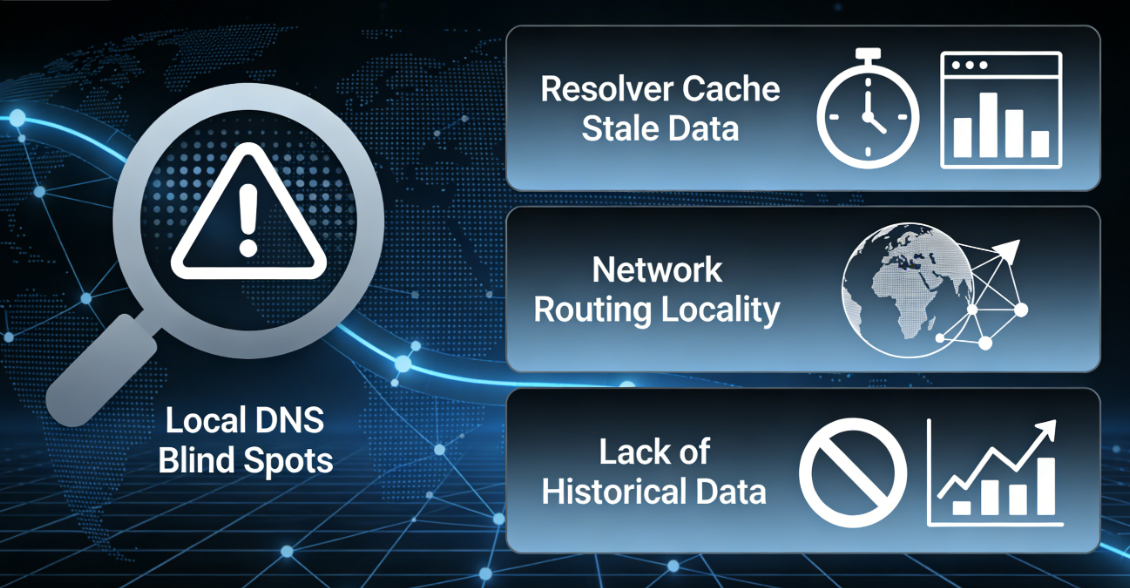
1.1 Three Major Blind Spots in Local Diagnostics
The diagnostic results of local commands are constrained by three key factors:
- Caching in Recursive ParsersYour ISP orPublic DNSThe server may still retain old, invalid DNS records.
- Locality in Network RoutingQuery requests may be directed to the DNS server closest to you, but this does not necessarily reflect the global status.
- Lack of historical and comparative dataA single query cannot display the process and trends of record propagation.
1.2 Core Value of Global Diagnostics
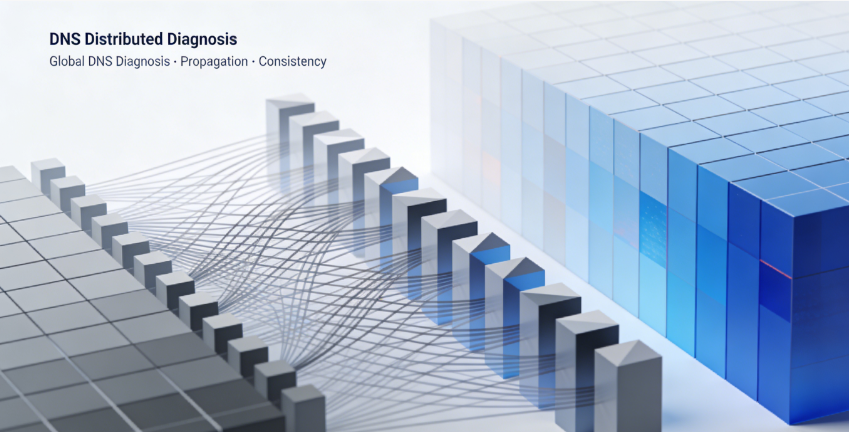
Professional online DNS tools simulate queries initiated by resolvers located across different geographic regions worldwide. This "distributed diagnostics" capability reveals:
- Record the completion rate of transmissionTo what extent have the new DNS settings taken effect globally?
- Consistency of the authoritative serverDo all your domain's authoritative servers return the same record answers?
- Regional Resolution AnomaliesIs there a resolution error specific to a particular country or ISP, which may indicate localized cache pollution or network policy issues.
Chapter 2: In-Depth Analysis of Core Tools: From Basic Queries to Professional Mining
The following three tools cover different scenarios ranging from quick checks to in-depth analysis, forming a comprehensive diagnostic toolkit.
2.1 DNSChecker.orgVisual Map of Global Communication Dynamics
DNSChecker is renowned for its intuitive geographic visualization interface, making it ideal for quickly assessing the global propagation status of DNS records.
Operational Procedures and Practical Analysis:
- After visiting the website, enter the domain name or hostname you wish to check into the search box, for example:
origin.example.comThe - Select from the Record Type dropdown menu A record(For IPv4 addresses) or CNAME recordThe
- After clicking "Search," the tool will initiate DNS queries from over 50 locations worldwide.
Key Points for Interpreting Results:
- Green checkmark and red XEach location marker on the map visually indicates whether the query succeeded or failed. A red area clearly signifies records that are globally invalid or erroneous.
- List of IP AddressesThe table below lists the specific IP addresses resolved for each location.This is the core of the diagnosis.The

- Fault Mode Determination::
- Pattern A: Global FailureAll or the vast majority of locations return "Query failed" or "Not found." This indicates that the record does not exist on the authoritative DNS server at all, or that the domain name itself has a status issue (such as being expired).
- Pattern B: Regional Inconsistency: Some locations return the correct new IP (e.g.,
192.0.2.100), while another portion returns the incorrect old IP (e.g.,198.51.100.50This is a classic example ofDNS propagation incompleteThe ratio of old and new IPs coexisting directly reflects the relationship between the time elapsed since the change and the TTL settings. - Pattern C: Pollution AnalysisCertain regions (such as a specific country) return a completely unrelated, anomalous IP address, while other regions function normally. This may indicate localized DNS hijacking or cache poisoning.
2.2 Dig Web Interface: The authoritative lookup tool for engineers
For technicians needing to trace issues to their source, the web-based Dig tool offers command-line-like power and flexibility, enabling direct queries to authoritative DNS servers and bypassing all intermediate caches.
Advanced Diagnostic Operations Guide:
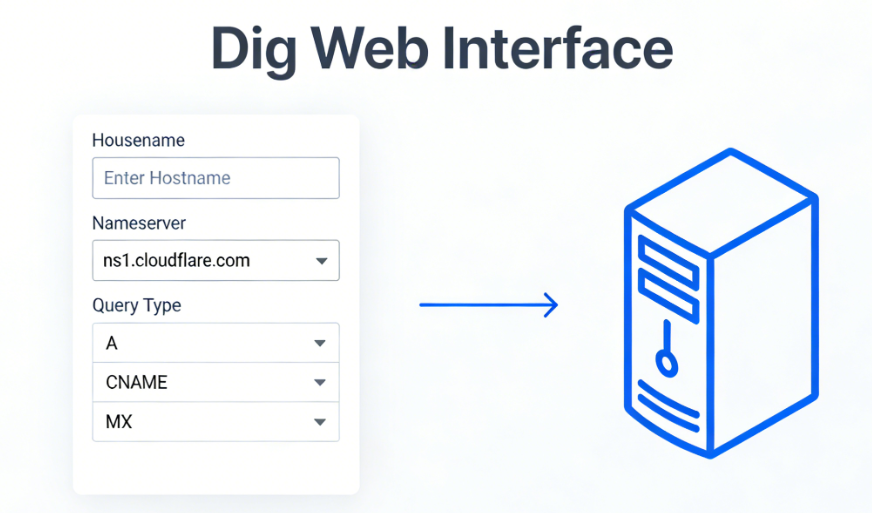
- Enter the domain name to be checked in the "Hostname" field of the tool.
- Key step: In the "Nameserver" field, enter your domain'sAuthoritative DNS ServerAddress (e.g.,
ns1.cloudflare.comThis ensures queries reach the data source directly, unaffected by any recursive parser caches. - Select the query type (A, CNAME, MX, etc.) and execute.
In-depth Results Analysis:
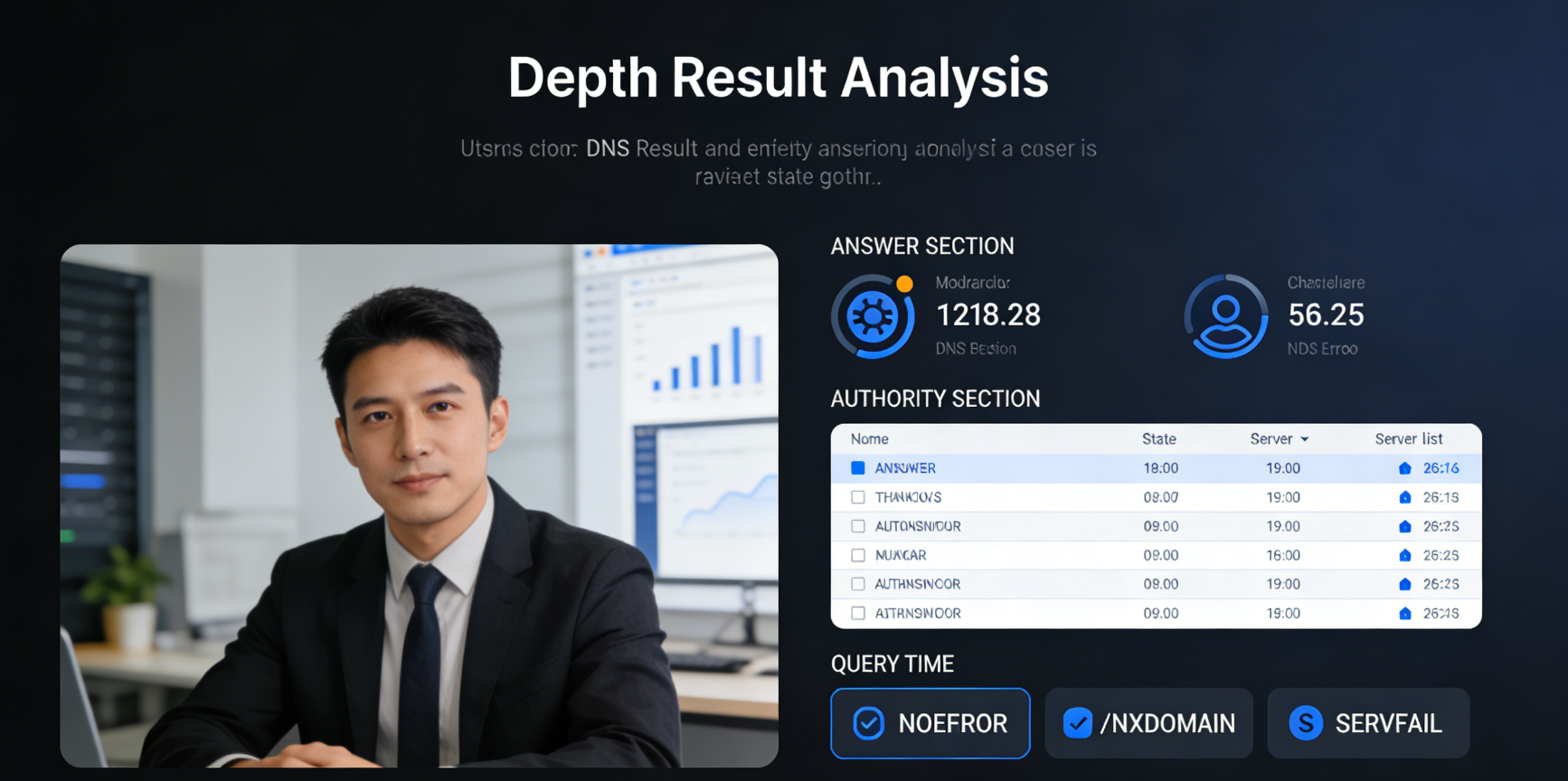
- ANSWER SECTIONDisplay the final answer provided by the authoritative server. This isThe ultimate test of authenticityIf there is an error here, it indicates that the DNS configuration itself is problematic.
- AUTHORITY SECTIONList all authoritative servers responsible for this domain name. This can be used for cross-verification—querying each authoritative server individually to see if they return consistent answers. Inconsistencies indicate data synchronization issues between authoritative servers, which is a serious management problem.
- QUERY TIMEAn unusually long duration may indicate slow responses from the authoritative server or network connectivity issues.
- Interpretation of Status Codes::
NOERRORQuery successful; records returned.NXDOMAINThe requested domain name does not exist. This is a check.origin.yoursite.comA key indicator of whether such subdomains are created correctly.SERVFAILThe authoritative server failed while processing the query. This may indicate a server malfunction or configuration error.
2.3 WhatsMyDNS.netQuick Check and History Tracking
WhatsMyDNS combines the breadth of global checks with a clean interface, making it ideal for quick verification and easy sharing.
Featured Function Applications:
- Parallel inspection of multiple record typesYou can simultaneously view the global status of A, AAAA, CNAME, MX, and other records.
- Share the results linkEach query generates a unique URL, enabling you to directly share the current global DNS status with colleagues, clients, or technical support personnel, providing an indisputable snapshot of the current state.
- Concise list viewList results by country/city and ISP to facilitate quick scanning for anomalies.
Diagnostic Strategy:
When you modifyDNS recordsAfterwards, you can use WhatsMyDNS to check at regular intervals (e.g., every 30 minutes) and save the result links. By comparing links from different time points, you can clearly map outProgress Map of DNS Record Propagation WorldwideHow much longer will it take to conduct an objective assessment?
Chapter 3: Practical Diagnostics: From Tool Output to Fault Decision
After mastering the ability to interpret tools, we need to translate data into concrete action plans.
3.1 Case Diagnosis: Troubleshooting CDN Origin Failure
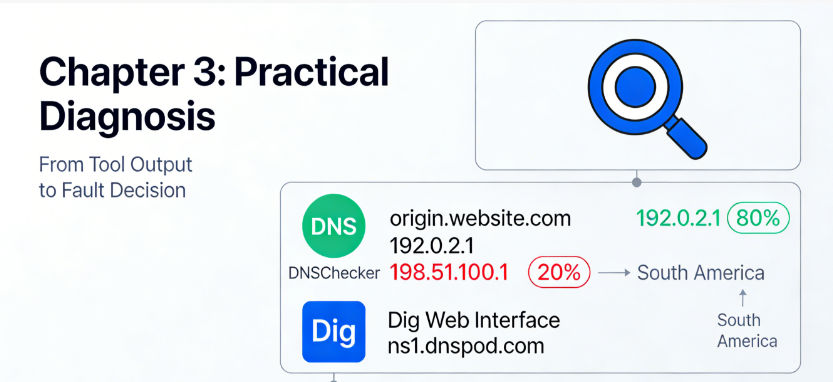
takeThe website uses a CDN, with the CDN's backend source configured as origin.website.comUsers report intermittent Origin DNS errors.
Diagnostic Steps:
- Use DNSChecker probe
origin.website.comA record. Findings: 80% location resolves to the correct IP address.192.0.2.1However, locations in the 20% range (primarily concentrated in South America) still resolve to the old IP addresses.198.51.100.1The - Preliminary Conclusions::DNS propagationUnfinished, the old record's TTL may be set too high.
- Delve deeper: Use Dig Web InterfaceSpecify the authoritative server for queries
ns1.dnspod.comThe authoritative answer has already been discovered.192.0.2.1This confirms that the configuration itself is correct, and the issue lies solely with the global cache. - decision-makingNo need to modify DNS settings. The solution is to wait or contact ISPs in regions still displaying the old IP to refresh their caches. Explain to users that this is a temporary propagation delay issue.
3.2 Case Study: The Crisis of Inconsistent Authoritative Servers
takeUsers worldwide are randomly reporting that the website is inaccessible, with error messages pointing to DNS issues.
Diagnostic Steps:
- utilizationDig Web Interface Query each authoritative server for the domain name (e.g.,
ns1.example.com,ns2.example.com). - discoveries::
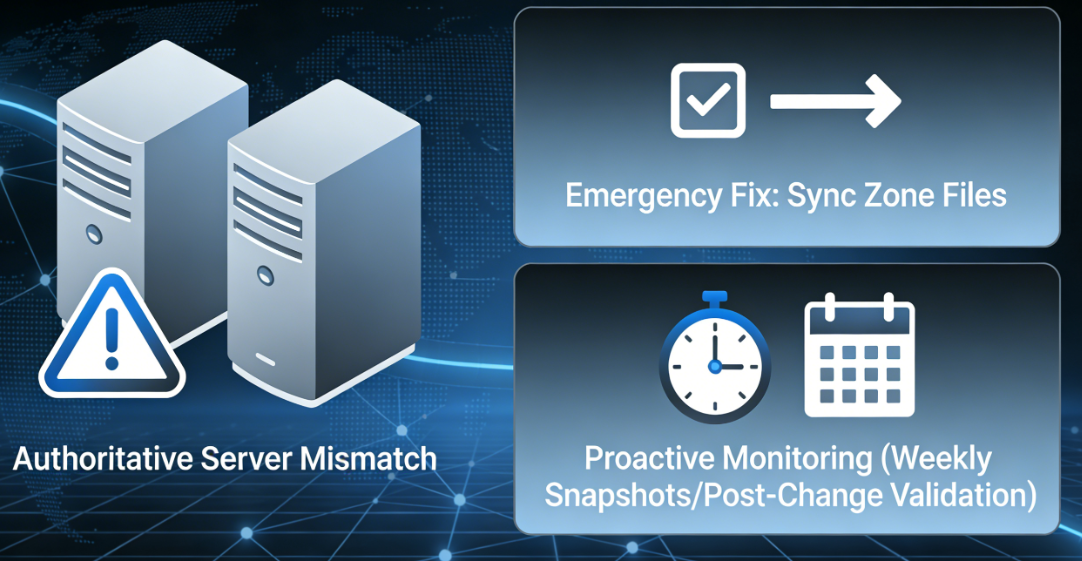
ns1Return the correct IP192.0.2.100but (not)ns2come (or go) back192.0.2.99(An IP address of a decommissioned server). - reach a verdict: Data inconsistency between authoritative servers. When a user queries, if the recursive resolver happens to ask
ns2will result in an incorrect IP address, causing access failure. - Emergency ActionImmediately log into the DNS hosting platform to verify that the zone file configurations across all authoritative servers are identical. This is a top-priority operational incident.
3.3 Establish a Routine Monitoring Strategy
Passive response to failures is inferior to proactive prevention. A simple monitoring system can be established:
- Periodic SnapshotConduct a weekly global check of critical domains (primary domain, origin server domain, email domain) using WhatsMyDNS and archive the results.
- Post-Change VerificationAfter any DNS record change, immediately use the aforementioned tools to monitor the global propagation process until it is fully effective.
- Establish a baselineRecord the distribution of global resolution response times under normal conditions as a benchmark for identifying abnormal fluctuations.
Chapter 4: Beyond the Basics: Professional Scenarios and Advanced Tools Guide
For enterprise users or complex scenarios, more powerful tools are available.
4.1 Use SecurityTrails or DNSlytics for historical lookups
These platforms offer DNS historical record lookup capabilities. When you suspect a domain name was maliciously modified or misconfigured at some point in the past, you can trace the historical changes to its A records, MX records, or NS records. This proves invaluable for security incident investigations and root cause analysis of failures.
4.2 Verify Reachability via Ping or HTTP Probe
DNS resolutionCorrectness is only the first step. Tools such as Pingdom Tools maybe GTmetrix After completing DNS resolution, further attempts are made to establish TCP port connections (such as ports 80 or 443) or even HTTP requests to the resolved IP address. This distinguishes between two distinct failure modes: "DNS resolution succeeded but server is offline" versus "DNS resolution failed," advancing diagnostics to the network layer.
4.3 Automated Monitoring and Alarm Integration
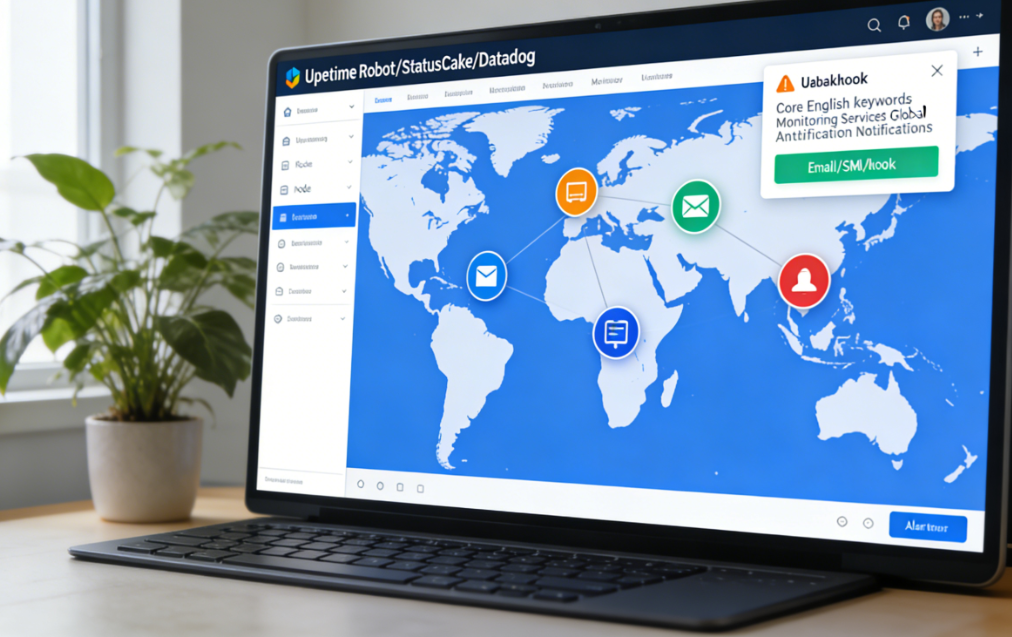
For business-critical domains, consider using services such as UptimeRobot,StatusCake maybe Datadog Monitoring services. These services can periodically perform DNS lookups and subsequent connection tests on your domain from multiple global nodes. They instantly trigger alerts via email, SMS, or Webhook when resolution fails, resolution results change, or TTL anomalies occur, enabling minute-level fault detection.
concluding remarks
Diagnosing Origin DNS errors is fundamentally an information battle. Relying on isolated, partial information inevitably leads to misjudgment. Tools like WhatsMyDNS, DNSChecker, and Dig Web Interface provide you with a comprehensive perspective—from the macro global landscape to the micro level of authoritative responses.
Mastering these tools transforms vague descriptions like "seems like DNS issues" into precise diagnoses such as "A records on authoritative server ns2 are out of sync, causing 30% users in South America to resolve to incorrect IPs."This shift from conjecture to confirmation not only drastically reduces recovery time but also empowers you with the confidence and capability to master the global DNS network. It ensures your website maintains a stable, reliable digital address in every corner of the world.

Link to this article:https://www.361sale.com/en/82437The article is copyrighted and must be reproduced with attribution.


















![Emoji[wozuimei]-Photonflux.com | Professional WordPress repair service, worldwide, rapid response](https://www.361sale.com/wp-content/themes/zibll/img/smilies/wozuimei.gif)

![Emoticon[baoquan] - Photon Wave Network | Professional WordPress Repair Services, Worldwide Coverage, Rapid Response](https://www.361sale.com/wp-content/themes/zibll/img/smilies/baoquan.gif)


 简体中文
简体中文  English
  日本語
日本語  Français
  Español


No comments