




Many websites use WordPress for site building.Unused child themeDirectly modifying theme files means that when theme updates, feature expansions, or redesigns occur, you'll discoverModified content is difficult to maintain.or even lost entirely. This article will focus onBlog websites, corporate websites, and WooCommerce e-commerce websitesThree common scenarios, with a focus on analyzing subtopics inActual Functions in Different Types of Websitesand provide clear, actionable criteria to help you make the right choice.
![Image[1] - Blogs, corporate sites, e-commerce sites: Don't use child themes—you'll definitely regret it later.](https://www.361sale.com/wp-content/uploads/2025/12/20251222100604932-image.png)
1. What is a WordPress child theme?
1.1 Official Definition of Child Themes
A WordPress child theme is a theme that relies on a parent theme to function. Its main features include:
- Inherits the template and functionality of the parent theme
- Allow overriding template files from parent themes
- You can safely add custom CSS, PHP, and JavaScript.
![Image[2] - Blogs, Corporate Sites, E-commerce Sites: Don't use child themes—you'll definitely regret it later.](https://www.361sale.com/wp-content/uploads/2025/12/20251222101455796-image.png)
- When the parent theme is updated, the child theme's content will not be overwritten.
From a technical perspective, the essence of a child theme is:Extend and customize the theme without modifying the parent theme's source code.
1.2 Core Value of the Sub-theme
subthemeIt primarily addresses three practical issues:
- Customize the theme's appearance and structure securely
- Prevent changes from being lost due to parent theme updates
- Reduce long-term maintenance and upgrade costs
If any "non-default modifications" exist on the website, using a child theme is the recommended practice.
II. General Criteria for Determining Whether a Child Theme Is Required
2.1 In the following situations, it is recommended to use child themes.
If you plan to or have already performed the following actions:
- Modify Theme CSS Styles
- Override header, footer, single, and other template files
- exist
functions.phpAdd features related to theme display - Customized for SEO, performance, or structure
So using a child theme isA more technically sound and lower-risk optionThe
2.2 When can you temporarily avoid using a child theme?
The following scenarios do not require immediate use of child themes:
- Local learning or testing environment
- Temporary Event Page
- No modifications whatsoever will be made at the thematic level.
It should be noted that once you start involvingTheme CustomizationIt is recommended to introduce child themes promptly.
![Image[3] - Blogs, Corporate Sites, E-commerce Sites: Don't use child themes—you'll definitely regret it later.](https://www.361sale.com/wp-content/uploads/2025/12/20251222100731601-image.png)
III. Are Child Themes Suitable for Blog Websites?
3.1 Recommended Blog Types for Child Themes
3.1.1 Long-Term Operational Content-Based Blogs
This type of blog typically requires:
- Continuously optimize article page layout
- Adjust the title, line spacing, and font
- Add SEO elements such as sitemaps and structured data
These modifications all fall underTheme Display Layer Logic, ideal forsubthemeRealization.
3.1.2 Technical Blogs and Tutorial Blogs
Common requirements for technical blogs include:
- Customizing Code Style
- Specific Article Template
- Shortcodes or template logic related to theme structure
In this scenario, placing the code in a child theme helps maintain a clear structure. However, if the shortcode needs to be reused across themes, it's more advisable to encapsulate it as a plugin.
3.2 Situations Where Using a Child Theme for Your Blog May Not Be Necessary
- Use the theme's default styles exclusively
- Do not modify CSS or PHP
- All extended features are implemented through plugins.
However, in actual operation, this situation typically only exists during the initial stages.
![Image [4] - Blogs, Corporate Sites, E-commerce Sites: Don't use child themes—you'll definitely regret it later.](https://www.361sale.com/wp-content/uploads/2025/12/20251222101214980-image.png)
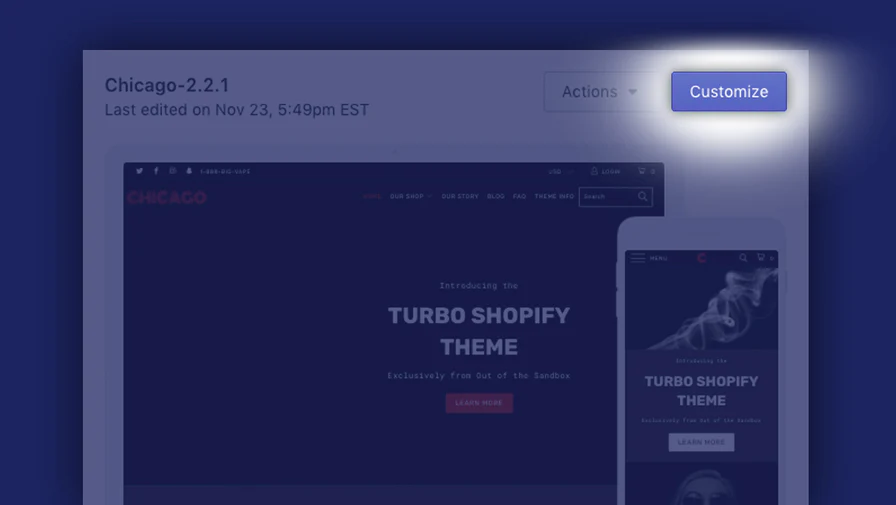
4. Corporate Website: Subthemes are recommended practices.
4.1 Characteristics of Corporate Websites
Corporate websites typically feature the following characteristics:
- Long service life
- Requires stability and maintainability
- Page structure and styling will be adjusted based on business requirements.
In such projects, directly modifying parent theme files significantly increases the risk of maintenance issues later on.
4.2 Common Uses of Subthemes in Corporate Websites
4.2.1 Brand Style Customization
- Color System
- Buttons and Layout
- Homepage Module Structure
These modifications all fall under the thematic level and should be implemented throughsubthemeDone.
4.2.2 Rational Division of Functional Extensions
- Logic strongly related to the main theme → Subtheme
- Reusable, theme-independent business logic → Plugins
This division facilitates long-term maintenance and multi-person collaboration.
| Function Type | Recommended Placement Location | typical example |
|---|---|---|
| Page Style Adjustment | subtheme | Font, color, layout |
| Template Structure Modification | subtheme | Product Page Structure, Article Page Structure |
| Logic strongly related to the theme | subtheme | Display Control, Layout Logic |
| Reusable functionality | plug-in (software component) | Shortcodes, Analytics, SEO Features |
| Business logic unrelated to the theme | plug-in (software component) | Form processing, payment logic |
![Image [5] - Blogs, Corporate Sites, E-commerce Sites: Don't use child themes—you'll definitely regret it later.](https://www.361sale.com/wp-content/uploads/2025/12/20251222101057808-image.png)
V. E-commerce Websites (WooCommerce): We strongly recommend using child themes.
5.1 Technical Features of E-commerce Sites
WooCommerce websites typically require:
- Covering product page and checkout page templates
- Adjust the order of product information display
- Optimize conversion rates through detailed refinements
These operations all involve themes and WooCommerce Template layer: Using a child theme is the safest implementation method.
5.2 Potential Issues When Not Using Child Themes
- Template conflicts after updating WooCommerce or themes
- Style overrides are not working
- Repair costs exceed standard construction expenses.
Therefore, in formally operational e-commerce projects, the use of child themes is a widely adopted practice.
VI. Summary of Recommendations for Different Website Types
| Type of website | Do you recommend child themes? | The main reason |
|---|---|---|
| Personal Blog (Short-Term) | selectable | Minimal modifications, short maintenance cycle |
| Personal Blog (Long-Term) | testimonials | Continuous optimization of styles and SEO is required. |
| Technology / Tutorial Blog | Highly recommended | Involving template and code customization |
| Enterprise official website | Highly recommended | Long service life, high maintenance requirements |
| WooCommerce E-commerce | necessarily | High risk of template overwriting and updates |

Link to this article:https://www.361sale.com/en/83844The article is copyrighted and must be reproduced with attribution.











![Emoji[wozuimei]-Photonflux.com | Professional WordPress repair service, worldwide, rapid response](https://www.361sale.com/wp-content/themes/zibll/img/smilies/wozuimei.gif)

![Emoticon[baoquan] - Photon Wave Network | Professional WordPress Repair Services, Worldwide Coverage, Rapid Response](https://www.361sale.com/wp-content/themes/zibll/img/smilies/baoquan.gif)


 简体中文
简体中文  English
  日本語
日本語  Français
  Español


No comments