


Server operation and maintenance Page 5
Choosing the right server for you needs to be considered in light of your actual needs and situation, and you need to weigh a number of factors such as price, performance, reliability, and quality of service.
arrange in order

1Panel v2: Heavy Updates and Innovative Features in Depth
Learn about the comprehensive updates to 1Panel v2, including new features such as load balancing, snapshot mechanism, task management and multi-computer management, providing webmasters and enterprise-level users with an efficient and stable management experience.

Completely outperforms the old version! Five Amazing Benefits of 1Panel v2 Upgrade Revealed!
1Panel v2 brings five upgraded advantages of performance optimization, security protection, extension compatibility and convenient operation, making site management more stable and efficient.

1Panel v2: The revolutionary panel that breaks the mold and redefines server management!
Explore how 1Panel v2 compares to other control panels and learn how it redefines the server management experience with efficient performance, robust Docker support, and security features.

1Panel v2 Pro creates a new peak of website performance!
In-depth analysis of 1Panel v2 Pro's core features and advantages, bringing faster, more stable and more secure website operation experience.

WordPress temp-write-test file appears? Causes and Solutions
Detailed analysis of WordPress temp-write-test file sources, risks and deletion methods to help webmasters quickly solve the residual problem.
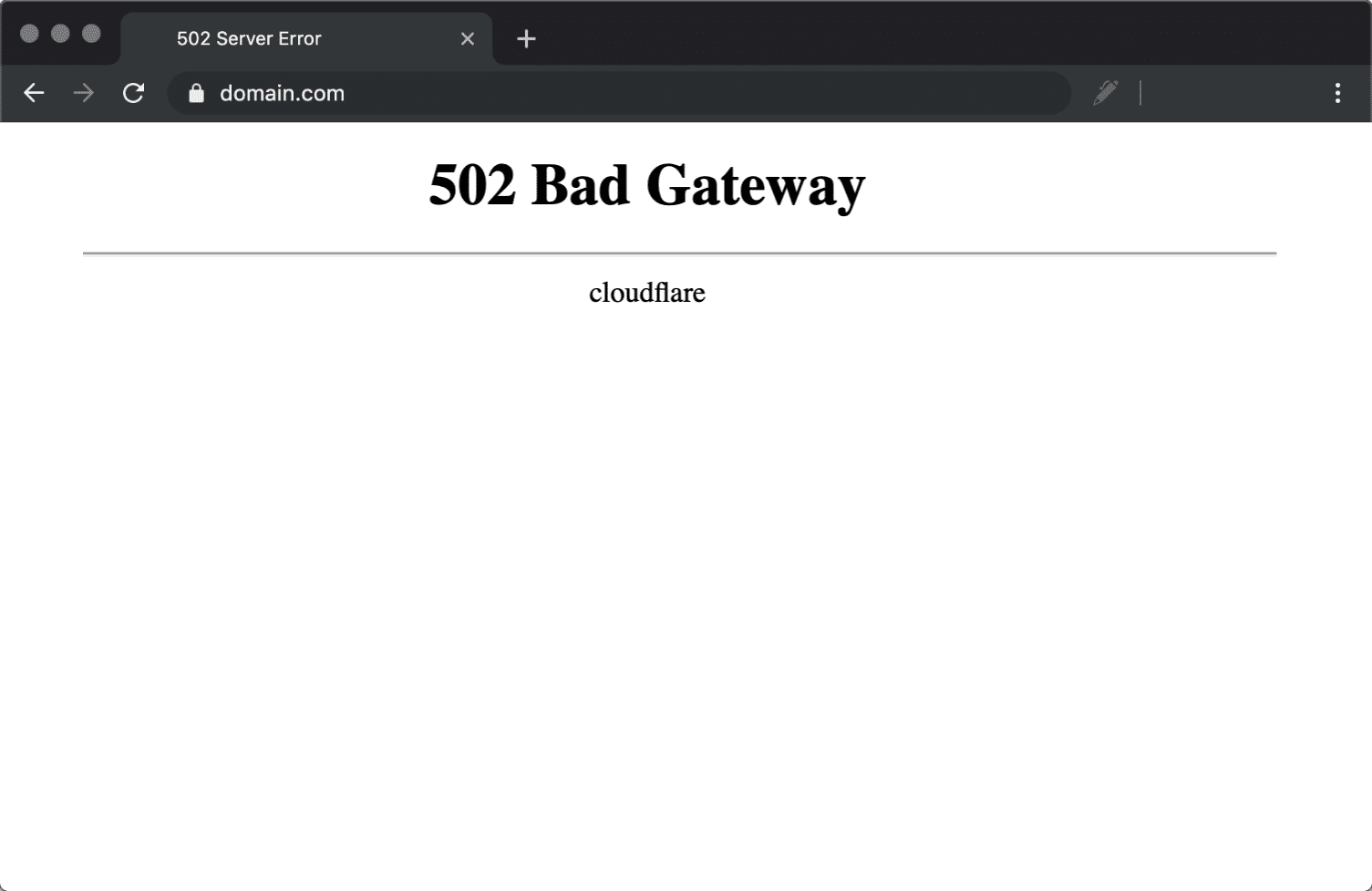
Website crashing? How to check if it's caused by a 502 error
02 Bad Gateway error is commonly seen when a website crashes. This article provides simple and effective checking steps and fixes to help you get your website back up and running quickly.

1Panel v2 improves data and website security across the board
1Panel v2 builds a multi-layer protection system with snapshots, backups, firewalls and WAFs to strengthen data and website security and create an efficient and stable server environment.

The temp-write-test file: The truth behind the WordPress temp mechanism
Many webmasters mistakenly think temp-write-test is a virus, in fact, it is a WordPress security mechanism to detect write permissions, take you to understand the real principle.

1Panel v2 Getting Started Guide: Beginners Getting Up to Speed with Hosted Management Panels
1Panel v2 is an integrated visual interface and security features of the server management panel, novice can quickly complete the site deployment and system maintenance.

Is 1Panel v2 right for your web hosting business? Pros and Cons Analysis
In-depth analysis of 1Panel v2 features, security mechanisms and performance, understand its advantages and shortcomings in web hosting business, help you choose the most suitable server management panel.

Getting to grips with the WordPress write test mechanism: the significance of the temp-write-test file
Comprehensively explains the principle and role of WordPress temp-write-test file generation, to understand its significance in the detection of server write permissions, automatic updates and system security, to help you better maintain stable operation of the site.

1Panel v2 Supports Developers' Must-Have Features Explained
1Panel v2 creates an efficient and secure server management environment for developers, supporting multi-language environments, Docker management, automated deployment, API development, and multi-channel backup systems, helping to build an agile and efficient project workflow.

Customization Options for 1Panel v2: Adjusting the Interface to Your Needs
Comprehensive analysis of 1Panel v2's interface customization features, including dashboard layout, plugin extensions, theme loading and multi-role management, helping developers to create an efficient and personalized server control panel.

Is Your DNS Really OK? A deep dive into the reasons behind Cloudflare Error 1016
Your website suddenly won't open? Don't panic! This post analyzes the root cause of Cloudflare Error 1016 in detail with quick fixes to get traffic back instantly!

Can mistakenly deleting temp-write-test affect a WordPress site? Here's the truth
Explain the real role of temp-write-test file in WordPress, whether the site is affected after accidental deletion, and security management suggestions.

Your WordPress site was stripped long ago? CAPTCHAs are like a veil to hackers!
Is your CAPTCHA really secure? This article reveals the depth of black hat common bypass techniques and chain risk, and gives executable defense strategy (including reCAPTCHA v3, Cloudflare Turnstile, frequency limit and WAF configuration), to help you in the shortest possible time to fix the vulnerability,...

Don't be tortured by Cloudflare! 1016, 521, 522, 523 errors are so much worse!
What's wrong with your Cloudflare errors?1016, 521, 522, 523 The numbers may seem close, but they represent completely different errors! This in-depth guide takes you through the four major causes of errors and ideas for fixing them, from DNS to the network layer, so you can analyze them in a few minutes....

Best scenarios for 1Panel v2 in 2025: who is best suited to use it?
Learn the best scenarios for 1Panel v2 in 2025 and explore how to simplify Linux server management and improve efficiency for novice ops, enterprise teams, and senior ops engineers.

One Cloudflare 1016 Error to Drop All Your Google Rankings? Here's the truth.
The Cloudflare 1016 error isn't just a DNS glitch, it can send your site's rankings plummeting! This article reveals its true impact on SEO and fixes.

Cloudflare 1016 Hidden Associations with HTTPS Certificate Configuration
Still mad about Cloudflare Error 1016? Don't be fooled by the appearance of "DNS errors"! This ultimate guide analyzes the HTTPS certificate configuration, SSL mode conflict and certificate chaining issues behind 1016, and teaches you how to troubleshoot and fix them from DNS to SSL, quickly...

Tips and Tricks for Solving 1Panel v2 Common Problems
Comprehensive analysis of 1Panel v2 installation, login, permissions, backup and optimization issues, providing practical tips to help servers run efficiently and stably.

Choosing the Right Server Management Panel: A Comparative Analysis of 1Panel, cPanel and Pagoda Panel
Learn the difference between 1Panel, cPanel and Pagoda panels to help choose the best server management tool for your needs. This article provides a detailed comparison of the features, environments and advantages of each panel to help you make the best choice.

Learn the right way to turn on DISALLOW_FILE_EDIT to make your WordPress more secure!
Many WordPress websites have been tampered with because attackers inserted malicious code using the backend theme/plugin editor. By configuring DISALLOW_FILE_EDIT, a core security constant, you can disable this feature at the source and effectively strengthen your website security.

Say goodbye to hand slips: How to prevent team member misuse disasters with DISALLOW_FILE_EDIT?
In WordPress teamwork, internal misuse is more destructive than external attacks. A single code error can lead to website paralysis.DISALLOW_FILE_EDIT provides effective permission control solution for enterprises by disabling the background file editing function to protect the stable operation of business...

Security line of defense: why DISALLOW_FILE_EDIT is only effective when placed here? Decrypting the loading secrets of WP-CONFIG.php
DISALLOW_FILE_EDIT is a basic and critical configuration in WordPress security. By adding this line of code to the wp-config.php file, you can completely disable the backend theme and plugin editors. This measure prevents team members from both misuse of code errors...

What is 502 Bad Gateway?Has the website crashed? Read more in one article!
Don't panic when you encounter "502 Bad Gateway"! This article explains the causes of 502 errors, troubleshooting steps and repair methods to help you quickly restore access to the site and prevent recurrence.

502 Error Troubleshooting Guide: Five Steps to Quickly Restore Website Access
When a website shows '502 Proxy Error', it means that the front-end proxy server has lost a valid connection with the back-end application. This article will provide a complete troubleshooting solution from service status checking, network connectivity testing to log analysis to help you quickly locate and resolve the problem.

Performance and stability of the game: when your site traffic surge, how to prevent "502" errors
Build a solid system to prevent 502 errors triggered by traffic spikes by optimizing server configurations, deploying multi-tier caching and streamlining WordPress applications.

DISALLOW_FILE_EDIT: Umbrella or Shackle? Co-debugging with WP_DEBUG
This paper analyzes the security significance of DISALLOW_FILE_EDIT and its cooperative working mechanism with WP_DEBUG. By establishing a debugging mode that isolates the local development from the online environment, we can realize efficient problem diagnosis while guaranteeing the security of the production environment.

Web site can not open? May be the CDN in the "evil", 5 minutes to teach you to fix!
Don't panic if your website doesn't open! An article to take you to understand the "this page contains too many redirects" the real reason, hand in hand to teach you to troubleshoot CDN and cache conflicts, quickly restore access and SEO performance.

 简体中文
简体中文  English
  日本語
日本語  Français
  Español



