




WP self-taught website builder Page 43
At Photon Academy, we specialize in providing high quality WordPress instruction to help you master every aspect of WordPress from basic to advanced. Our courses are designed to allow students to get hands-on and understand the power of WordPress, whether it's building a personal blog or a business website.
arrange in order

Even a novice can handle it! Build professional FAQ modules in seconds with Nexter Blocks!
Nexter Blocks helps you to quickly create efficient FAQs, which can easily improve user experience and SEO!

WordPress Review Plugin Installation and Configuration Guide
Want to make your website more professional and high quality? WordPress Review Plugin installation and configuration tutorial is here! Hands-on teaching you to turn on the review rating system, improve SEO ranking, enhance user trust, and make the conversion rate soar!

Nexter Block Template Library Hides These Highly Converting Blocks
The Nexter block template library is so powerful! These must-have blocks will make your website more beautiful and convert better, and are not to be missed by newbies and designers alike!

E-commerce plugin helps SEO optimization: making stores more searchable
The e-commerce plugin helps SEO optimization and makes stores more searchable. Improve loading speed, optimize product display, enhance exposure and clicks.

Astra powers independent websites: an efficient tool to save on development costs
Independent station building budget is high?Astra theme lightweight and flexible, free of tedious development, fast online, to help you significantly save costs!

Astra Theme Tutorial: How to Speed Up with Caching Plugins
Lightweight Astra Theme + Free Caching Plugin Combo opens as fast as flying! Full setup tutorial takes you to easily build a flying website!

Astra vs Avada: which theme is better for cross-border e-commerce sites?
Who is better for cross-border e-commerce, Astra or Avada? A comprehensive comparison of performance, design, SEO and e-commerce features to help you make an efficient choice!

Astra or Avada: An article on which theme is better for multisite deployments
Comprehensive comparison of Astra and Avada in WordPress multisite performance, compatibility and deployment experience, to help you choose the strongest theme, easy to build efficient multisite!

How secure is the open source CMS? How to prevent being invaded
Understand the security and common risks of open source CMS, and master system updates, strong passwords, firewalls and backup strategies to comprehensively improve website security.

What is WordPress Plugin Compatibility? Core Concepts Newbies Must Understand
Understand the importance of WordPress plugin compatibility, master plugin conflict troubleshooting and maintenance skills to improve the speed and stability of the site.

Don't spend your money for nothing! The difference between ShopEngine Free Edition vs Professional Edition is so big?
Still hesitating to buy ShopEngine Professional? This in-depth review will help you see the feature gap, real experience and upgrade value, and help you take the wrong path!

Translate more than just text and do true multilingual SEO optimization with TranslatePress!
Use TranslatePress to localize Elementor titles and meta tags with Rank Math/Yoast to generate hreflang to quickly boost multilingual indexing and clicks.

Will the future of website building still need open source CMS? An article to see its long-term value
An in-depth analysis of the long-term value of open source CMS in the future of website building, and understand why it remains the key to creating autonomous, secure, and highly scalable websites for your organization.

Do 502 errors affect inclusion? Optimization techniques that website owners must master
Don't panic when your website gets a 502 error! It may be affecting inclusion and ranking. Master server optimization and crawl repair techniques to restore SEO weight quickly!

Why Choose WordPress Knowledge Base? Three Reasons to Outperform Third-Party SaaS Platforms
Learn why the WordPress Knowledge Base is superior to SaaS platforms in terms of control, cost and data security, with easy and flexible customization to help businesses reduce costs and safeguard privacy.
EWWW Image Optimizer Advanced Features Explained: WebP Delivery, CDN Acceleration, and Lazy Loading for Comprehensive Website Performance Enhancement
This article provides an in-depth analysis of the three advanced features of EWWW Image Optimizer: how WebP image delivery reduces file sizes, how CDN acceleration enables rapid global distribution, and how image lazy loading enhances perceived speed. Discover how these three features work together to significantly optimize Core Web Vitals metrics...
Flexible Checkout Fields Plugin Must-Have Tip: 10 Ways to Make WooCommerce Checkout Smoother (with Hands-On Guide)
Discover how to optimize the WooCommerce checkout experience, increase conversions, and reduce abandonment by streamlining checkout fields, adding conditional logic, and customizing order and validation rules with the Flexible Checkout Fields plugin.
Flexible Checkout Fields: A Guide to Improving Site-Wide Behavioral Signals
Explore Flexible Checkout Fields to increase WooCommerce checkout conversions and improve SEO behavioral signals by optimizing fields, conditional logic, and mobile experience.

Avada Timeline Performance Optimization Guide: Core Techniques for Achieving 90+ Speed Scores
In-Depth Analysis of Avada Timeline Performance Optimization Solutions Covering Core Web Vitals optimization, image lazy loading, code minification, and other techniques to achieve a speed score of 90+.
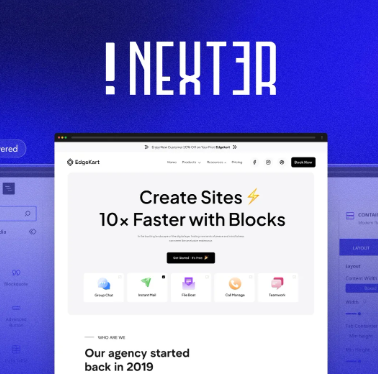
Redefining Block Editing: How Nexter Blocks Breaks Through Gutenberg's Design Boundaries
In-Depth Analysis of How Nexter Blocks Overcomes Design Limitations of the Gutenberg Editor, Delivering Professional Layout Capabilities While Maintaining Exceptional Performance—Achieving the Perfect Balance Between Functionality and Speed

WordPress Image Performance Issues Explained: Loading Mechanisms, Causes of Slowdowns, and Pre-Upload Optimization Principles
Excessive images on WordPress sites can severely impact loading speed and user experience. This article systematically analyzes the causes of slow image loading and provides long-term optimization rules for image uploads, dimensions, compression, WebP, and lazy loading.

Current Browser Support for WebP and WordPress Compatibility Solutions
This article systematically analyzes the actual support status of WebP in mainstream browsers. By leveraging WordPress's native mechanisms, it provides a detailed explanation of WebP image compatibility issues, common errors, and reproducible solutions. This helps webmasters safely implement image optimization and performance enhancements.
What image formats does WordPress support? Upload rules and best practices (Tutorial Station Standard Edition)
This guide systematically explains the image formats supported by WordPress, its actual upload limitations, and image generation mechanisms. It provides a set of actionable image upload and optimization rules to help improve website speed, enhance SEO performance, and reduce server resource consumption.
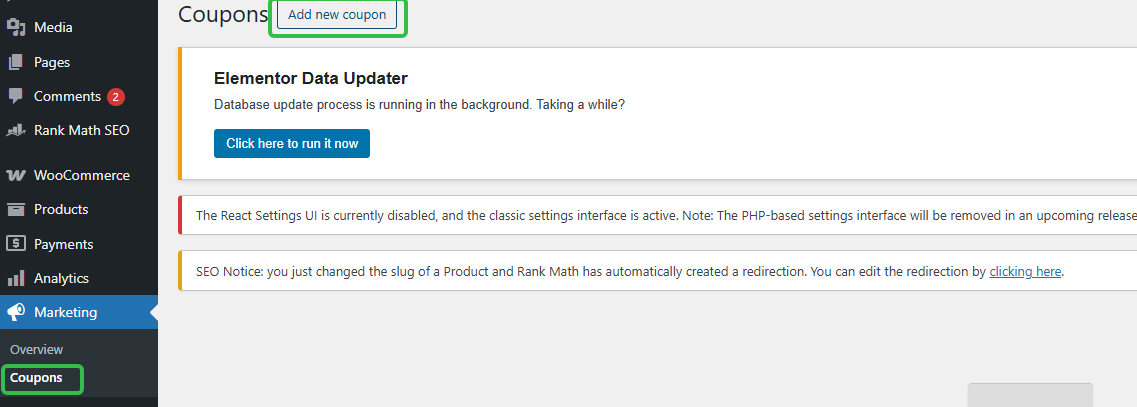
Can I use coupons for subscriptions? Where to set up WordPress subscription coupons (short version)
How to Set Up WooCommerce Subscription Coupons? Locate the backend path in one step, clearly define rules, usage limits, expiration dates, and whether they affect renewals to avoid pitfalls.
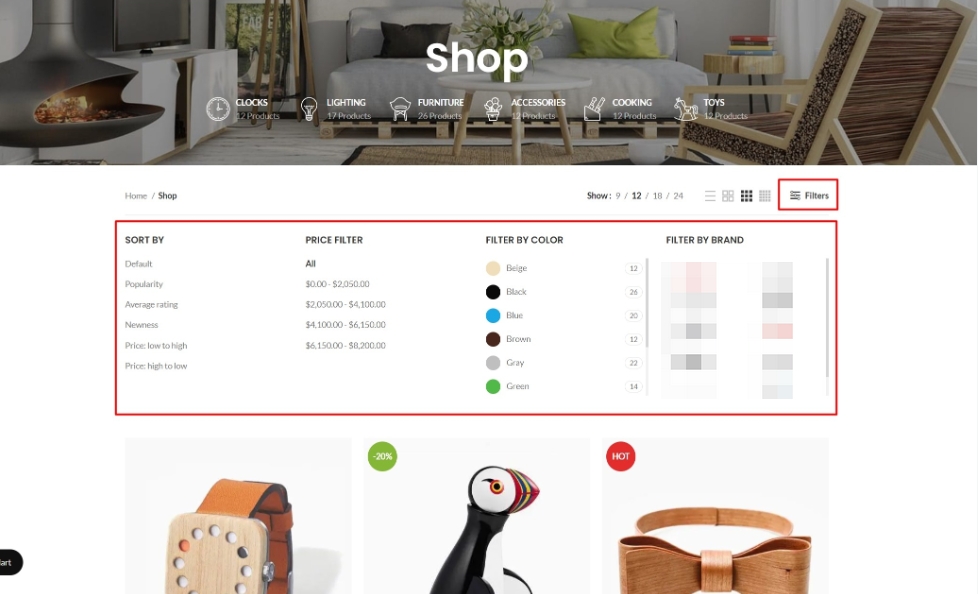
After dismantling over 30 WoodMart sites, I discovered: Filters are the overlooked core of SEO.
Your site has WoodMart Filter installed, but rankings just won't climb? The problem often isn't the filter itself—it's that filter result pages are never treated as content pages for internal linking. This article breaks down WoodMart Filter's SEO potential and teaches you how to leverage internal links to make filter pages truly...

Member Sites / Course Sites How to Protect Resources and Speed Up with WordPress Video Compression Solution (Hands-On Guide)
This article systematically explains the common performance and security problems of video in WordPress member sites and online course sites, analyzes the correct practices of video compression, controlled playback, anti-stealing links and CDN acceleration, and provides a reproducible and long-term video solution suitable for pay for knowledge ...
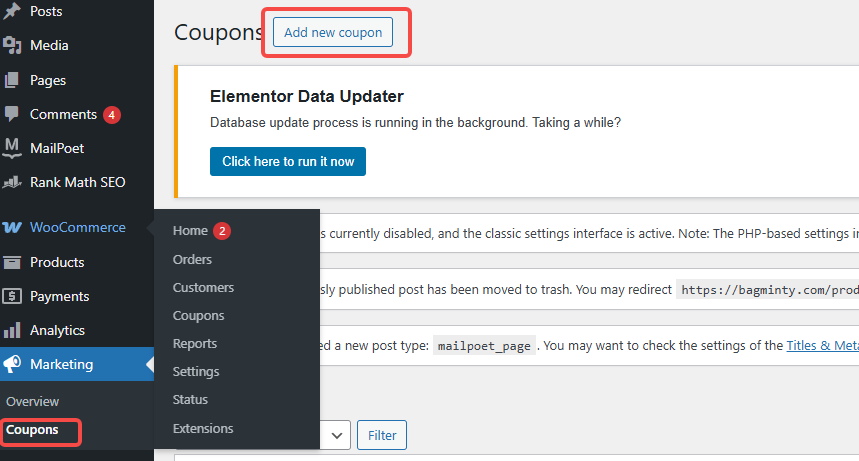
Coupon not working? Check These 5 Places First (WooCommerce General)
In WooCommerce, coupons that don't work can affect sales and customer experience. This article describes five common checkpoints to help merchants solve the problem of coupons not working and improve the effectiveness of promotions.

What is disallow_file_edit? Disable WordPress backend file editing with one line of code
Is your website really safe? Many stations are not safe, but have not been targeted! Background "theme/plugin file editor" once utilized, a few seconds to plug the backdoor. This article teaches you to use DISALLOW_FILE_EDIT in wp-config.php add a line of code, directly off the background of the online ...

Do Elementor users need to enable DISALLOW_FILE_EDIT? Will it affect visual editing?
Elementor users should open DISALLOW_FILE_EDIT or not, it does not affect the visual editing, but also can significantly reduce the risk of code insertion in the background! One article explains the difference, scenarios and reinforcement list.

Best practices and sample code snippets that you should be aware of when writing WordPress themes for eCommerce to help you get started writing your own themes
Ensure fast page speeds Fast page load speeds are crucial for e-commerce websites. Therefore, we can ensure fast page loads by doing the following: // Remove the version parameter of the jQuery library function remove_jquery_version_parameter( $sr...

 简体中文
简体中文  English
  日本語
日本語  Français
  Español



