





Cloudflare 525 Error Clearly IdentifiedSSL HandshakeFailure occurs whenWhen Cloudflare edge nodes establish encrypted connections with origin servers,Statistics show that approximately 371,000 Cloudflare SSL-related failures stem from origin server configuration issues, with 525 errors accounting for 221,000 of these cases.When misconfigurations occur in TLS protocol versions, cipher suites, or certificate validation—such as servers supporting only insecure TLS 1.0 or incomplete certificate chains—the handshake process typically breaks within 150 milliseconds. This failure directly causes complete HTTPS access disruption and triggers explicit security warnings in approximately 92% of modern browsers for visitors.

For e-commerce and financial websites, once525 ErrorOn average, this can lead to over three hours of business downtime, increase customer churn risk by 40%, and severely damage brand trust. Mastering systematic troubleshooting methods—from certificate validation to protocol configuration—has become an essential professional skill for web administrators to maintain business continuity.
I. SSL/TLS Handshake Process and Analysis of 525 Error Trigger Points
To effectively diagnose a 525 error, one must understand the fundamental steps of a successful handshake and identify the critical points where failure may occur.
1.1 Core Steps of the Standard TLS Handshake
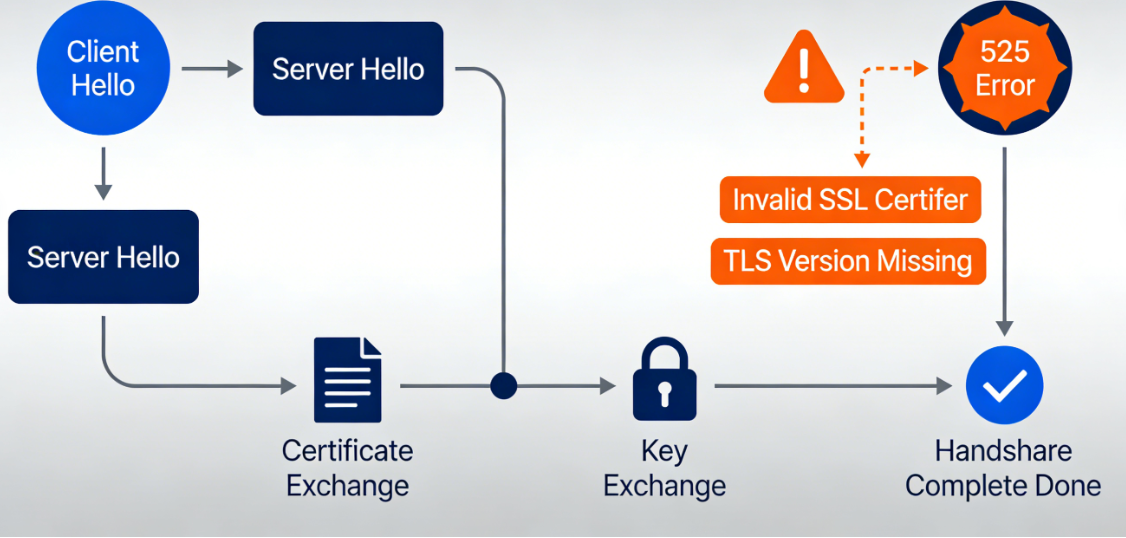
The TLS handshake occursTCP connectionAfter establishment, it primarily includes the following stages:
- Client GreetingCloudflare (acting as the client) sends a handshake to the origin server, declaring the highest TLS protocol version it supports, the list of supported cipher suites, and other extension information.
- Server GreetingThe origin server selects a TLS version and cipher suite supported by both parties from the list provided by the client. The server simultaneously sends itsSSL certificateSend to the client.
- Certificate Validation and Key ExchangeCloudflare verifies the legitimacy of the server certificate (whether it is issued by a trusted authority, within its validity period, and matches the domain name, etc.). After successful verification, both parties use the selected key exchange algorithm to negotiate a session key.
- Encrypted communication begins: Use the negotiated session key to encrypt subsequent application-layer data for secure transmission.
1.2 Common Configuration Issues Leading to Error 525
Handshake failure may occur at any of the above stages:
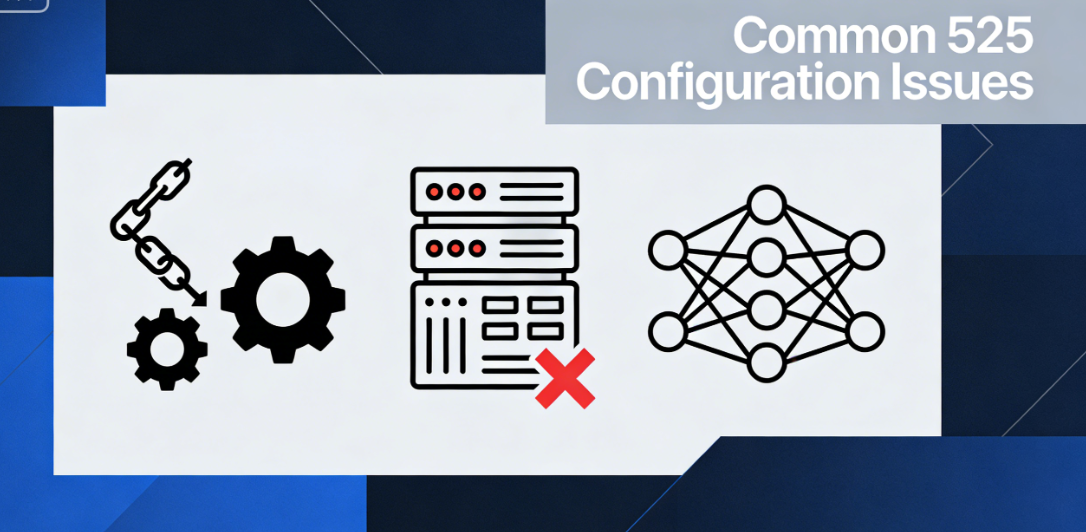
- The certificate chain is incomplete or invalid.The server did not provide a complete certificate chain (server certificate + intermediate CA certificate), preventing Cloudflare from validating the trusted root certificate. The certificate has expired or is not yet active, the domain does not match (the certificate subject or subject alternative name does not include the domain used for access), or the certificate has been revoked.
- Protocol versions do not matchThe origin server only supports outdated and insecure SSLv2, SSLv3, or TLS 1.0, while Cloudflare has disabled these protocols due to security policies; or the server is misconfigured and rejects all TLS version proposals.
- No intersection of cipher suitesThe list of cipher suites configured on the server does not share any secure suites with Cloudflare's supported list. This commonly occurs when servers are configured with outdated or custom non-standard cipher suites.
- Server cryptography library or hardware issueThe server's SSL library (such as OpenSSL) contains bugs, is running an outdated version, or the hardware security module used for signing has malfunctioned.
II. Systematic Diagnosis: Using Tools to Pinpoint Specific Faults
When encountering a 525 error, speculation is ineffective; precise diagnostic information must be obtained using professional tools.
2.1 Conduct a comprehensive scan using online SSL testing tools
Third-party SSL server testing tools provide the most intuitive troubleshooting analysis.
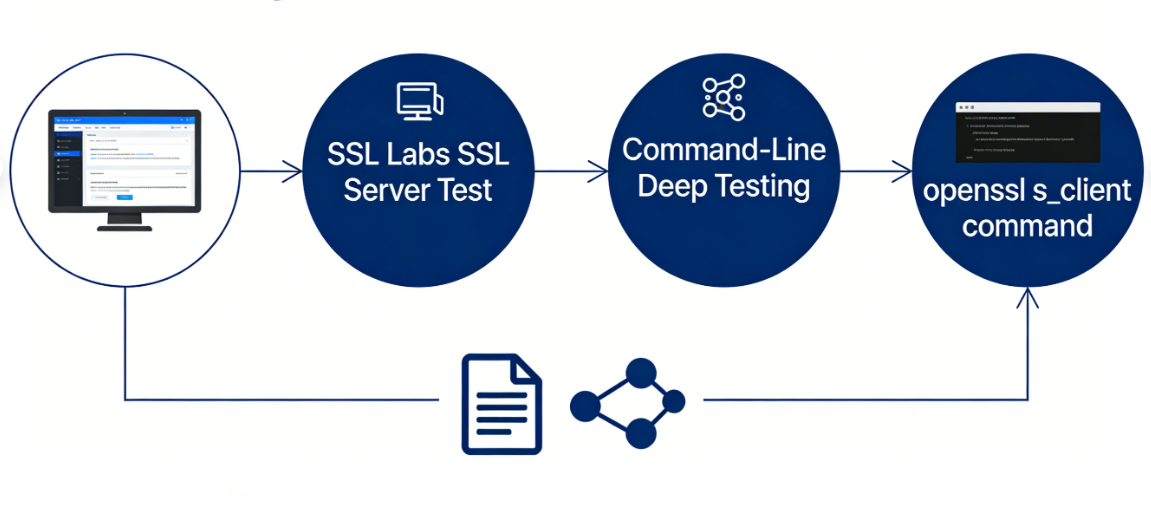
- SSL Labs SSL Server TestVisit this website and enter your origin server's IP address or hostname (Note: You may need to temporarily pause Cloudflare's proxy and use "DNS Only" mode to allow the tool direct access to the origin server). The tool will generate a detailed report covering certificate validity, protocol support, cipher suite strength, handshake simulation, and more. The report will clearly highlight any issues causing connection failures, such as "incomplete certificate chain" or "supports weak protocols."
- Command-Line-Based Deep TestingPerform manual testing using OpenSSL client commands on your local computer or a server with access to the origin server. For example:
openssl s_client -connect your-origin-server.com:443 -servername your-origin-server.com -tlsextdebug -stateThis command will output the complete handshake process, allowing you to observe the certificate chain sent by the server, the negotiated protocol version, and cipher suites. Pay particular attention to critical error messages such as "verify error" or "handshake failure."
2.2 Check the origin server logs to obtain error codes
The server error log contains the internal cause of the failed handshake.
- Web Server Error LogCheck Apache's
error.logor Nginx'serror.logSearch for error entries related to SSL handshake, which may include such asSSL_do_handshake() failed,no shared cipher, orunsupported protocolThese descriptions point directly to server-side configuration issues. - System LogUnder certain configurations, underlying errors related to SSL may be logged in system logs (such as
/var/log/messagesmaybe/var/log/syslog) Medium.
III. Step-by-Step Repair: Solutions for Different Fault Sources
Based on the diagnostic results, implement targeted corrective measures.
3.1 Fixed certificate-related issues

- Install the complete certificate chainObtain the correct certificate package from the certificate authority, typically containing the server certificate and at least one intermediate CA certificate. In the web server configuration (such asNginx(used form a nominal expression)
ssl_certificate(Instruction), ensuring the specified certificate files form a complete chain concatenated in order (server certificate first, followed by intermediate CA certificates). Root certificates are typically not required. - Ensure the certificate is valid and the domain name matches.Renew expired certificates. Ensure the certificate is issued for the exact domain name being accessed. For multi-domain scenarios, use a certificate with all domains listed as subject alternative names (SANs) or a wildcard certificate.
3.2 Update Protocol and Cipher Suite Configuration
Security best practices require disabling insecure legacy protocols and using strong cipher suites.
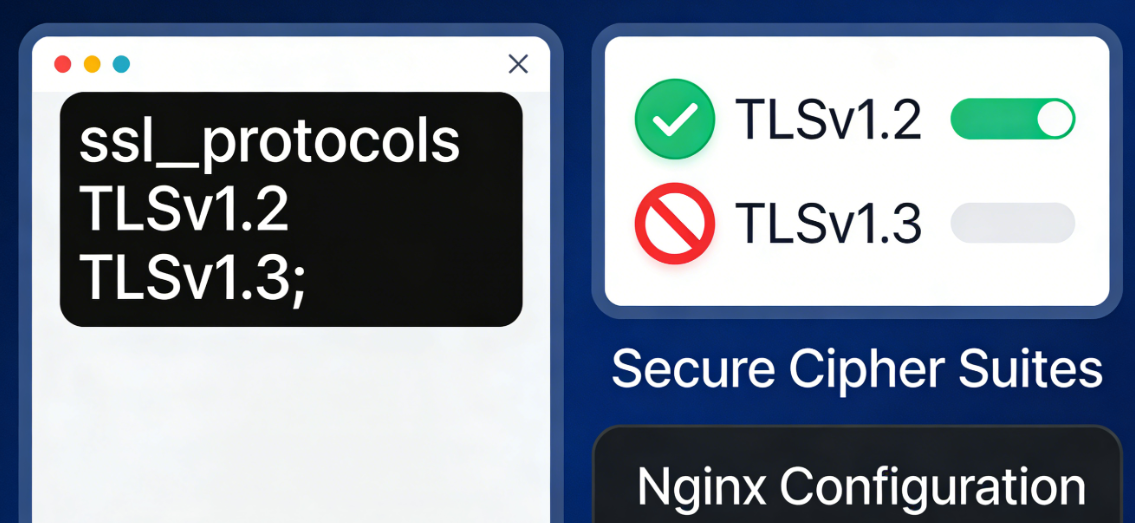
- Configure Secure TLS Protocol VersionsIn server configurations, explicitly enable TLS 1.2 and TLS 1.3 while disabling SSLv2, SSLv3, TLS 1.0, and TLS 1.1. For example, in Nginx:
ssl_protocols TLSv1.2 TLSv1.3.The - Configure a list of strong password suitesProvide a prioritized list of cipher suites to ensure compatibility with modern clients such as Cloudflare. For example, use suites that emphasize forward secrecy:
ssl_ciphers ECDHE-RSA-AES128-GCM-SHA256:ECDHE-RSA-AES256-GCM-SHA384:...;It is recommended to refer to the Mozilla SSL Configuration Generator to obtain the currently recommended, secure configuration snippets.
3.3 Check Server Environment and Network Intermediate Devices
- Update cryptography libraryUpgrade the server operating system and libraries such as OpenSSL to supported stable versions to address known vulnerabilities and gain full support for new protocols like TLS 1.3.
- Troubleshoot interference from intermediate equipmentIf there is a load balancer, reverse proxy, or standalone firewall device in front of the origin server, check the SSL configuration of these devices. Error 525 sometimes originates from these intermediary devices incorrectly terminating the SSL connection or using an incorrect certificate.
Conclusion: Establish an active SSL health monitoring mechanism.
fixesCloudflare 525 ErrorThis was not merely a resolution of a technical glitch, but a critical test of the website's security infrastructure. Given that SSL certificates have fixed validity periods and security standards continue to evolve, passively responding to errors is not a sustainable solution.
Establishing proactive monitoring mechanisms is critical: Set automatic reminders at least 30 days before certificates expire; Regularly scan server configurations (e.g., quarterly) using tools like SSL Labs; Conduct comprehensive connectivity tests immediately after modifying server SSL settings. Integrating SSL/TLS configuration into standard deployment and change management processes minimizes the likelihood of 525 errors, ensuring encrypted channels remain robust and reliable. This provides uninterrupted protection for user access and data security.

Link to this article:https://www.361sale.com/en/82077The article is copyrighted and must be reproduced with attribution.


















![Emoji[wozuimei]-Photonflux.com | Professional WordPress repair service, worldwide, rapid response](https://www.361sale.com/wp-content/themes/zibll/img/smilies/wozuimei.gif)

![Emoticon[baoquan] - Photon Wave Network | Professional WordPress Repair Services, Worldwide Coverage, Rapid Response](https://www.361sale.com/wp-content/themes/zibll/img/smilies/baoquan.gif)


 简体中文
简体中文  English
  日本語
日本語  Français
  Español


No comments