




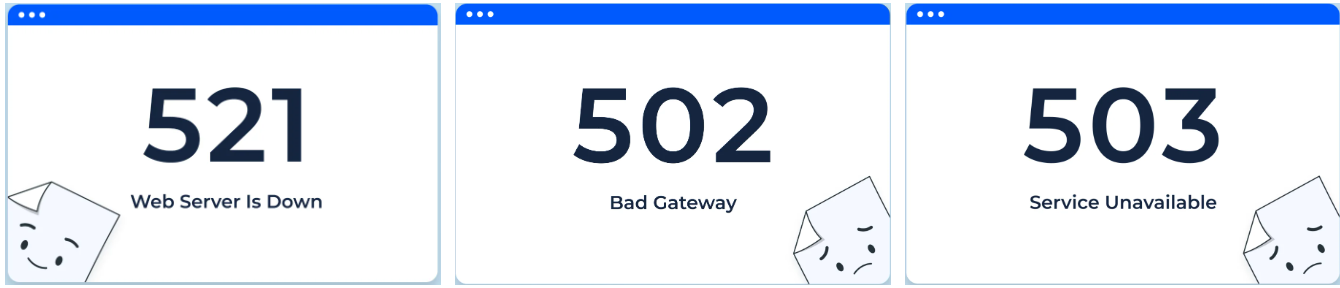
When a website suddenly becomes inaccessible, one of the most common and perplexing issues is "Error Code 521To truly understand what error code 521 means, it must be analyzed from three dimensions: server configuration, network connectivity, and web service response mechanisms. 521 does not originate from the browser, but rather from CDN ResponseThis indicates that the CDN cannot establish a valid connection with the origin server. This article provides an in-depth analysis—from definitions and triggering mechanisms to the three most easily overlooked server configuration pitfalls—to help webmasters quickly pinpoint the issue and resolve it completely.

I. What Does Error Code 521 Mean: A Clear Explanation from Definition to Trigger Mechanism
Many webmasters assume that seeing "521" means their site is down, but to accurately understand what error code 521 signifies, one must first determine which category of error it belongs to. According to Cloudflare's official documentation, 521 indicates that the origin server has refused the connection or is unresponsive.
521 is not an HTTP standard status code, but rather a custom error generated by the CDN in response to origin server service anomalies. It indicates that the CDN failed to establish a successful connection handshake with the origin server's web service (such as Nginx or Apache). The table summarizes the details as follows:
| sports event | hidden meaning |
|---|---|
| Type of error | CDN origin server connection failed |
| Trigger | origin server rather than client |
| essential question | The origin server did not respond to the CDN request. |
| Common causes | Web service not running, firewall blocking, incorrect port |
The key to solving the problem lies in understanding why the origin server is refusing the connection orWhy can't I communicate with the CDN?The
II. Why Does the Server Reject CDN Connections?
To better understand what error code 521 means, it's necessary to know the connection process between the CDN and the origin server. Each time the CDN receives a user request, it attempts to access port 80 or 443 on the origin server. If it fails to establish a TCP handshake or the origin server's web service does not return valid content, error 521 is triggered.
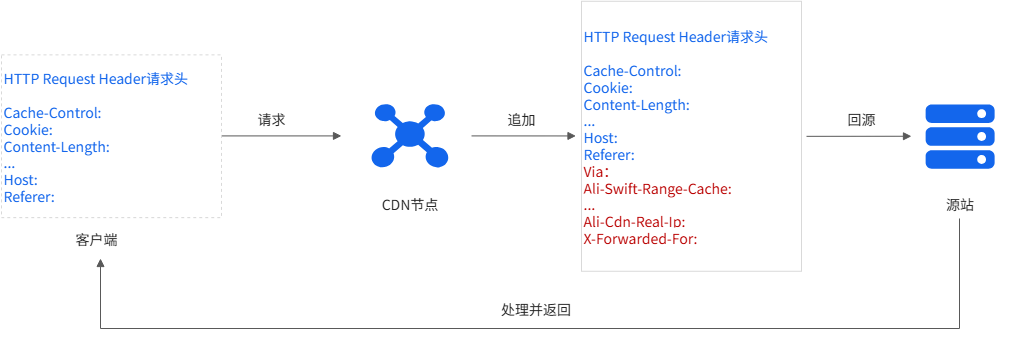
There are primarily three underlying technical reasons:
- Web service process is not running (Nginx/Apache/PHP-FPM terminated)
- The firewall is rejecting the CDN's IP address or requests.
- The origin server is not listening on the corresponding port, or the port has been changed.
These are essentially server configuration issues, unrelated to the client and not browser errors.
III. Three Server Configuration Pitfalls Most Commonly Overlooked by Beginners
When troubleshooting error code 521, beginners often blame the CDN, but the actual issue usually originates from the origin server. The following three server configuration pitfalls are the most common causes of 521 errors.
1. The web service process has stopped running or been terminated.
In most cases, the root cause of a 521 error is that the origin server service is not functioning properly. After Nginx, Apache, or PHP-FPM unexpectedly terminates, the CDN will be unable to connect to the server's web layer.
Common scenarios include:
- Insufficient server memory caused the process to be automatically reclaimed by the system.
- Nginx configuration file syntax error causes service restart failure
- Apache Multi-Process Mode Conflict
- PHP-FPM crashes prevent dynamic output in the background.
The following verification methods can be used (using Linux as an example):
systemctl status nginx systemctl status apache2 systemctl status php-fpm
If the service is not running, the CDN naturally cannot obtain any response.
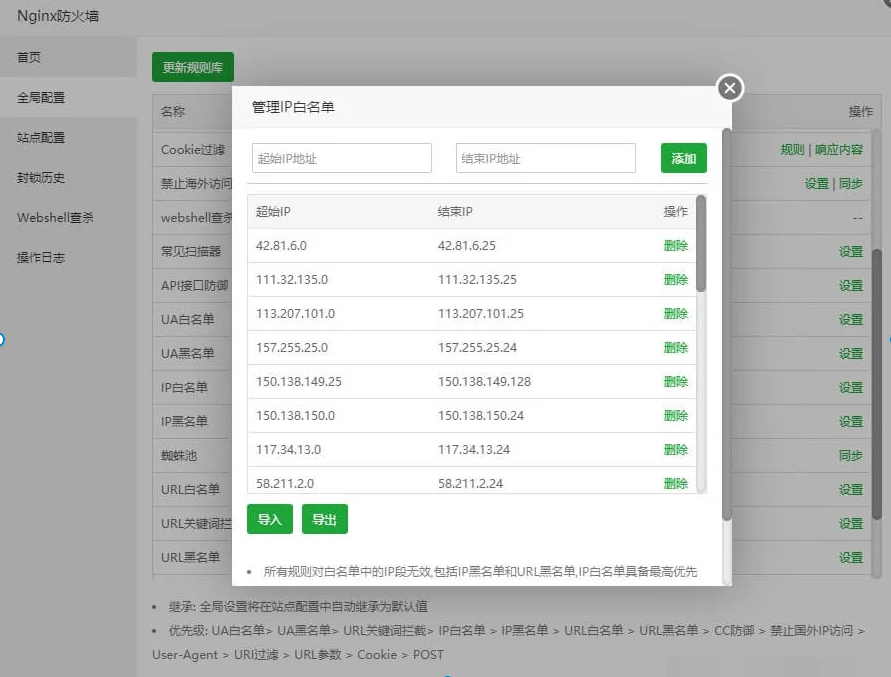
2. Firewall error intercepted CDN request (521 is the most common cause)
Firewall configuration is key to understanding error code 521. Cloudflare officially states that one primary cause of 521 is the origin server mistaking the CDN's IP address for an attack request, resulting in connection rejection.
The following table lists common misconfigurations:
| Firewall Types | common problems | affect (usually adversely) |
|---|---|---|
| UFW/FirewallD | CDN IP whitelist not added | All CDN requests have been denied. |
| CSF | Trigger security policy automatic blocking | Only some nodes 521 |
| Cloud Service Provider Security Groups | Disable external access to ports 80/443 | The entire site is currently inaccessible. |
| WAF | Identifying CDN requests as attacks | Web service connection refused |
The solution is to add all IP ranges listed by the CDN provider to the server's whitelist and ensure the ports are open.
3. Origin server port listening error or inconsistent domain name resolution (extremely stealthy)
Even if the web service is functioning properly, incorrect configuration of the origin server's listening port or DNS resolution can still trigger a 521 error—a server configuration pitfall that many beginners find particularly difficult to detect.
Common mistakes include:
- Nginx listens only on 127.0.0.1, not 0.0.0.0.
- HTTPS configuration uses an incorrect certificate, resulting in a failed handshake.
- Domain name resolution points to an incorrect server IP address.
- The origin server's Listen configuration does not enable port 443, yet it is using HTTPS.
For example, Nginx error example:
listen 127.0.0.1:80;
The correct approach should be:
listen 0.0.0.0:80;<br>If the CDN cannot access the port from the public network, it will trigger a 521 error even if the service is running.
IV. Methods to Prevent Error Code 521 from Recurring
Similar failures can be avoided long-term by the following methods:
- Regularly monitor server operational status (CPU, memory, processes)
- Use the latest firewall rules and synchronize updates to CDN IPs.
- Do not arbitrarily change Nginx/Apache port and listening configurations.
- Monitoring Web Service Health Status via Automated Scripts
- Monitor server heartbeats using Cloud Monitoring or Uptime tools
These measures can significantly reduce the probability of 521 errors and enhance website stability.

Link to this article:https://www.361sale.com/en/82132The article is copyrighted and must be reproduced with attribution.















![Emoji[wozuimei]-Photonflux.com | Professional WordPress repair service, worldwide, rapid response](https://www.361sale.com/wp-content/themes/zibll/img/smilies/wozuimei.gif)

![Emoticon[baoquan] - Photon Wave Network | Professional WordPress Repair Services, Worldwide Coverage, Rapid Response](https://www.361sale.com/wp-content/themes/zibll/img/smilies/baoquan.gif)


 简体中文
简体中文  English
  日本語
日本語  Français
  Español


No comments