




In a multi-site (Multisite) environment, many administrators upgrade the system or switch the theme will find that the wordpress website background there is no feedback columns, especially in the background of the sub-station is more likely to appear "comments on the disappearance of the entrance" "feedback menu is missing! ""Cannot manage comments" and other issues. Although the lack of single-site feedback portal is common in plug-ins or theme conflicts, but in the In a Multisite environmentThe essential causes are often related to theMaster and SubstationsThe mechanisms of privilege inheritance, global settings, network-level plug-ins, and site capability mapping are closely related to each other. In this paper, we will systematically analyze this phenomenon and give a clear path for troubleshooting.
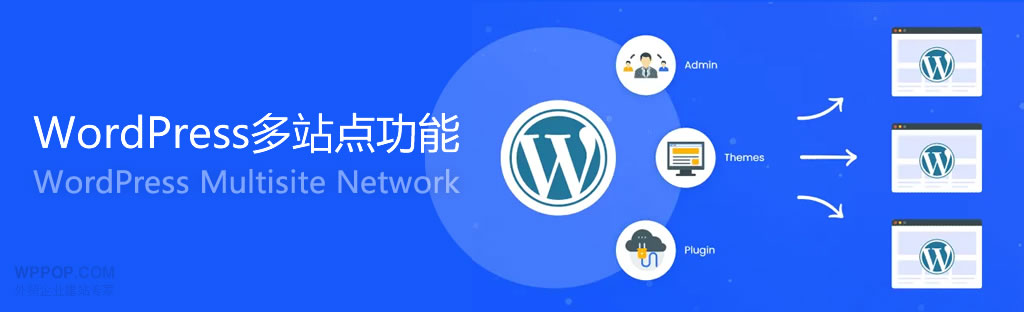
One,The WordPress site's backend no longer has a feedback section.Trigger characteristics in a multi-site environment
Permission system for multi-site environmentsThis is completely different from the single site model. To understand why the feedback section is missing from the backend of a wordpress site, it is important to realize that the "Comments/Feedback" section is a site-level feature in Multisite, but its enablement or disablement is controlled at the network level.
The following table shows the determinants of multisite permissions for the Feedback section:
| determining factor | Impact statement |
|---|---|
| Network Administrator (Super Admin) Settings | Whether to allow the entire network to use the comment component |
| Sub-site administrator role (Site Admin) permissions | Whether or not you can see the comments menu |
| Whether the theme declares support for comments | Theme Support affects menu loading |
| Network level plug-ins | Hidden site-wide comment portal |
| Database capabilities Mapping | Substation roles may be missing specific permissions |
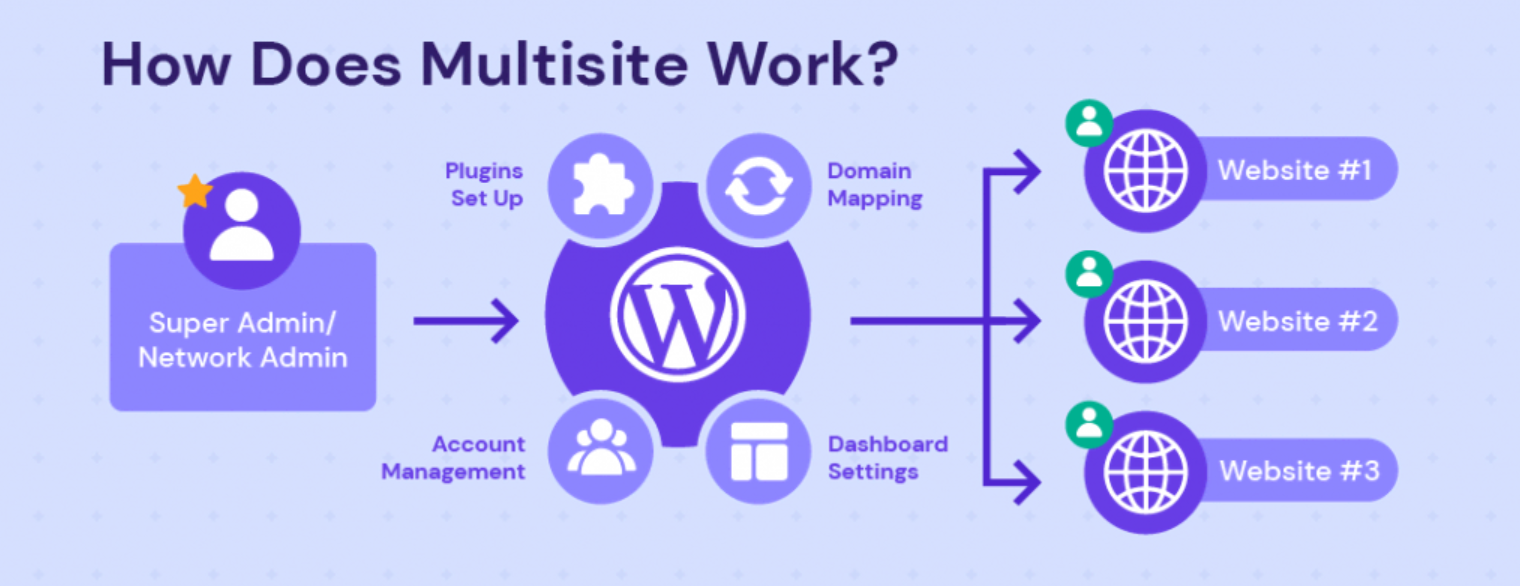
When any of the above is changed, it will lead to inconsistencies in the background menus of the sub-sites and even the main site, resulting in the absence of a feedback section in the background of the wordpress site.
Second, under the multi-site is most likely to lead to the disappearance of the feedback column of the three configuration errors
The three most common types of errors related to permissions, plugins, and database mappings that occur in a multisite environment with a wordpress website backend that has no more feedback section.
1. Network administrators disable global commenting (most typical cause)
In a Multisite environment, "Allow Comments" is a network-level permission. If Super Admin disables the commenting feature, the Feedback menu will not be displayed even if the commenting settings are enabled on the child site.
Typical scenarios include:
- Network background → Uncheck "Allow comments" in settings.
- Web-level plugin moderation comment switch
- Global Restrictions on Comment Filtering Spam
At this point, the Feedback section cannot be displayed, regardless of how the sub-site is configured.
2. Subsite role permissions are missing (hide menu but do not indicate an error)
When users find that there is no more feedback section in the backend of a wordpress site, and the main site still displays normally, this often means that there are insufficient permissions for the sub-site roles.
The following fields in the database can be checked:
Table: wp_{blog_id}_usermeta
Field: wp_{blog_id}_capabilities
The key permissions are listed in the table below:
| authority name | corresponding function |
|---|---|
| moderate comments | Management Commentary |
| edit_posts | Edit article and trigger comment component |
| edit_others_posts | Full comment privileges |
| manage_options | Whether or not to allow administrative background settings |
If the sub-site administrator is missing moderate_comments, WordPress automatically hides the comments menu, causing users to mistakenly think that the section has been deleted.
3. Web-level plug-ins hide the comments menu (often overlooked)
In multisite environments, Super Admin enables "Must-Use Plugins". These plugins are usually not visible in the normal plugin list, but may modify the backend menu structure.
Common plugin features include:
- Hidden Comments Portal
- Disable comment component
- Modify menu loading hooks
remove_menu_page('edit-comments.php');
If a MU plugin forces comments to be disabled, the backend of all sub-sites will show the The WordPress site's backend no longer has a feedback section.The
ground Description of the WordPress Plugins HandbookThe MU plug-in has the highest priority and the configuration overrides all sub-station settings.
IV. Essential differences between sub-stations and master stations in terms of authority structure (explained from the perspective of capability mapping)
The following table compares the default privilege assignments for master and child sites:
| character | Master Default Privileges | Substation default permissions | Impact on the feedback section |
|---|---|---|---|
| Super Admin | Full access to manage the entire network | inapplicable | Always visible feedback section |
| Substation Manager | Close to single-site administrator, but capacity is limited | Possible lack of comment management privileges | Columns may disappear |
| compiler | With article and comment management privileges | Substation version has even weaker editing capabilities | Unstable column visibility |
Permissions are strictly hierarchical in Multisite environments, so sub-site administrators are not able to fully replicate the capabilities of the master administrator, resulting in missing permissions being more likely to occur.
V. How to troubleshoot the disappearance of feedback columns in a multi-site environment: a set of reusable processes
In order to deal with the wordpress website backend without the feedback section more systematically, here is a complete set of troubleshooting paths.
Step 1: Check the global comment switch in the web backend
Path:
Web Back Office → Settings → Discussions
Make sure the commenting feature is not disabled.
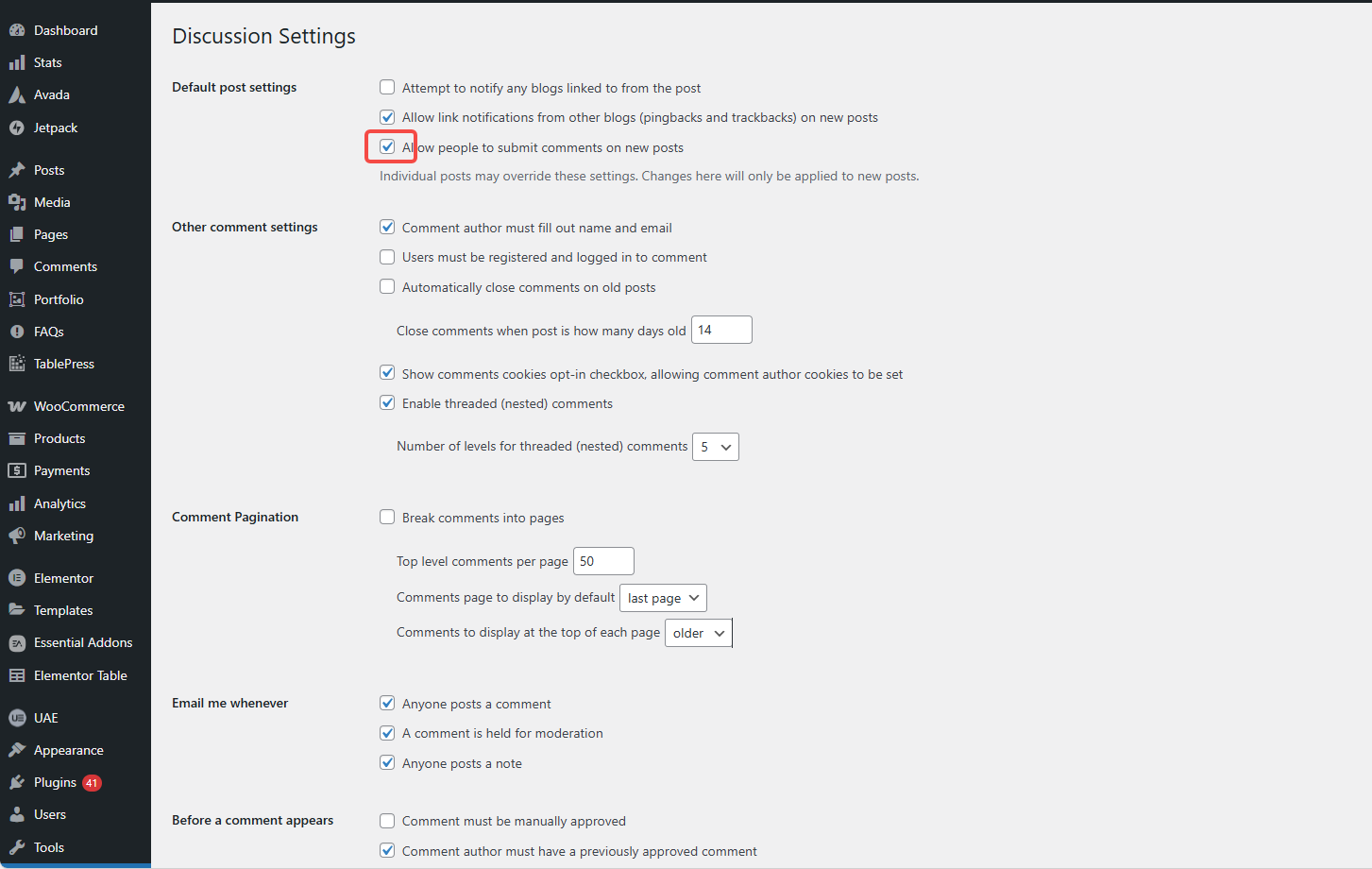
Step 2: Verify Substation Role Permissions
You can install "User Role Editor" to see if the permissions are included. moderate commentsThe

Step 3: Check the MU Plug-in and Network Plug-in
Path:
Server Directory /wp-content/mu-plugins/
Verify that there is no custom code to hide comments.
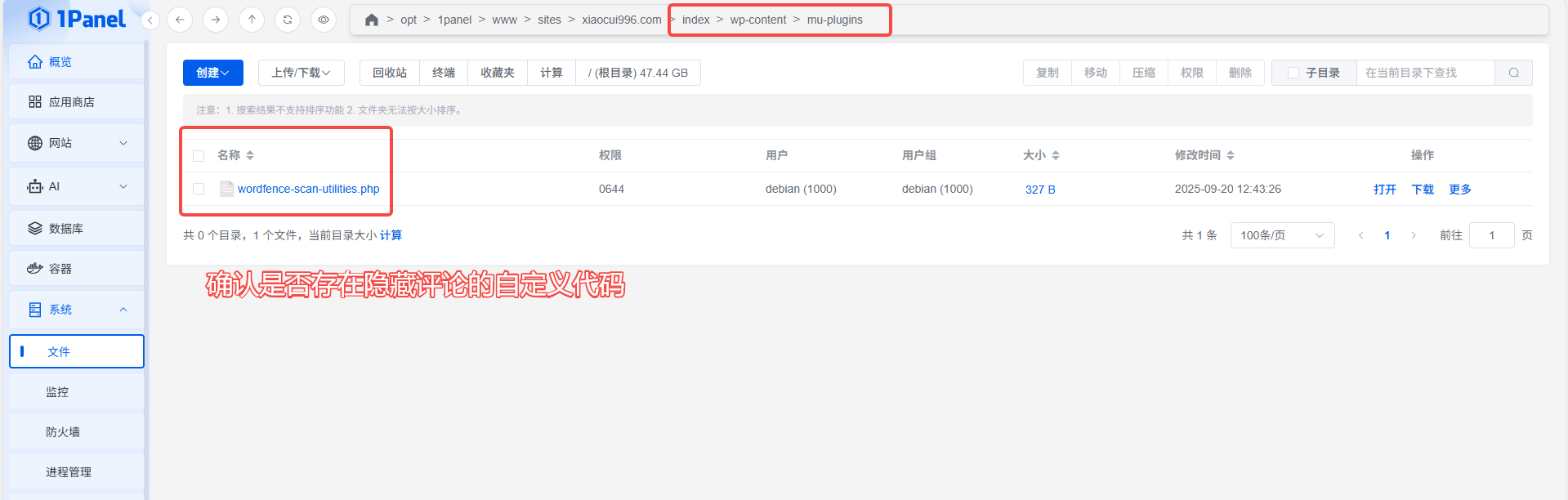
Step 4: Check if the current theme supports comments
Check if the theme enables comment templates or calls the relevant hooks.
Step 5: Switch Default Theme Test
If the feedback field is restored using the Twenty Twenty series, it is the currentProblems caused by the themeThe
The above practices can significantly reduce the probability of feedback columns disappearing unexpectedly in a multi-site environment.

Link to this article:https://www.361sale.com/en/82137The article is copyrighted and must be reproduced with attribution.


















![Emoji[wozuimei]-Photonflux.com | Professional WordPress repair service, worldwide, rapid response](https://www.361sale.com/wp-content/themes/zibll/img/smilies/wozuimei.gif)

![Emoticon[baoquan] - Photon Wave Network | Professional WordPress Repair Services, Worldwide Coverage, Rapid Response](https://www.361sale.com/wp-content/themes/zibll/img/smilies/baoquan.gif)


 简体中文
简体中文  English
  日本語
日本語  Français
  Español


No comments