




The problem with many tutorial sites isn't a lack of content, it's that readers leave after one page.Internet search engineIt is also difficult to understand the relationship between pages. Tutorial articles within the chain layout to address this matter: a set of related issues strung together, so that readers continue to read along the issue, so that the page weight in the flow of the station. In this article, the main point is clear: how to use the "problem link" design link location, anchor text writing and page division of labor.

1. why tutorial articles need tutorial article internal link layout
When a reader reads a tutorial, the next question that pops into his or her head is usually "I did what I said, but what if I get an error" or "Which plugin should I choose next". If the page doesn't catch these questions, the reader has to go back to the search results page to find the answer again.
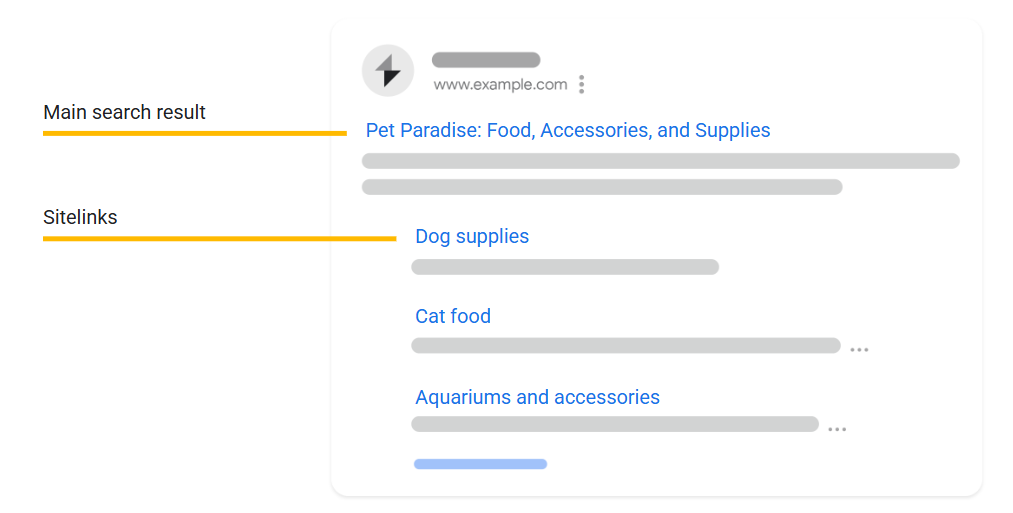
The reasoning is similar for search engines.Google treats links as discovery of new pages, understand the signals of the page's thematic relationships, and also refer to the anchor text to understand the content of the linked page.
So the tutorial articleGood layout of internal linksthat tends to have two types of immediate results:
- Readers stay longer, bounce less, and the tutorial chain is more like "continuous reading."
- Relevant pages "lift" each other up, long-tail pages are easier to be crawled and understood
2. Drawing the "question chain" first: starting from the reader's order of questioning
It is not recommended to write tutorials only in a "functional catalog", but more like in a "problem order". A practical approach is to split the tutorial into three layers:
- Getting Started Questions: What it is, what it can do, and who it's for
- Operational issues: how to install, how to set up, how to verify results
- Corrective questions: where can you go wrong, how to check if you are wrong, how to recover
The table below can be used directly for selection and internal linking sketches, and is used to naturally place long-tail terms into the structure.
| Issue Stage | user-questioned sentence pattern | Page Type | The page should link to the | Where to put the link more naturally |
|---|---|---|---|---|
| introduction (a subject) | "What is it?" "Is it necessary?" | Concept Overview Page | Getting Started page, Scenarios page | Opening paragraph 2, additional clarification at the end of the paragraph |
| manipulate | "How to do it." "How to set it up." | Step-by-step tutorial page | Next Tutorial Page, Configuration Details Page | At the end of each step, add "relevant settings". |
| pick up | "Why it's not working" "How to troubleshoot it" | Troubleshooting Page/FAQ Page | Corresponding Steps Page, Common Causes Page | Report the error point below, after the solution |
3. Tutorial article internal link layout of the four placement points
Links put right, readers will find it smooth. Links put in raw are like hard keyword stuffing. The four most stable positions in a tutorial article's internal link layout are fixed because they match the reading rhythm.
3.1 "Tips for reading the route" at the beginning
In the second paragraph at the beginning, give route hints, such as "want to see the installation first" "want to see the troubleshooting first". These links are like navigation, not like advertisements, and they make it easier for Google to understand the structure of the site more quickly. Putting the main link here once is usually enough.
3.2 "Next question" at the end of each subsection
After a short section, readers will naturally ask "what next?". At this time to add an internal link, the click rate is often very high. Tutorial article internal link layout does not pursue more links, but the pursuit of each can catch the next question.
3.3 "Key node links" in lists or steps
When the page has nodes like "must do this first" and "if you use another option", it's a good place to add a link. The reader needs to be diverted, and the experience is more complete when you give it an outlet.
3.4 "Closing and expanding" of the conclusion
Do not just summarize the end, you can do "extended reading", the same theme of the 2-4 articles of the branch page to hang out. The core value of doing so, is a group of words corresponding to a group of pages, the formation of a stable link network, which is also a tutorial article layout commonly used in the structure of the chain method.
4. Anchor text should be written as normal: let theKeywords appear reasonably
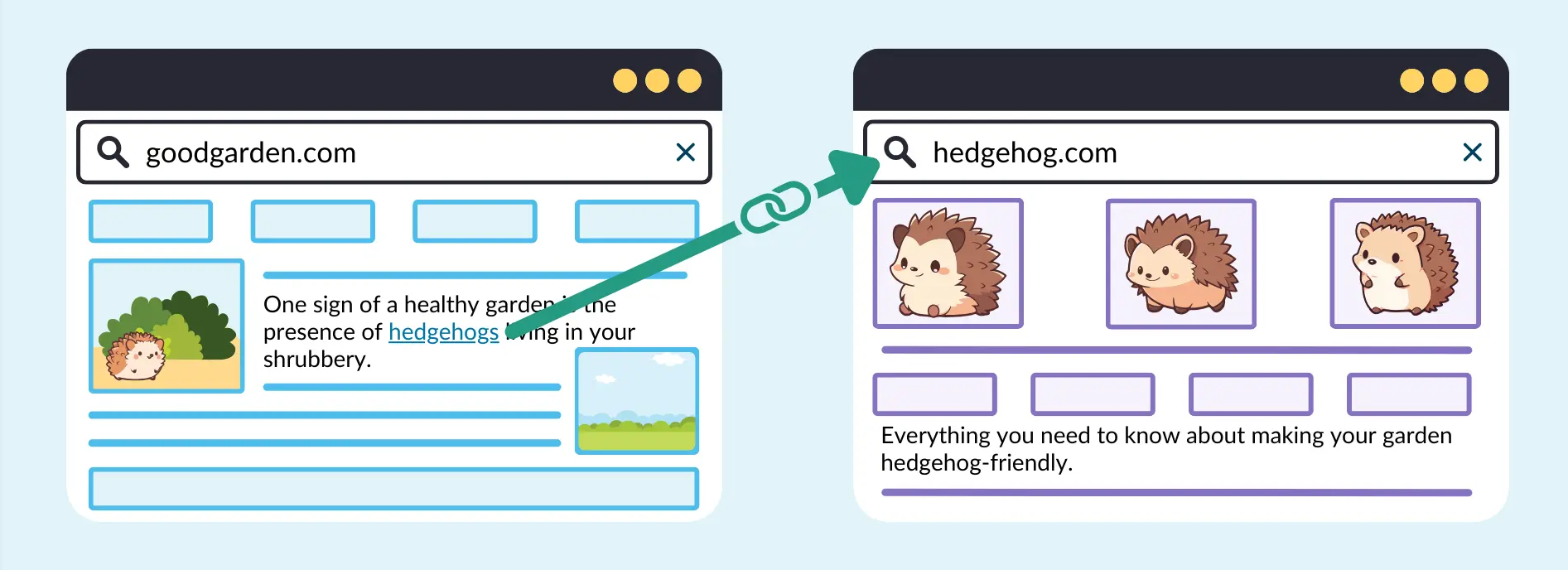
Anchor text should let people know at a glance what they will see when they click on it.Google also clearly recommends that anchor text should be clear, concise and relevant to the target page.
Writing style can be used "three kinds of mix and match" to avoid repeating the same sentence throughout the site.
- Theme-based: direct questions such as "Cache plugin setup steps"
- Scenario-based: with the intent of a problem, such as "how to troubleshoot slow loading images".
- Narrative: put it in a sentence, e.g., "Common mistakes in this step can be checked against the checklist here."
When the anchor text is natural, the layout of a tutorial article's internal links will be more like an editorial process than "inserting links for SEO".
5. Use "main page + branch page" to turn long-tailed words into a system
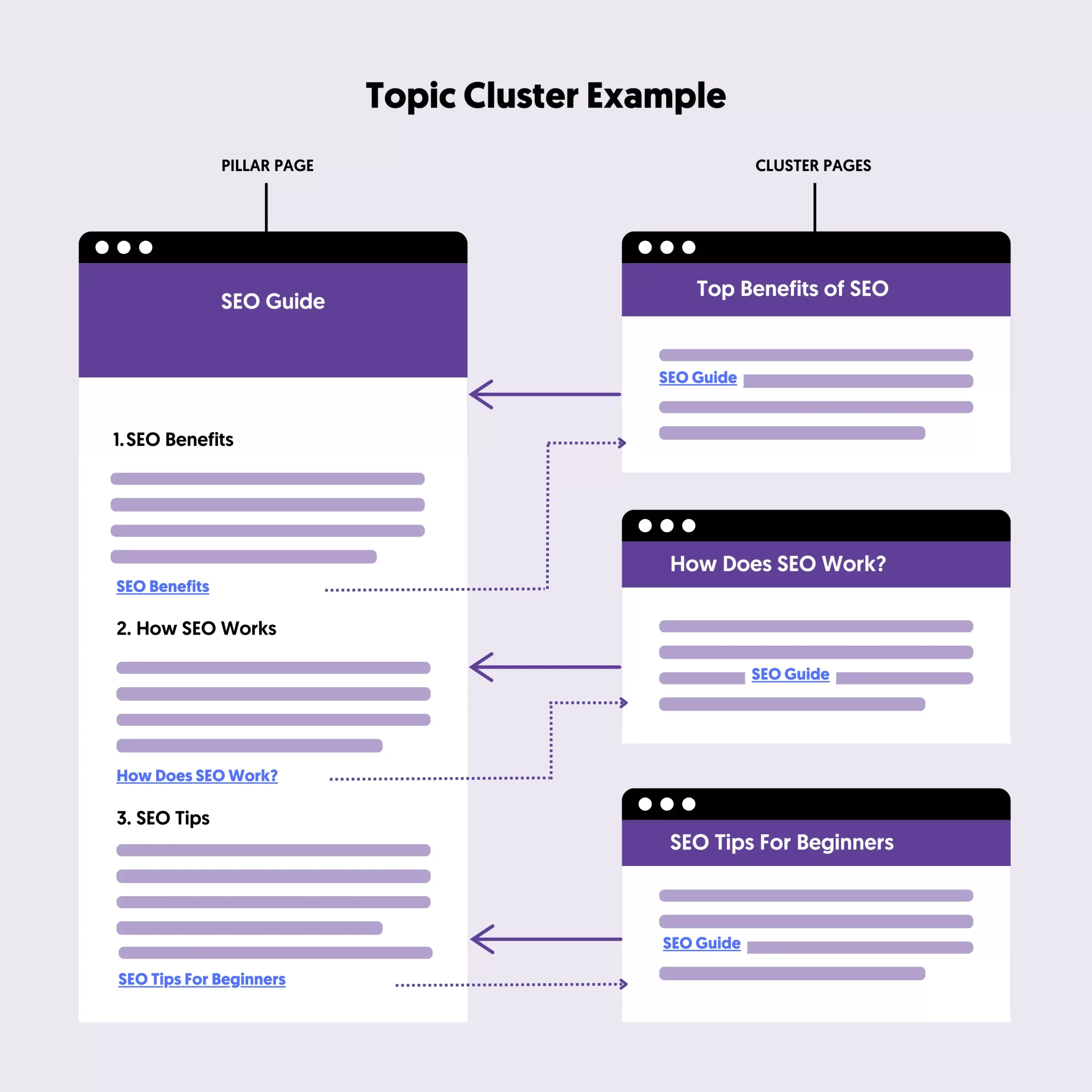
Many sites have only one long tutorial, as a result of a little bit of everything, rankings rather unstable. A more practical way is to split:
- Trunk page: cover core processes, eat core words and high frequency questions
- Spur pages: each page addresses a specific problem and eats long-tail words
The main page is responsible for bringing the reader in, the branch page is responsible for solving the problem in place, and then send the reader back to the main or the next step. Once this back and forth is formed, the tutorial article internal link layout is not just a "link", but a repeatable traffic path.
6. Three common pitfalls: seem to be doing the internal chain, in fact, did not work
- anchor textIt's all the same sentence: readers get tired of seeing it and search engines have a hard time telling the difference
- Links are only placed in the footer or sidebar: crawlable does not equal effective, body context is more critical
- Branch page with no loop: branch page solves the problem but there is no "next step", the chain is broken halfway.
Fix those three things and the tutorial article internal link layout will usually be smoother immediately.
concluding remarks
The core idea of the layout of the internal chain of the tutorial article is very simple: do the page division in the order of the reader's questions, and then put the link in the position where the reader wants to point the most. As long as the main trunk is clear, the branch is specific enough, anchor text like normal writing, long-tail keywords are more likely to form a continuous reading and crawling path in the station.

Link to this article:https://www.361sale.com/en/84436The article is copyrighted and must be reproduced with attribution.




















![Emoji[wozuimei]-Photonflux.com | Professional WordPress repair service, worldwide, rapid response](https://www.361sale.com/wp-content/themes/zibll/img/smilies/wozuimei.gif)

![Emoticon[baoquan] - Photon Wave Network | Professional WordPress Repair Services, Worldwide Coverage, Rapid Response](https://www.361sale.com/wp-content/themes/zibll/img/smilies/baoquan.gif)


 简体中文
简体中文  English
  日本語
日本語  Français
  Español


No comments