




Many websites appear to have "decent traffic," yet their backend shows sparse inquiries: The reason is often not a lack of exposure, but rather that visitors arriving via search aren't guided to take action—or worse, you're attracting the wrong audience from the start. If you're in e-commerce or quote-based business, first focus on...Product Detail Page SEO OptimizationUnderstand the underlying logic: Ranking only brings people to the doorstep; conversion determines whether they knock.
![Image[1] - WordPress SEO Conversion Rate Explosion: The Key to Doubling Inquiries with the Same Traffic](https://www.361sale.com/wp-content/uploads/2026/01/20260106140003852-20260104165442453-07-performance-on-search-results-2.jpg)
1. First, get this straight: it's not about low traffic—it's about attracting the wrong kind of visitors.
1.1 What did you promise in the search?
The same keyword can trigger different intentions: some seek "information," others want to "compare prices," while some are ready to "submit a request." If your title and summary are too broad, search engines will attract a wider audience with general interest. While the page may seem busy, actual conversions become difficult. Conversely, clearly stating your target audience, service scope, and delivery method in the title may result in fewer clicks, but those who stay are more likely to inquire about pricing.
![Image[2] - WordPress SEO Conversion Rate Explosion: The Key to Doubling Inquiries with the Same Traffic](https://www.361sale.com/wp-content/uploads/2026/01/20260104161900282-image.png)
1.2 Where did you hide the user's next step?
Many websites with low inquiry rates share the same flaw: their content is well-written, but the "next step" is either missing or buried at the bottom of the page. Users arriving from search results first scan the above-the-fold section. If this area only contains a brief introduction without a clear call-to-action, browsing becomes a "read-and-leave" experience. SEO doesn't drive "page views"—it brings "task-driven visitors." You need to provide an outlet for their actions.
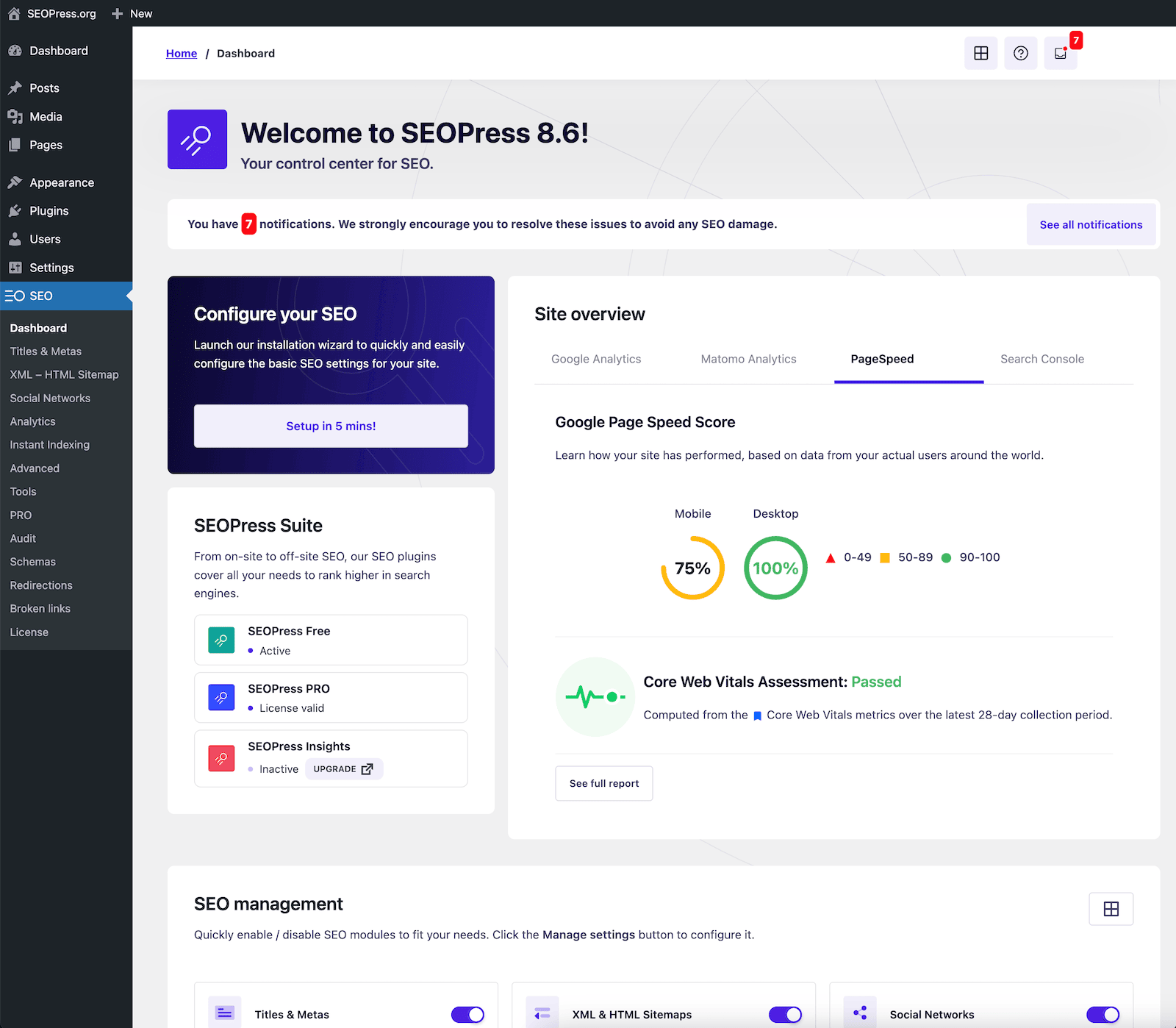
2. Use SEO for filtering: Keep "people who can handle inquiries" on the results page to lock them in.
2.1 Use an editor to draft the abstract as a qualification threshold.
When writing articles or landing pages in WordPress, don't treat the summary as an optional decoration. The summary should be like the first line of a front desk greeting: what problem you solve, who it's for, and how to get started. Clearly stating limitations won't drive away customers—it actually reduces wasted clicks and inquiries, making genuinely interested people more confident to click through and fill out the form.
![Image[3] - WordPress SEO Conversion Rate Explosion: The Key to Doubling Inquiries with the Same Traffic](https://www.361sale.com/wp-content/uploads/2026/01/20260104161835998-image.png)
2.2 Use structure to seamlessly pass along "related content"
Inquiries typically occur after users have completed their comparisons: after viewing Page A, they naturally ask, "Is there an explanation for B?" or "Can I see similar case studies?" At this point, the site structure determines whether they continue exploring or leave immediately. By making categories, tags, and content trees clear, users are more likely to make a second click within the site, and their willingness to inquire gradually increases. You can start by...WordPress TaxonomyStarting from the problem, we link "problem—solution—comparison—action" into a cohesive pathway.
2.3 Don't Let Category Pages Become Dead Ends
Many websites' category pages are merely article lists, causing user fatigue after scrolling through just two screens. Worse still, they mix audiences at different stages within the same category, leaving users unable to see their "next steps." You can segment by purchase stage: introductory explanations, solution comparisons, implementation tutorials, and common pitfalls. At the top of each category page, include a one-sentence description of the specific problem that category addresses. When stronger guidance logic is needed, refer to...Product Category SortingThe approach prioritizes the most actionable content at the forefront.
3. Craft pages as "actionable conversations": Make inquiries less awkward
3.1 The first screen does only three things: positioning, value, and entry point.
The biggest pitfall on the first screen is trying to say everything, yet failing to clarify anything. Condense "Who are you?", "What can you solve?", and "How do I get started now?" into a single screen—only then will users consider you an option. The entry point doesn't have to be a form button; it can be more action-oriented phrases like "Get a Quote," "Submit a Request," or "View Delivery Checklist." This makes users feel they're advancing their task, not "begging" you for help.
![Image [4] - WordPress SEO Conversion Rate Explosion: The Key to Doubling Inquiries with the Same Traffic](https://www.361sale.com/wp-content/uploads/2026/01/20260104161949231-image.jpeg)
3.2 Forms aren't necessarily better just because they're shorter; they're better when they're more "effortless."
Many people blame low inquiry rates on excessive form fields, so they strip them down to just name and phone number. The result? Lead quality plummets, and follow-up costs skyrocket. A more effective approach is to "split the questions into two steps": First, ask only critical multiple-choice questions that users can complete in seconds. After submission, they proceed to the second step to provide additional details. For businesses requiring visual design, use...Create with ElementorThis type of step-by-step visual module significantly reduces users' psychological resistance.
3.3 Provide Security for Action: Commitment and Boundaries Written Beside the Button
Users often refrain from filling in information not because it's unnecessary, but because they're uncertain about "what will happen after submission." Clearly stating the response method and boundaries near the button—such as "Used solely for sending proposals, no frequent interruptions" or "Email replies supported"—proves more effective than cluttering pages with slogans. For e-commerce checkout flows, button presentation and payment icons also influence hesitation costs. The visually reinforced "Proceed to Checkout" presentation below exemplifies a strategy to minimize perceived risk.
4. Technical SEO isn't just about rankings—it's about keeping half your visitors from leaving.
4.1 When speeds are slow, users don't complain—they just leave.
SEO brings users to your page, but page load times, above-the-fold rendering, and critical script blocking determine whether they'll wait. For many sites, the real issue isn't "poor server performance"—it's cramming too many features into the first screen: tracking scripts, visual components, and pop-up systems all load simultaneously, causing visitors to leave before the contact button even appears. Use performance audit tools to identify the heaviest resources above the fold first, then decide which ones should be deferred.
![Image [5] - WordPress SEO Conversion Rate Explosion: The Key to Doubling Inquiries with the Same Traffic](https://www.361sale.com/wp-content/uploads/2026/01/20260104162124494-image.png)
4.2 Let the "Request Waterfall Chart" Show You Who's Holding Things Back
When you feel that "loading is okay" but conversions aren't, what you should focus on isn't your gut feeling—it's the timing of each request in the network panel: Which script blocked interactions? Which font file slowed down the first screen? Which analytics request occupied the critical queue? Prioritizing the rendering of key action components is more direct than blindly changing themes. The interface below, displaying network request lists and response previews, is the clearest entry point for pinpointing bottlenecks.
![Image [6] - WordPress SEO Conversion Rate Explosion: The Key to Doubling Inquiries with the Same Traffic](https://www.361sale.com/wp-content/uploads/2026/01/20260104162504240-image.png)
4.3 The more plugins you have, the more secure you feel—but they're more likely to conflict with each other.
The WordPress ecosystem is robust, but "each plugin installed adds another layer of uncertainty." Some plugins may inject duplicate scripts, others may rewrite form submissions, and some may cause caching strategies to fail. These issues ultimately manifest as unresponsive buttons or pages freezing after submission. It is recommended to systematically review plugins related to the conversion funnel: analyze what each does (tracking, pop-ups, forms, caching, anti-spam), whether their functions overlap, and whether they impact mobile performance. When filling gaps in your toolkit, you may refer to...E-commerce plugin recommendationsThe approach is to focus on "fewer but more stable" initiatives, ensuring the critical path runs smoothly.
![Image [7] - WordPress SEO Conversion Rate Explosion: The Key to Doubling Inquiries with the Same Traffic](https://www.361sale.com/wp-content/uploads/2026/01/20260104162510528-image.png)
In the end, it all boils down to this: SEO brings people in, while conversion keeps them engaged and drives action. If your inquiries are low, it's rarely because "you haven't written enough." More often, it's because "key messages aren't where they should be," and "the entry points users need aren't there the moment they're ready to commit." Align every step with the user's task—from the promise on the search results page, to the action entry on the first screen, to the stability of loading and plugins. With traffic unchanged, inquiries will naturally increase.

Link to this article:https://www.361sale.com/en/85025The article is copyrighted and must be reproduced with attribution.













![Emoji[wozuimei]-Photonflux.com | Professional WordPress repair service, worldwide, rapid response](https://www.361sale.com/wp-content/themes/zibll/img/smilies/wozuimei.gif)

![Emoticon[baoquan] - Photon Wave Network | Professional WordPress Repair Services, Worldwide Coverage, Rapid Response](https://www.361sale.com/wp-content/themes/zibll/img/smilies/baoquan.gif)


 简体中文
简体中文  English
  日本語
日本語  Français
  Español


No comments