




If you just want to get your website up and running quickly, update content yourself on a daily basis, and find tutorials when problems arise, then the conclusion is straightforward: WordPress is more suitable for most ordinary users. OtherOpen Source CMS It's not that it's "bad," but rather that it leans more toward "team collaboration," "complex permissions," "enterprise-level processes," or "developer-first." Below, we'll clarify the differences using the most practical dimensions.
![Image[1] - WordPress Open-Source CMS Comparison: The Ultimate Guide for General Users](https://www.361sale.com/wp-content/uploads/2025/12/20251225101121323-Wordpress-Logo.svg)
1. First, figure out what ordinary users really care about when choosing a CMS.
1.1 Getting Started: Can You "Get Started Today"?
Ordinary users dread two things most: not knowing where to start after installation, and having to write code just to change a font color. For you, whether the backend is intuitive, themes are readily available, and the editor is user-friendly matters more than "build"How elegant" matters more.
1.2 Content Creation: Is writing articles, uploading images, and formatting a breeze?
The tasks you perform most frequently typically include: writing articles, adding images, creating category tags, inserting tables or buttons, and setting up basic SEO configurations. The editing experience and plugin ecosystem of your CMS directly determine your efficiency.
1.3 Maintenance and Risks: Could Updates Break the Website?
Open-source CMS platforms all require updates. What ordinary users need most is: a straightforward update process, easy rollback, abundant documentation, and quick troubleshooting when encountering errors.
1.4 Budget: Hidden costs are often more expensive than the software itself.
Free software doesn't mean the whole package is cheap. The real cost lies in:server (computer),thematicPlugins, backups, security, and "the time you spend tinkering."
2. WordPress: The default choice for regular users
![Image[2] - WordPress Open-Source CMS Comparison: The Ultimate Guide for General Users](https://www.361sale.com/wp-content/uploads/2025/12/20251225101139508-WordPress_6.4_Dashboard-1.png)
2.1 The greatest advantage is "the ecosystem."
WordPress's core strength isn't any single feature, but rather that "most needs you can think of have already been addressed." From blogs, corporate sites, and portfolios to simple e-commerce, membership content, and course platforms, you can find mature solutions for all.
2.2 Editing and publishing workflows are more closely aligned with daily operations.
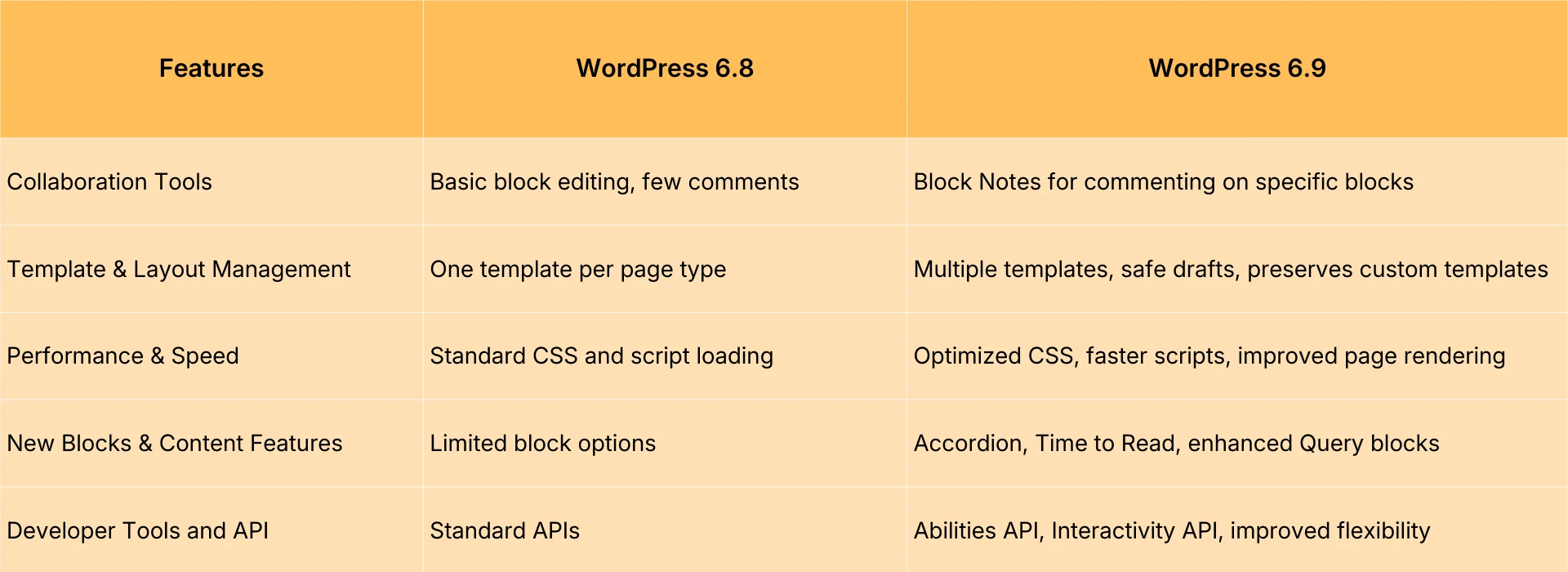
Block Editor makes page layout as easy as building with blocks. Ordinary users can create clearly structured pages without needing to understand complex concepts: simply drag and drop elements like headings, paragraphs, buttons, cover images, and columns to assemble them.
2.3 The Real Weakness: The More Plugins You Have, the More You Need to Practice "Restraint"
WordPress frequently asked questions fall into three categories:
- Plugin conflict: Two plugins are competing for the same functionality, resulting in errors or style issues.
- Performance fluctuations: Overloading the page with too many features slows it down.
- Security Maintenance: Do not update themes.plug-in (software component)will bring risks.
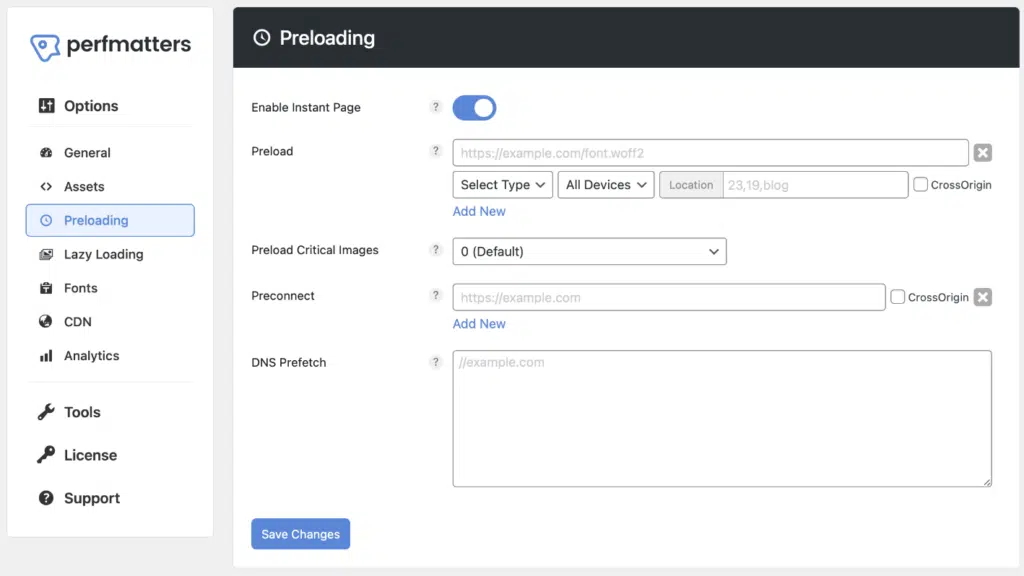
The solution is quite straightforward: install fewer plugins, choose reputable ones with consistent updates, perform regular backups, and opt for lightweight themes whenever possible.
3. DrupalMore like an "engineering platform for content and permissions"
Drupal excels at complex content models, granular permissions, workflow-driven publishing, and structured management of large-scale sites. It is better suited for organizations with numerous content types, diverse roles, and detailed approval processes.
![Image[3] - WordPress Open-Source CMS Comparison: The Ultimate Guide for General Users](https://www.361sale.com/wp-content/uploads/2025/12/20251225101156407-Drupal_Logo_with_wordmark.svg)
3.1 Suitable Scenarios
- Government/University/Institutional Sites: Multiple sections, granular permissions, and robust multi-user collaboration.
- The content structure is highly complex: there are numerous relationships between different content types.
- A strict publishing process is required: roles are divided into editing, reviewing, and publishing.
3.2 Areas Unfriendly to Ordinary Users
Drupal has a steeper learning curve. You'll encounter conceptual hurdles earlier on: content types, views, permissions, configuration management. It's not that it can't be learned, but it typically demands a greater time investment.
![Image [4] - WordPress Open-Source CMS Comparison: The Ultimate Selection Guide for General Users](https://www.361sale.com/wp-content/uploads/2025/12/20251225101215881-Drupal_7_screenshot.png)
4. JoomlaA veteran contender straddling the line between "ease of use" and "configurability"
Joomla is often described as being more "framework-oriented" than WordPress and more "user-friendly" than Drupal. Its backend and extension ecosystem are mature, making it well-suited for building portals and news-based websites.
![Image [5] - WordPress Open-Source CMS Comparison: The Ultimate Guide for General Users](https://www.361sale.com/wp-content/uploads/2025/12/20251225101232494-Joomla-Logo.svg)
4.1 Suitable Scenarios
- Official websites for small and medium-sized enterprises, association portals, and information hubs.
- Requires some categorization and module management, but I don't want to go through the hassle of Drupal.
4.2 Important Notes for Regular Users
Joomla's "extensions" and "templates" ecosystem may not be as robust as WordPress's for certain niche requirements. The availability of Chinese tutorials and community engagement levels could also impact how quickly you resolve issues.
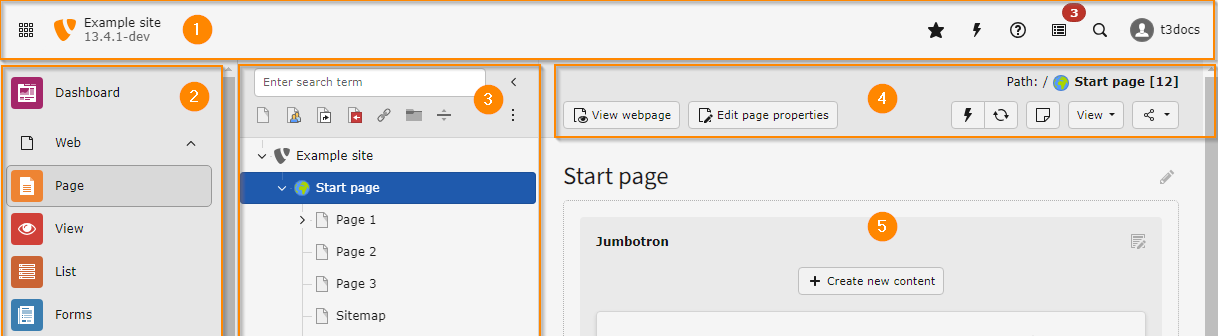
5. TYPO3: Stronger for enterprise content management, but more like a "professional tool."
TYPO3 has a strong presence in European corporate and institutional settings. It emphasizes stability, permissions, workflows, and multisite management. It's highly user-friendly for enterprise content teams, but not particularly easy for users with absolutely no prior experience.
![Image [6] - WordPress Open-Source CMS Comparison: The Ultimate Guide for General Users](https://www.361sale.com/wp-content/uploads/2025/12/20251225101407990-Logo_TYPO3.svg)
5.1 Suitable Scenarios
- Multilingual, multi-departmental, multi-site organizations and enterprises.
- A long-standing content team with well-defined processes.
5.2 Real-World Barriers for Ordinary Users
If you're an individual webmaster or small team, TYPO3's "power" might feel like a "burden." Deployment, configuration, and daily use lean more toward the professional side.
6. Ghost: The writing experience is very comfortable, but it functions more like a "content publishing tool."
Ghost's goal is clear: to make writing and publishing simple. If you primarily focus on blogs, newsletters, and membership content and want a clean, fast writing backend, Ghost will feel like a natural fit.
![Image [8] - WordPress Open-Source CMS Comparison: The Ultimate Guide for General Users](https://www.361sale.com/wp-content/uploads/2025/12/20251225101501758-Ghost-Logo.svg)
6.1 Suitable Scenarios
- Personal writing, media-style blogs, newsletters.
- Content + subscriptions/memberships are the core focus, not complex page development.
6.2 Differences Compared to WordPress
Ghost is more focused and less versatile. When you need to build complex pages, e-commerce sites, or marketing funnels, you'll often rely more on developers or external services.
7. Strapi: An open-source headless CMS ideal for projects requiring frontend-backend separation.
Strapi represents a different kind of CMS: it doesn't handle "rendering pages directly into a website." Instead, it treats content as data and delivers it to the frontend (web pages, apps, mini-programs) via an API.
![Image [9] - WordPress Open-Source CMS Comparison: The Ultimate Guide for General Users](https://www.361sale.com/wp-content/uploads/2025/12/20251225101519355-Screenshot_of_the_Open_Source_CMS_Strapi.png)
7.1 Suitable Scenarios
- You have development resources: capable of building frontends using React, Vue, Next.js, etc.
- The same content needs to be distributed across multiple platforms: official website + app + mini program.
- Clear planning for content structure, interfaces, and permissions.
7.2 Why Ordinary Users Don't Choose It Often
Because it assumes you'll be developing. What ordinary users want is "to see a website after installation," while the first step with a Headless CMS is often "building a frontend first."
8. Measuring "Mainstream Status" with Data: What Market Share Reveals
Many people agonize over "which one is more mainstream." The benefits of mainstream options are very practical: more tutorials, more themes and plugins, and easier access to solutions when problems arise. Take W3Techs' daily statistics as an example (based on the page displayed on the day you read this article):
- WordPress: Approximately 43.01% of all websites.
- Joomla: Approximately 1.31% of all websites.
- Drupal: Approximately 0.81% of all websites.
- TYPO3: Approximately 0.41% of all websites.
This data does not indicate which platform is "superior," but rather demonstrates that for the average user, WordPress offers significantly greater resource density and a distinct advantage in its third-party ecosystem.
9. How on earth should users decide???
9.1 Unless there are specific reasons to the contrary, prioritize WordPress.
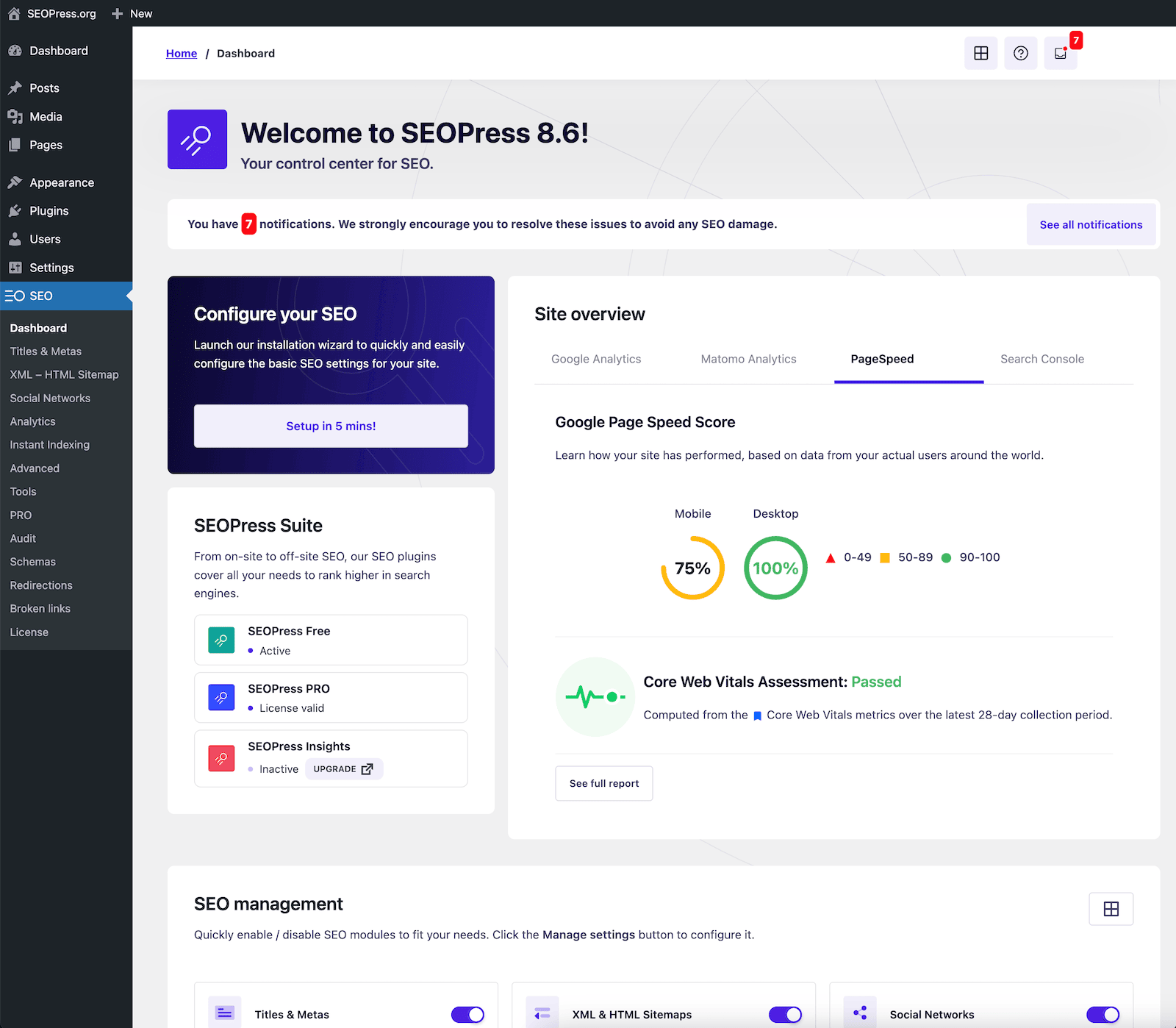
Thanks to WordPress's mature ecosystem and massive system, it stands as a towering giant among open-source CMS platforms. You'll achieve usable results with minimal learning effort. When selecting themes, prioritize: lightweight design, consistent updates, and compatibility with mainstream editors. Install plugins sparingly.
9.2 If you are an organization/enterprise requiring multi-person collaboration, complex permissions, and strict workflows
Prefer Drupal or TYPO3.If you have a technical team and complex content structures, Drupal often offers greater flexibility. If you prioritize business processes and long-term operational stability, TYPO3 is also worth evaluating.
9.3 You just want to focus on writing and subscriptions
Select Ghost.Cleaner, more focused. You'll spend your energy on content, not constantly adding features.
9.4 You are working on a product-based project that requires multi-platform content distribution.
Choose a headless CMS like Strapi.But that's only if you have development skills or a team. Otherwise, it'll leave you stuck at the "haven't even started building the website" stage.
10. Standard User Implementation Checklist: Maximize Success Rate
10.1 Start with the Minimum Viable Site
- First, set up the page structure: Home, About, Article List, Contact.
- First, finalize the sections and categories to avoid major changes later on.
10.2 Principles for Selecting Themes and Plugins
- Prioritize lightweight solutions, frequent updates, and clear documentation.
- Plugins: Install only what's "absolutely necessary." If one plugin can do the job, don't install three.
- All extensions: Stay updated. Back up before updating.
10.3 Maintenance Trio
- Backup: Scheduled full-site backup (files + database).
- Security: Strong passwords, limited login attempts, timely updates.
- Performance: Image compression, caching, and minimizing bloated extensions.
11. In a nutshell
WordPress is typically the most comprehensive solution, capable of meeting virtually all your needs. If you require complex content models and permission workflows, Drupal/TYPO3 are better suited. For pure writing, Ghost offers a lighter approach. For frontend-backend separation projects, Strapi is the optimal choice. Don't get sidetracked by debates over "which is stronger"—select the one that best aligns with your current resources and objectives.

Link to this article:https://www.361sale.com/en/84208The article is copyrighted and must be reproduced with attribution.












![Emoji[wozuimei]-Photonflux.com | Professional WordPress repair service, worldwide, rapid response](https://www.361sale.com/wp-content/themes/zibll/img/smilies/wozuimei.gif)

![Emoticon[baoquan] - Photon Wave Network | Professional WordPress Repair Services, Worldwide Coverage, Rapid Response](https://www.361sale.com/wp-content/themes/zibll/img/smilies/baoquan.gif)


 简体中文
简体中文  English
  日本語
日本語  Français
  Español


No comments