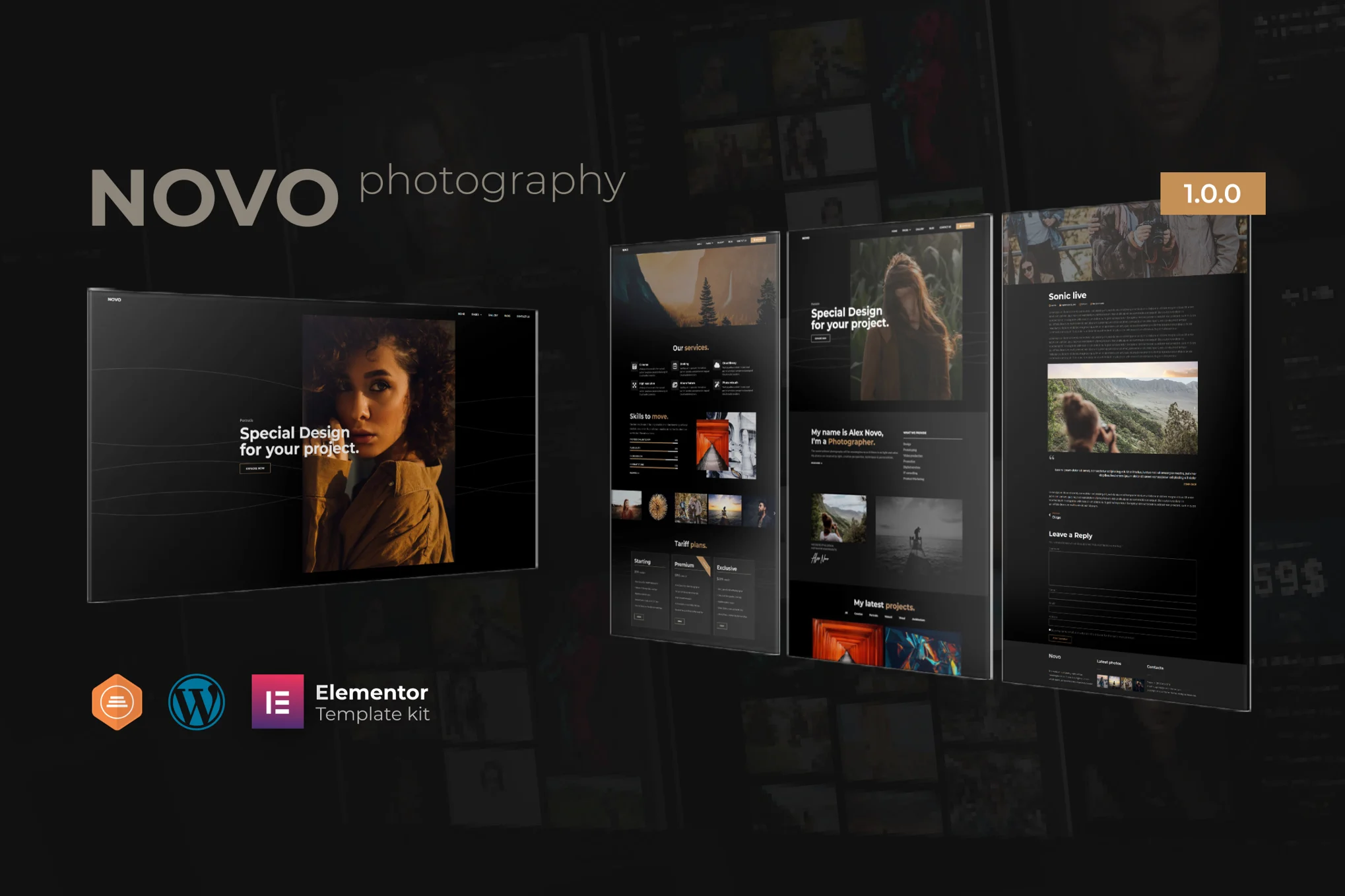






Novo 是一款专为摄影业务打造的 Elementor 模板套件,适用于通过 WordPress 中的 Elementor 页面构建器快速搭建专业网站。
注意:这不是 WordPress 主题,而是用于 Elementor 的页面模板套件。
本套件推荐与免费主题 Hello Elementor 搭配使用,也兼容大多数支持 Elementor 的主题。
![图片[1]-Novo – 摄影类 Elementor 模板套件-361Sale WordPress Care](https://www.361sale.com/wp-content/uploads/2025/07/20250731102427216-screen1.avif)
![图片[2]-Novo – 摄影类 Elementor 模板套件-361Sale WordPress Care](https://www.361sale.com/wp-content/uploads/2025/07/20250731102428592-screen4.webp)
主要特点
- 拖拽式可视化编辑,无需编码
- 一处自定义字体和颜色,也可对单个元素精细调整
- 现代专业的页面设计
- 加载速度快,页面响应灵敏
- 与大多数 Elementor 主题兼容
所需插件(已包含)
- Elementor
- Essential Addons for Elementor
- Premium Addons for Elementor
- 部分模板和功能需使用 Elementor Pro(需另行安装)
模板安装方法
- 在 WordPress 后台插件中心安装并启用 “Envato Elements” 插件
- 下载模板套件压缩包(不要解压)
- 前往 Elements > Installed Kits,点击“上传模板套件”按钮
- 如果已连接 Envato 账户,也可以自动导入
- 页面顶部会出现橙色提示条,点击“安装所需插件”
- 首先导入 Global Kit Styles(全局样式设置)
- 按顺序逐一导入模板(保存在 Templates > Saved Templates)
- 创建新页面,点击“使用 Elementor 编辑”
- 页面左下角齿轮图标打开设置,选择“Elementor Full Width”并隐藏页面标题
- 点击灰色文件夹图标,进入“我的模板”选项卡,导入你想自定义的页面即可
THE END
















![表情[wozuimei]-361Sale WordPress Care](https://www.361sale.com/wp-content/themes/zibll/img/smilies/wozuimei.gif)

![表情[baoquan]-361Sale WordPress Care](https://www.361sale.com/wp-content/themes/zibll/img/smilies/baoquan.gif)




暂无评论内容