





While both are part of the "order path," the reasons for slowdowns on the shopping cart page and checkout page are entirely different: one functions more like a "real-time preview and calculation platform," while the other acts as a "transaction write and risk control gate." If you want to speed up the system, it's recommended to first...Speed Up Your WooCommerce WebsiteThe approach of layering the problem and then returning to this document to configure the two pages differently often proves more stable than blindly enabling caching.
1. First, clarify: Where exactly is the "dynamic" element on the shopping cart page versus the checkout page?
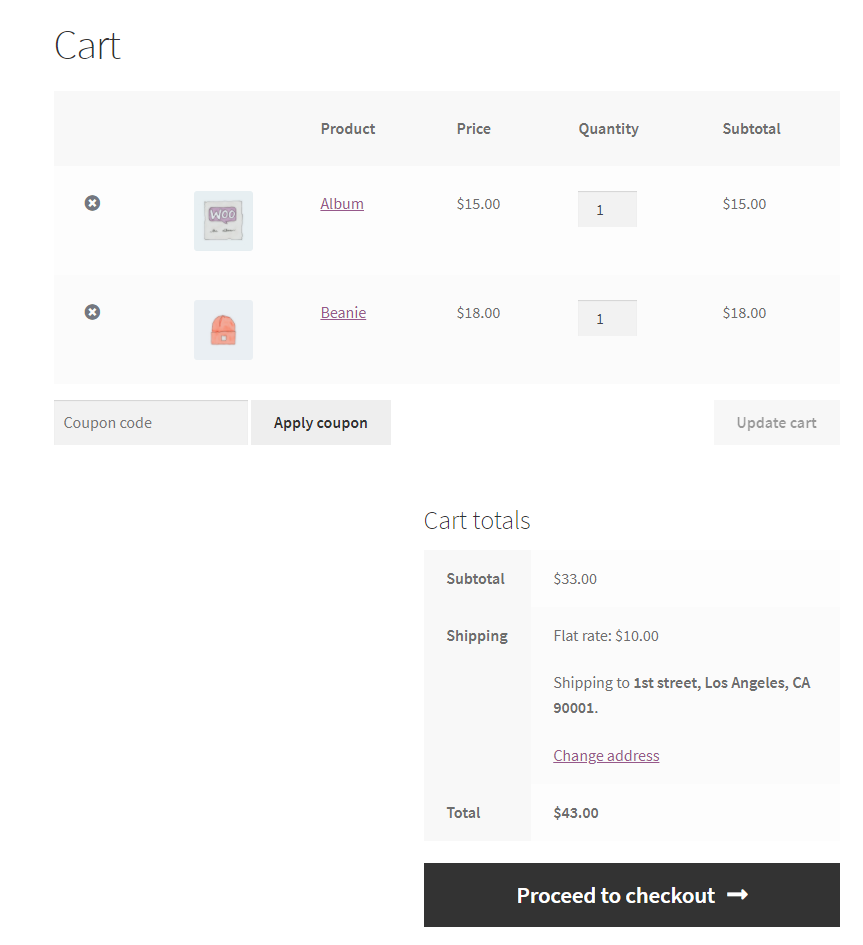
1.1 The shopping cart page functions more like a calculator: Quantity, coupons, and shipping costs update in real time.
The core of the shopping cart page is "dynamic": adjusting quantities, applying coupons, switching shipping methods, and estimating taxes all trigger recalculations and partial refreshes. Many sites feel slow not because pages are large, but because every minor action requires running a full query, recalculating shipping rules, and reassembling the total price—ultimately dragging the experience into a "click and wait" cycle.
1.2 The checkout page acts more like a gate: form validation, inventory locking, and payment gateway invocation.
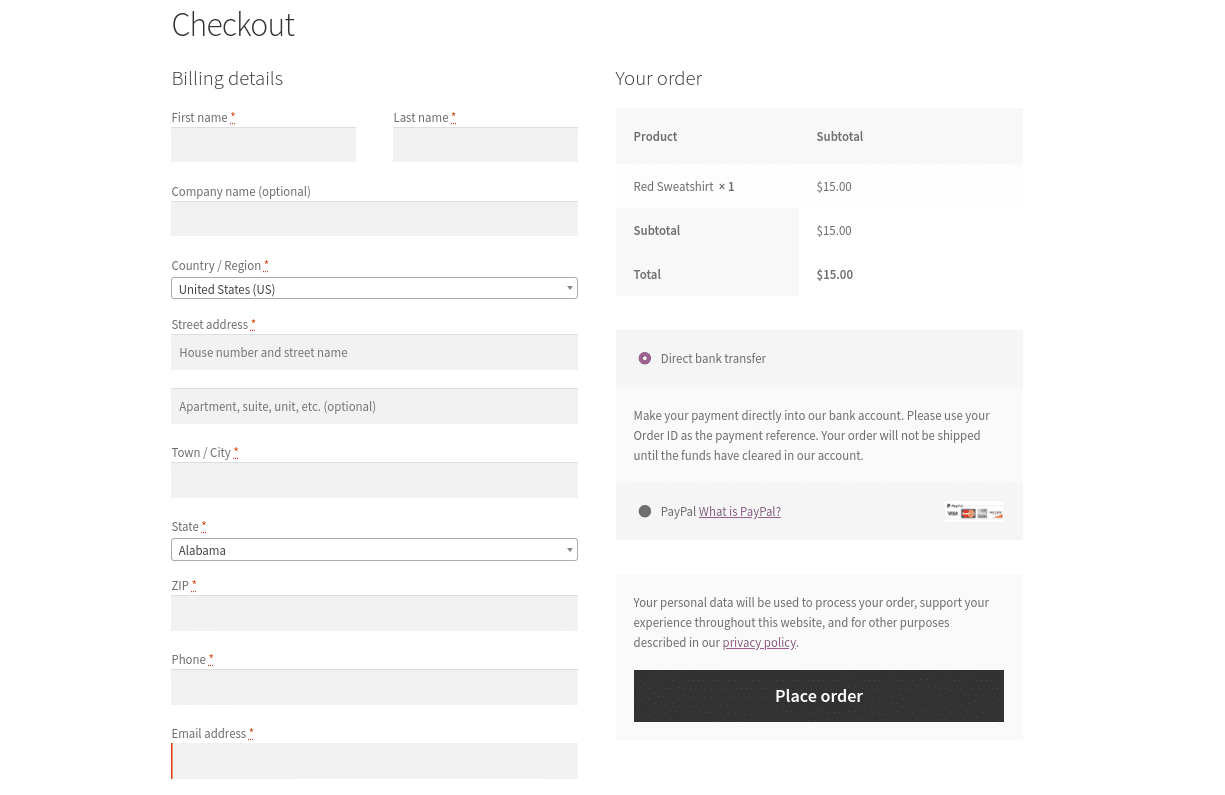
The checkout page's core principle is "no room for error": address and phone number validation, final confirmation of inventory and pricing, selecting payment methods and redirecting or initiating requests, and finally writing the order to the database. It typically involves fewer back-and-forth changes than the shopping cart page, but it's more vulnerable to any script or third-party interface slowing things down. If it gets blocked, users will abandon their purchase right at the "submit order" moment.
2. Caching Strategy Comparison: Cache as much as possible; avoid dynamic content whenever feasible.
2.1 Common Ground for Both Pages: Exclude page caching and maximize cache duration for static resources.
Shopping carts and checkout pages are not suitable for full-page caching: Cache hits can lead to incorrect pricing, inventory, shipping information, or even displaying another user's cart to the current visitor. The correct approach is to exclude "pages" from caching, allowing browsers and CDNs to cache static resources like images, CSS, JS, and fonts for extended periods. Explicitly add exclusion rules within your caching plugin. If you use both a caching plugin and a CDN, it is recommended to refer to...WP Rocket and Cloudflare Synchronization Setup GuideAlign the exclusion logic on both sides to avoid the awkward situation where one side bypasses it while the other still caches.

2.2 Key Differences Between the Two Pages: Shopping Cart Fears "Frequent Refreshes," Checkout Fears "Submission Blocking"
The shopping cart focuses more on controlling frequent requests during interactions: repeatedly calculating the total price and updating the subtotal on the same page is most likely to max out the database and PHP resources. Checkout focuses on blocking links during submission: payment scripts, fraud verification, address components, analytics scripts—any stalled link makes the button "seem unresponsive." Thus, caching is merely the foundation. True acceleration requires reducing both "refresh frequency" and "blocking scripts" separately.
3. CDN and Cloudflare Configuration: Faster for Static Content, More Accurate for Dynamic Content
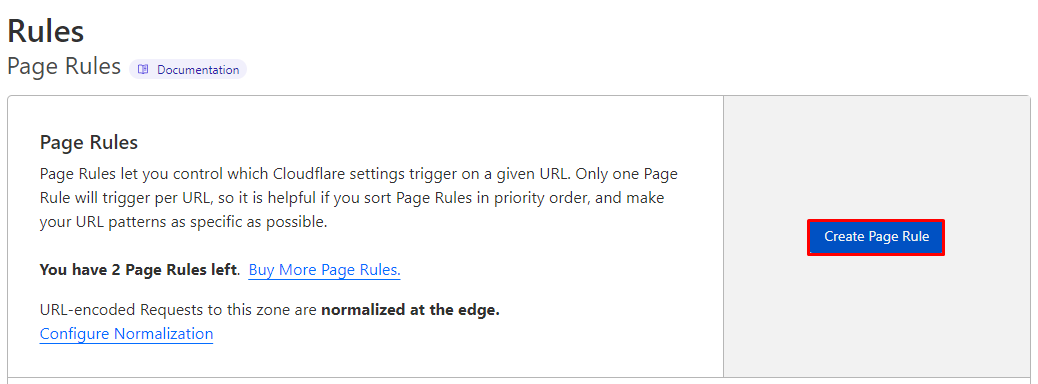
3.1 Rule Priority: Implement the most specific bypass first, followed by generic caching.
For e-commerce sites, start caching rules with the "most error-prone dynamic pages": prioritize bypassing /cart/, /checkout/, /my-account/, and their variants, then set caching policies for static resources site-wide. If you're new to CDNs, start by...Set Up Cloudflare's Free CDNGet the basic integration stable first, then gradually add rules. Don't start off by "Cache Everything."
3.2 Bypass Logic: Whenever session or cart state is involved, route requests back to the origin.
When visitors enter the checkout path, their browser carries session and state information related to the shopping cart. The correct response to such requests often depends on the actions of "this person," not "this URL." Your goal is to achieve edge cache hits for static resources whenever possible, while ensuring dynamic requests are accurately fetched from the origin server. This approach maintains correctness while offloading the bulk of traffic from the origin server.
4. Checkout Page Specific Configuration: Minimize the blocking path before clicking "Submit Order"
4.1 Streamline Fields and Steps: Create a One-Screen Checkout Form
By 2026, many WooCommerce stores will streamline checkout to resemble "single-page payment": reducing unnecessary fields, consolidating optional information, defaulting to hiding business fields, and converting notes into optional collapsible sections. You can first organize fields based on business needs, then integrate them with...Customize WooCommerce Checkout PageStreamline the interface and validation logic together: Fewer fields mean fewer validations, reducing the chances of errors and lag.
4.2 Load scripts only during checkout: Avoid loading payment and analytics resources site-wide
Many sites experience slow checkout processes, with the root cause being "scripts related to checkout loading on other pages"—slowing down users before they even reach the checkout stage. The solution is to split resources by page: load payment gateway scripts, address autocomplete components, and checkout enhancement plugins only on pages directly related to checkout and order confirmation. Other pages should retain only the most basic theme and product display scripts. If you rely on functional plugins to implement per-page loading, lazy loading, and script management, you canWooCommerce PluginOpt for lighter, more manageable solutions to avoid introducing a heavyweight framework just for a minor feature.

5. Specialized Configuration for Shopping Cart Page: Reduce redundant refreshes and make shipping costs and total price calculations "manageable."
5.1 Handling Cart Fragmentation Refresh: Change "Auto-Refresh" to "Refresh Only When Necessary"
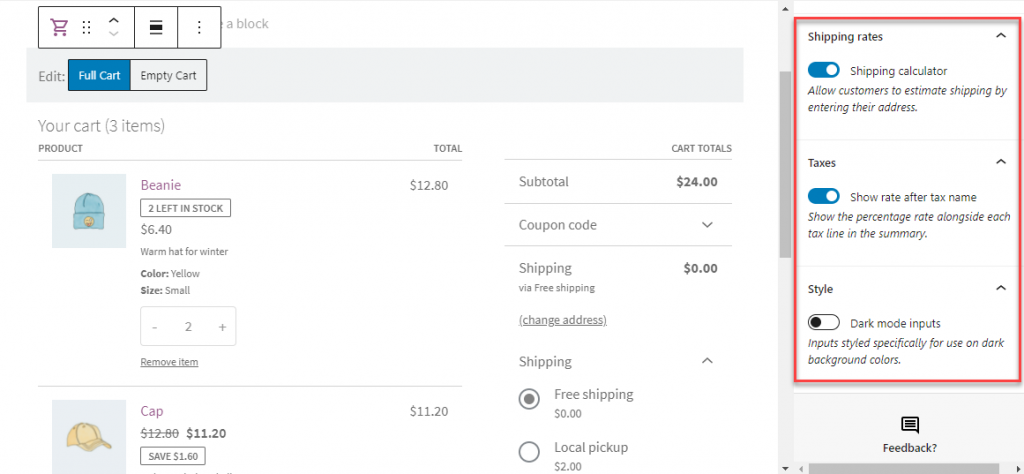
The most common bottleneck slowing down shopping cart pages is the automatic refresh of widgets or mini carts: each page load and every user action triggers additional requests. The solution is to reduce refresh frequency: retain necessary refreshes only on cart and checkout-related pages, and minimize fragmented requests on product detail and list pages. If you use a sidebar cart or block component, ensure it doesn't force a total recalculation on every page.
5.2 Shipping Costs and Delivery Strategy: The More Complex the Rules, the More Important It Is to "Start Simple and Refine Later" for Gradual Optimization
Shipping calculation is often the hidden culprit behind slow shopping carts: combinations of region, weight, tiered pricing, free shipping thresholds, and category exceptions can easily turn each cart update into a complex query. We recommend layering rules: first ensure common regions hit the shortest path, then isolate rare exceptions separately. Simultaneously check for plugin conflicts causing "double counting." When systematically organizing delivery strategies, you can start by referencing...WooCommerce Shipping SettingsStreamline the calculation logic, then return to the shopping cart page to verify that each update is performing the "necessary actions."
Here's a practical self-check sequence: First, ensure the shopping cart and checkout pages are not cached as full pages. Next, enable long-term caching for static resources via CDN. Then, separately address blocking scripts on the checkout page and repeated refreshes on the cart page. After each modification, run a full test from "Add to Cart → View Cart → Checkout → Payment" in an incognito window. Verify speed improvements while confirming prices, coupons, shipping costs, and order statuses remain accurate throughout.

Link to this article:https://www.361sale.com/en/84426The article is copyrighted and must be reproduced with attribution.











![Emoji[wozuimei]-Photonflux.com | Professional WordPress repair service, worldwide, rapid response](https://www.361sale.com/wp-content/themes/zibll/img/smilies/wozuimei.gif)

![Emoticon[baoquan] - Photon Wave Network | Professional WordPress Repair Services, Worldwide Coverage, Rapid Response](https://www.361sale.com/wp-content/themes/zibll/img/smilies/baoquan.gif)


 简体中文
简体中文  English
  日本語
日本語  Français
  Español


No comments