




When doing the drop."High-paying intent terms" often have one thing in commonGoogle Ads is not a generalized understanding search, but a search closer to "ready for action". The core of using Google Ads to discover high-paying intent words is to use the data and tools already in the ad account to sift these searches out of the massive amount of words, and then precipitate them into a reusable keyword library and landing page direction.
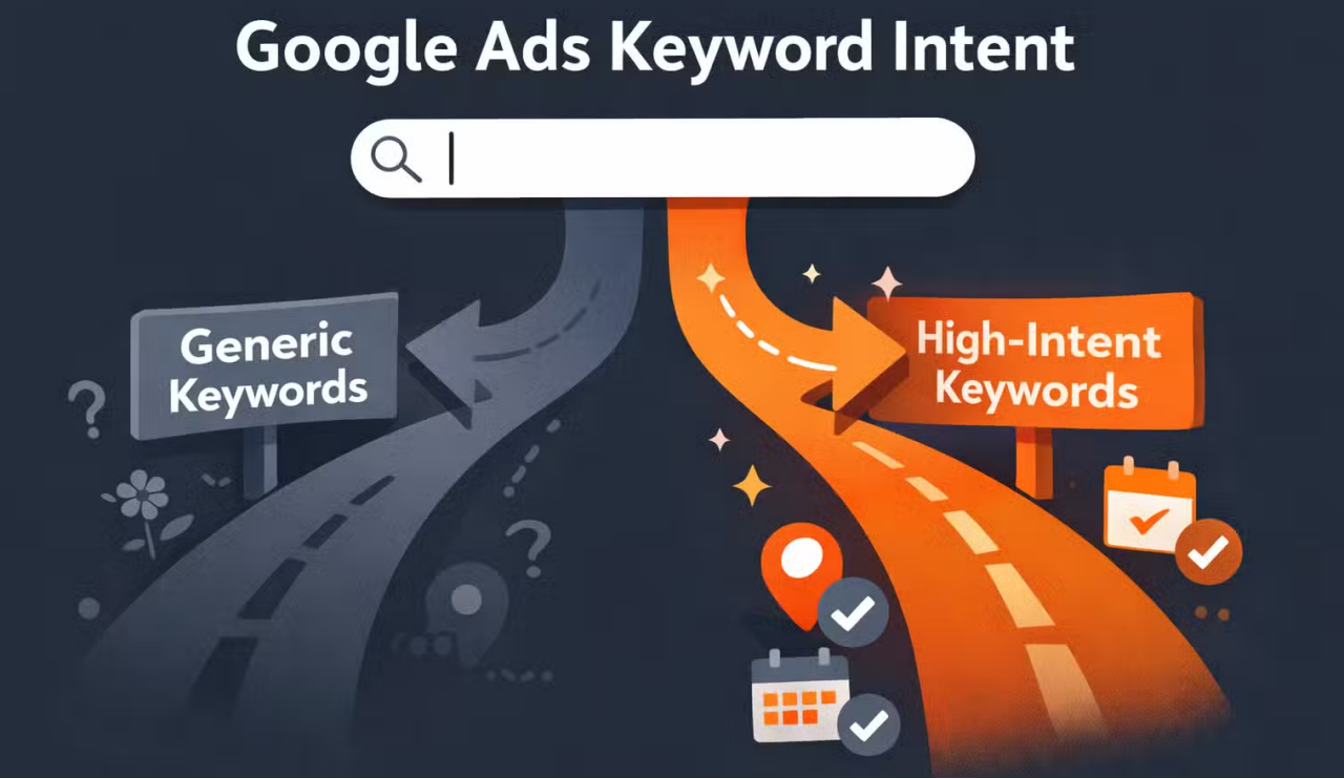
1. First, define clearly: what is meant by "high-paying intention words"?
Determining if "intent to pay is high", suggests looking at both types of signals:
- The intent of the word itself: Is there a clear action and choice, e.g. "buy/order/offer/discount/compare/which is better/who is it for".
- Results of data placement: Whether it leads to effective conversions, or at least quality clicks.
The most direct source of Google Ads is the "real search terms that triggered ads", or Search terms report, which shows which searches triggered your ads and how they performed.
2. Reporting with Search terms: fishing for high-intent terms from "real searches"
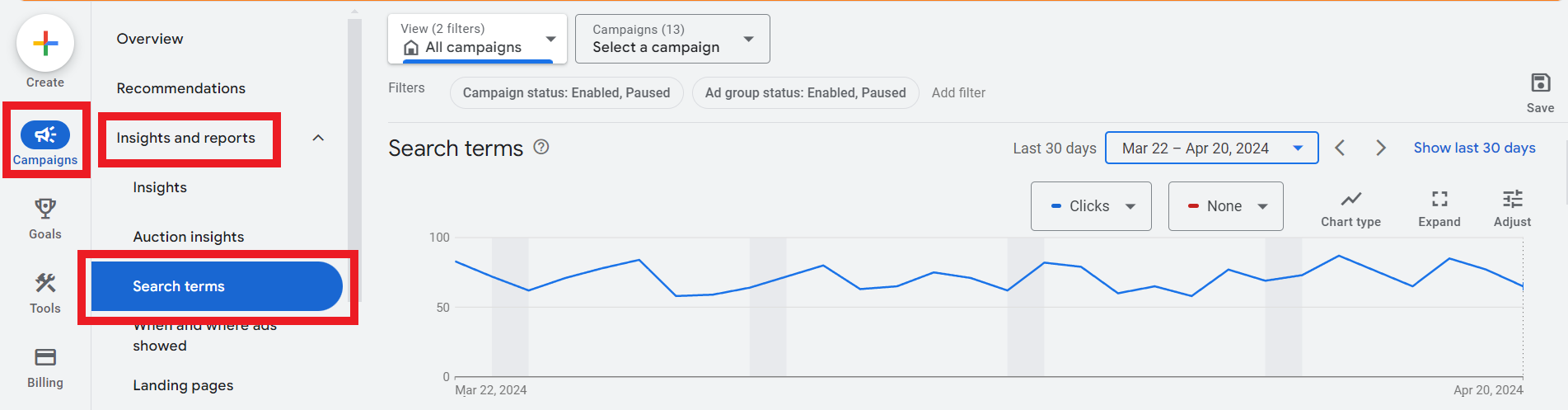
2.1 Why this step is most critical
The Search terms report reflects the actual query entered by the user, not the keywords you guessed. One of its uses is to help you discover new ideas and to be used to optimize keywords so that more appropriate searches trigger ads.
2.2 Practical Screening Logic
In the Search terms sieve "high-paying intention words", it is recommended to grasp words according to the following four types of patterns:
- Price and transaction-related: quotes, fees, discounts, shipping, delivery, coupons, etc.
- Strong Contrast and Strong Selection: A vs B, which is better, recommended, best for
- Strong specification with strong matching: Model, Size, Material, Compatibility, Applicable People
- Strong Local & Strong Service: near me, same day, installation, repair (if your business is indeed local/service based)
At the same time, organizing obviously irrelevant queries into negative keywords reduces wasted budgets, which is what Search terms reports are typically used for.
3. Use of Keyword Planner: "cost signaling" as an aid to judgment

Keyword Planner is used toResearch KeywordsIt's a great way to view search volume estimates and placement cost level information, and helps you discover new keywords.
3.1 What is most cost-effective to do with it?
There are two main things to look for in a Keyword Planner when you take a candidate that you've salvaged from Search terms and throw it into a Keyword Planner:
- Is it possible to expand the phrases of the consent map (more conducive to scaling)
- Whether or not the terms have a reference signal for "placing in the competitive environment" (for prioritization)
4. Using Insights: Finding directions from the "topic layer" that look more like paid intent
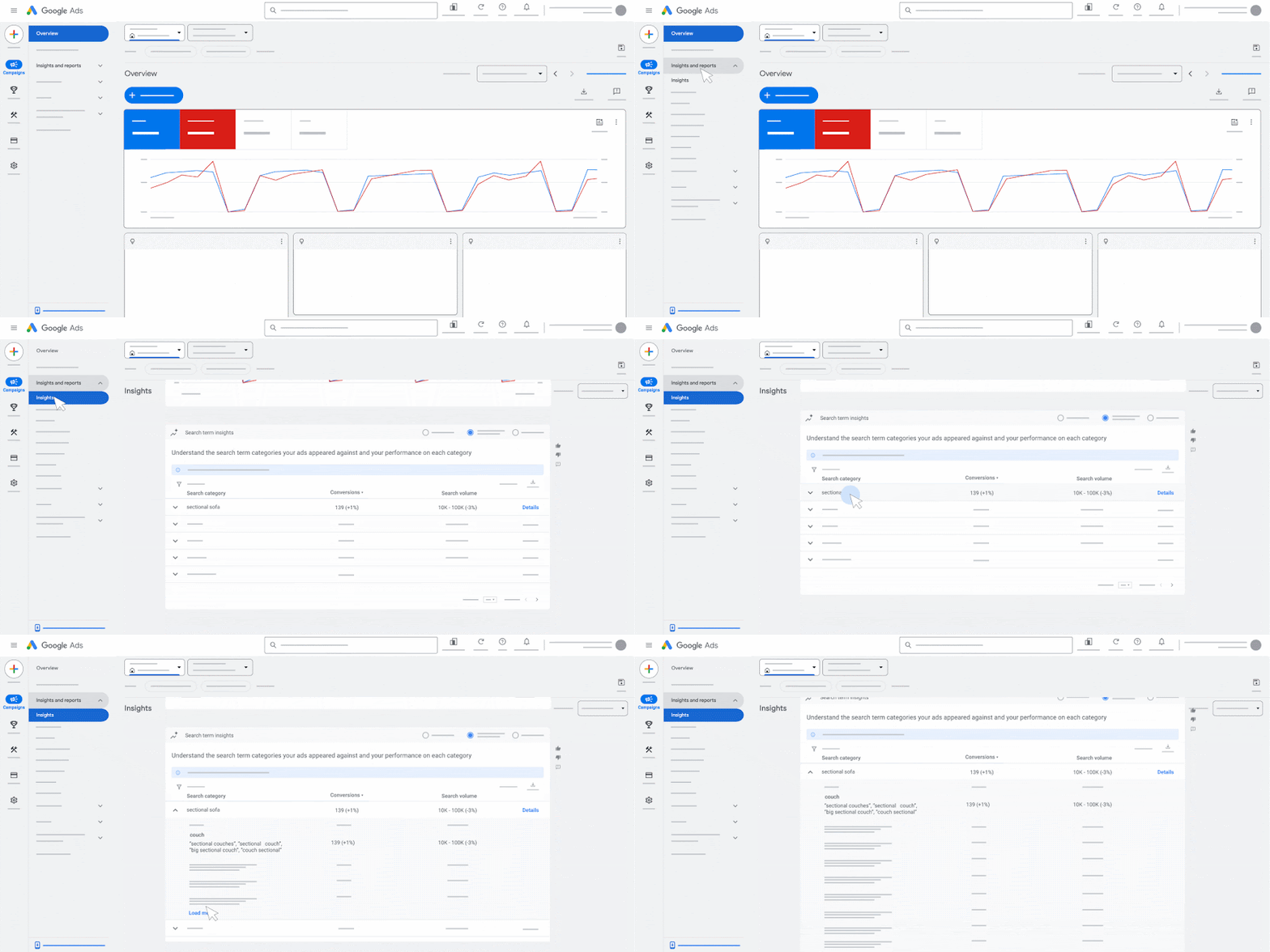
If you're using Search, Shopping, or Performance Max, Google Ads also has the Search terms insights Relevant capabilities for understanding search term insights and illustrates the range of activity types supported.
It's more of a "structured summary of themes and trends," and is perfect for filling in high-intent expressions you didn't expect.
5. A table: screening of high-paying intention words into executable actions
| code | Representational intent | Suggested Action | Landing Page Writing Focus |
|---|---|---|---|
| Queries containing "quote/fee/discount/shipping/arrival" | Transaction Confirmation | Individually built phrases with ad copy, strictly matched | Write down clearly the price components, delivery methods, and return and exchange rules |
| Queries containing "vs/comparison/which is better/recommendation" | Decision Options | Do contrasting phrases to go with contrasting landing pages | Fix the dimensions with a table and give the conclusion before explaining it |
| Query contains "model/size/material/compatibility". | exact match | Split out specification phrases and add negatives to prevent run-ons | Release dimension sheets, compatibility lists, applicable boundaries |
| Queries with lots of clicks but weak conversions | Interests skewed upstream | Drop bids or change matchmaking, or change landing page | Enhanced first-screen answers and trust messages |
6. Add another layer of "bidding environment" perspective: Auction insights are used to determine whether it is worth hard robbing or not.
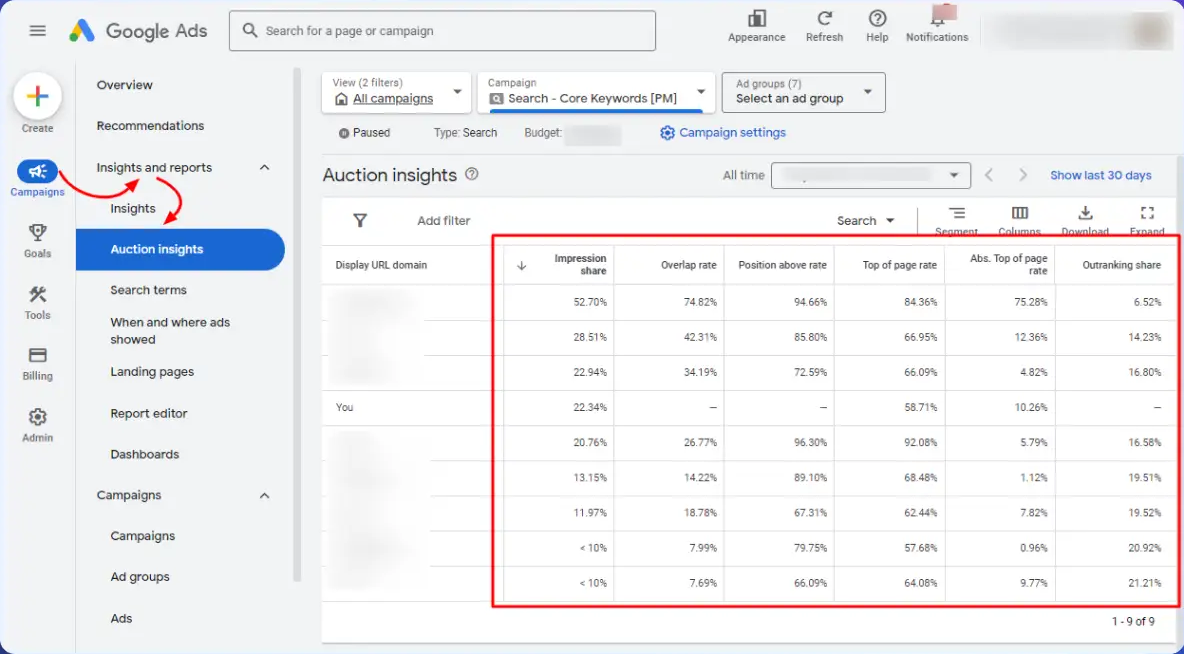
The Auction insights report lets you compare the performance of other advertisers in the same bidding space to assist with bidding and budgeting strategy, and is available for Search, Shopping, Performance Max, and more.
It doesn't give you a list of keywords, but it can help you identify whether certain words/topics are "profit zones" or "red oceans of money".
Summary:
The most stable path to discovering high paying terms with Google Ads is to first use Search terms reports to fish for terms from real searches, then use Keyword Planner to expand and prioritize, and finally combine Search terms insights with Auction insights. Determining if a theme is worth addingIn this way, the words are closer to the "search that can lead to a sale". The words sifted out in this way are closer to "searches that can bring about transactions" and are easier to sink into reusable e-commerce placement and SEO thesaurus.

Link to this article:https://www.361sale.com/en/85980The article is copyrighted and must be reproduced with attribution.

















![Emoji[wozuimei]-Photonflux.com | Professional WordPress repair service, worldwide, rapid response](https://www.361sale.com/wp-content/themes/zibll/img/smilies/wozuimei.gif)

![Emoticon[baoquan] - Photon Wave Network | Professional WordPress Repair Services, Worldwide Coverage, Rapid Response](https://www.361sale.com/wp-content/themes/zibll/img/smilies/baoquan.gif)


 简体中文
简体中文  English
  日本語
日本語  Français
  Español


No comments