




When you're in wp-content/ I saw a bunch of them. temp-write-test-* (usually 0 bytes) fileThis is basically a test file created by WordPress to determine if it can write directly to the filesystem. get_filesystem_method() know how to use temp-write-test-... Doing write and belonging detection is used to decide to use the direct Still need FTP/SSH Way to update plugins and themes.
Below, the questions are converged into three main categories in a "10-minute orientation" approach:Permissions/Ownership,Cache directory writes,Security/anti-tamper blockingThe
1. WordPress appears as temp-write-test What is it? What is it testing?
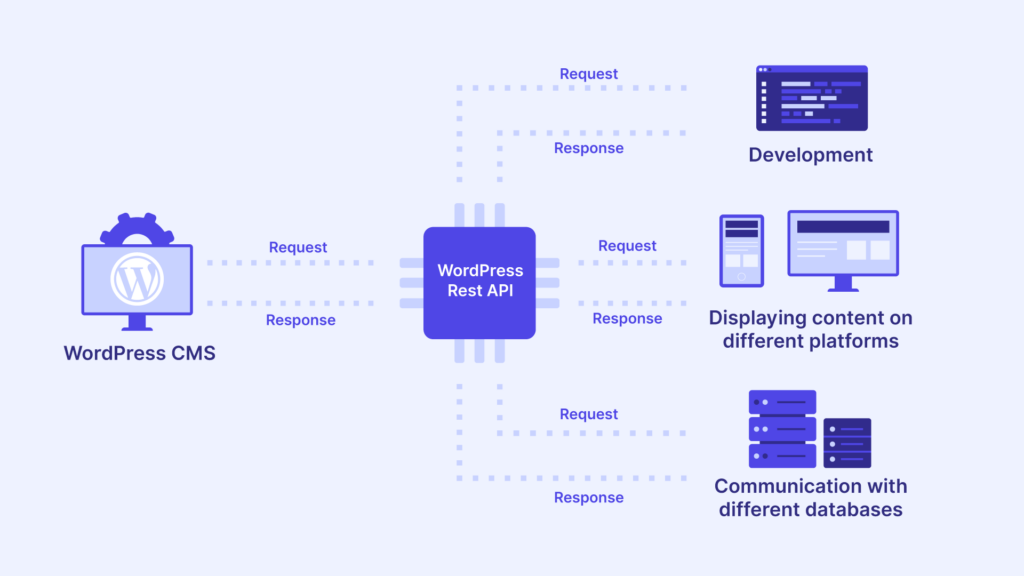
You saw it. WordPress appears as temp-write-testThe essence is that the WordPress file system API is doing capability detection:
- Can you write temporary files to a specific directory
- Does the owner of the written file match the WordPress file owner?
- thereby determining whether it is safe to use direct Write update file
If this test fails, the common associated phenomena are: "Please enter FTP information" pop-up when updating in the background, update failure, Site Health indicates that the temporary directory is not writable, etc.
2. First, use a table to quickly determine which category you fall into.
| The phenomenon you saw. | More likely causes | Priority checkpoints |
|---|---|---|
| Require FTP when updating plugins/themes | WordPress can't determine direct | wp-content Writable, owner-consistent, FS_METHOD detection |
wp-content There are more and more temp-write-tests in | Write test repeatedly triggers and fails | Incorrect permissions/ownership, or tamper-resistant blocking |
| Error or temp-write-test whenever cache is cleared. | Cache plugin needs to write directories | wp-content/cache,uploads Privileges and Attributes |
| Immediately after turning on the security/panel "Tamper/Read Only". | Write intercepted | Security plug-ins, panel tampering, file immutable, SELinux |
3. 10-minute checklist (do in order for highest hit rate)
Step 1 (1-2 minutes): Confirm temp-write-test trigger point
Recall what operations you've done recently that began to appear after the WordPress appears as temp-write-test::
- Update plugins/themes, install plugins online
- Clicked Repair/Test in Site Health
- Enable/toggle caching plugin (or have page caching turned on)
- Enable "Anti-tamper/file locking/read-only" function of the security plug-in.
The significance of this step is that the trigger point takes you directly to one of the "Permissions/Cache/Security" paths.
Step 2 (2-4 minutes): Check wp-content for proper ownership and permissions
The official WordPress documentation gives directions for troubleshooting file permissions.(This varies slightly from environment to environment, but a common recommendation is that directories are readable and executable, and files are readable; don't just 777).
Execute it on the server (change the path to your site directory):
ls-ld wp-content wp-content/uploads wp-content/plugins wp-content/cache 2>/dev/nullFocus on two points:
- Who is the user running PHP(php-fpm is often
www-data/nginx/apache) wp-contentand whether its key subdirectories are writable to this user

If you are Nginx + PHP-FPM, you can look at the PHP-FPM runtime user like this (paths vary from distro to distro):
ps aux | grep php-fpm | headTypical restoration ideas (pick one that fits your environment)
- The site file owner should have been a site user in the first place: put the
wp-contentThe owner/group of the directory should be changed back to the site user, and make sure that the PHP user has write permissions to the directory in question (same group write). - You're on a single-site VPS and it's clear that PHP users are responsible for writing: put
wp-contentIt's more straightforward to change the attribute of a PHP user.
The point is not "to whom", but rather:WordPress Write Test Creates File Attributes That Match WordPress File Attributes, otherwise it will continue to fail and generate temp-write-test.
Step 3 (4-6 minutes): Troubleshoot "Cache Catalog Write Failure"
A lot of caching plug-ins will have the wp-content/cache/ maybe uploads/ Write to cached files. When directories are not writable, you may see write failures, or even trigger WordPress to repeatedly probe the file system's capabilities, resulting in a WordPress appears as temp-write-testThe
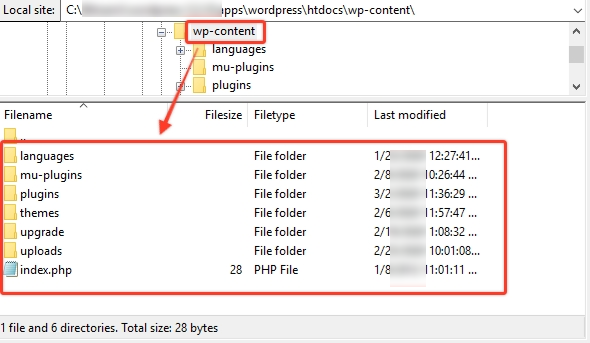
You can do two quick verifications:
- Temporarily disable the caching plugin (only disable it, not uninstall it) and see if temp-write-test stops growing
- Manually check that both directories are writable:
wp-content/cache,wp-content/uploads
If you deactivate the cache and then don't add it again, it's basically a cache directory permissions/ownership issue, just fix the directory write permissions.
Step 4 (6-8 minutes): Troubleshooting security plug-ins/panel "tamper" blocking
Many security plugins or panels offer "website tamper/read-only protection". This type of feature is the easiest way to block WordPress write tests outright.lead to WordPress appears as temp-write-test iterative generationThe
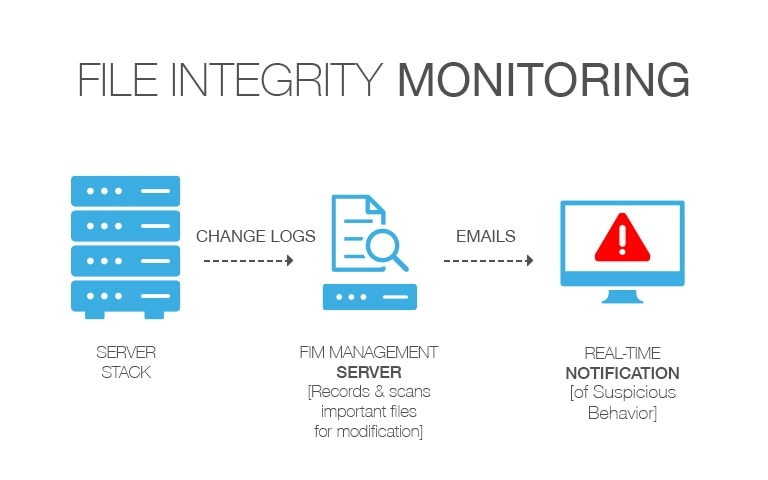
Check by priority:
- Whether the panel is enabled "Tamper Proof/Read Only/Site Hardening (Write Prohibited)" or not
- Whether or not the security plug-in enables "file locking/blocking file changes".
- Linux file is immutable: lsattr wp-content 2>/dev/null If you see the
iMarker, needs to be disarmed first (be very careful with this step, make sure you know what you're doing)
Additionally, some sites will have a wp-config.php Enable the prohibition of online modification in the
DISALLOW_FILE_MODSWill disable plugin/theme installation with updates and also affect the backend file editing portal
It doesn't necessarily cause temp-write-test, but it can lead you to believe that there is a "permissions problem", so it's recommended that you check it by hand.
Step 5 (8-10 minutes): Use FS_METHOD to "stop the bleeding" if necessary, then go back to the root cause.
WordPress allows the use of FS_METHOD Overrides the results of the automatic test, with optional values including direct/ssh2/ftpext/ftpsocketsThe
If you are sure that the server permissions/attributes are actually okay, but WordPress is still misjudging them (e.g., the container/mount disk attributes are behaving abnormally), you can temporarily add the following to the wp-config.php Add:
define('FS_METHOD', 'direct').Note: The official advice is to "use only when updating a problem; if it doesn't work, remove or change it back".
It is still safer to put wp-content The write permissions and ownerships are fixed correctly.
4. Summary:
WordPress appears as temp-write-test hypostasisIt's the system detecting whether it can directly write to the file, which is used to decide the plugin/theme update method. Troubleshooting is prioritized along three main lines: first look at the Permissions and ownership of wp-content and uploads/cache whether it is writable and consistent; and then look at Caching Plugin Whether the write test is repeatedly triggered by directory unwritability; and finally, to check Security plug-ins or panels are tamper/read-only Is the write blocked. After fixing the root cause, these temporary files can be cleaned up, if they still continue to be generated, it means that the write test is still failing and you need to go back to Permissions, Cache & Security Interception to continue locating them.

Link to this article:https://www.361sale.com/en/86717The article is copyrighted and must be reproduced with attribution.





















![Emoji[wozuimei]-Photonflux.com | Professional WordPress repair service, worldwide, rapid response](https://www.361sale.com/wp-content/themes/zibll/img/smilies/wozuimei.gif)

![Emoticon[baoquan] - Photon Wave Network | Professional WordPress Repair Services, Worldwide Coverage, Rapid Response](https://www.361sale.com/wp-content/themes/zibll/img/smilies/baoquan.gif)


 简体中文
简体中文  English
  日本語
日本語  Français
  Español


No comments