




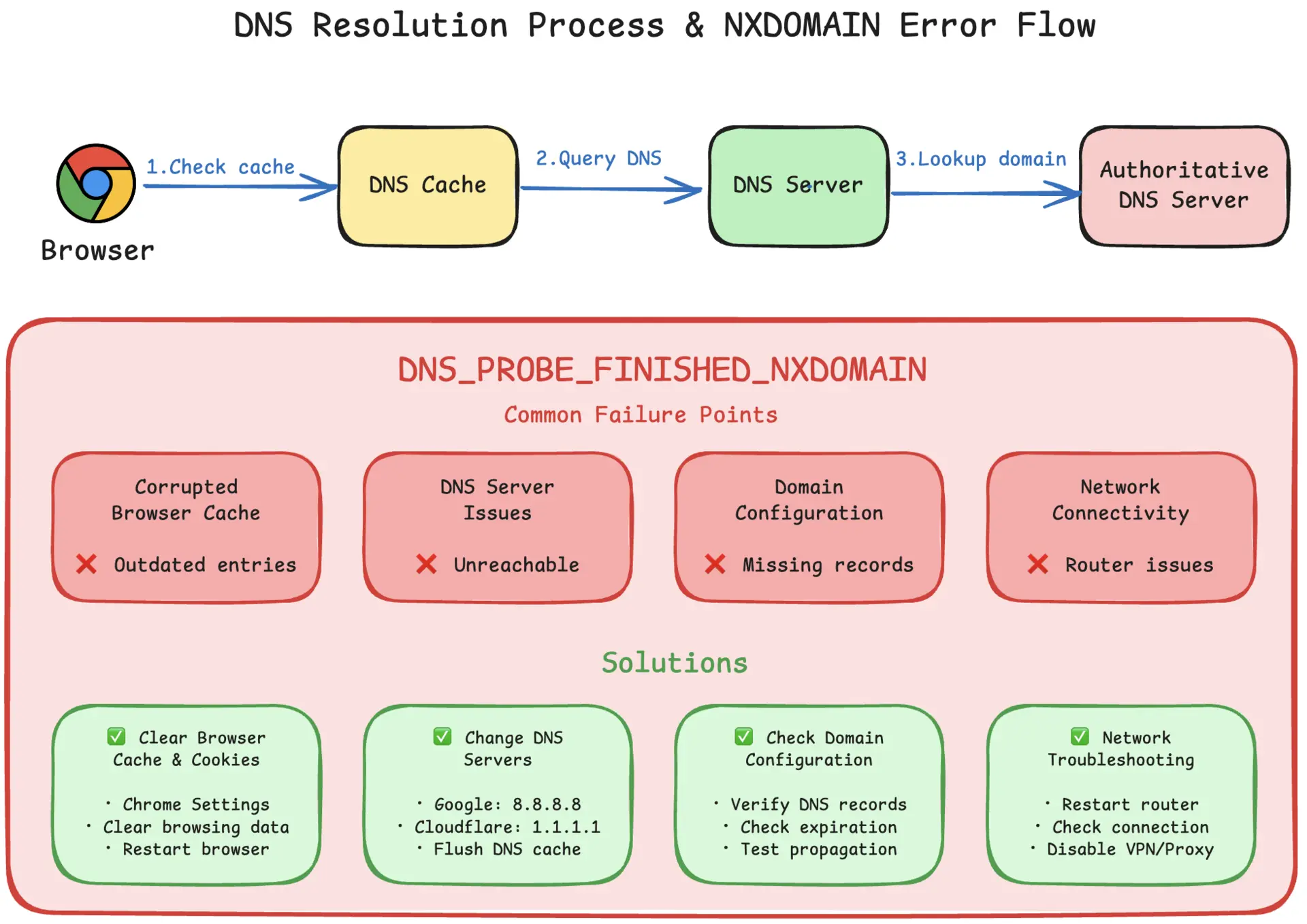
come across Error 1016 If you are using Cloudflare, think of it as a phrase: Cloudflare can't resolve to your source IP (Origin DNS error). That is, Cloudflare gets stuck on DNS at the "go to source" step (not the source application, but the 500 kind).
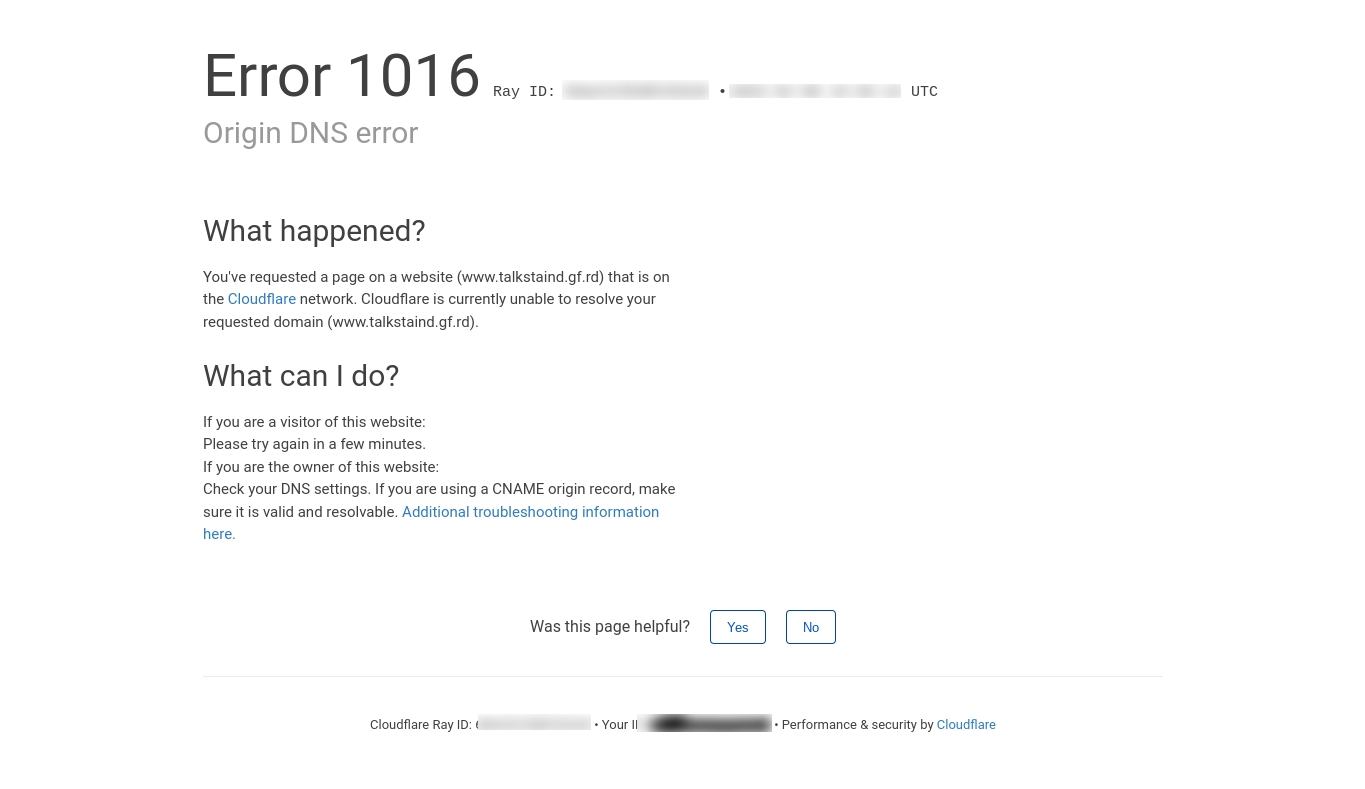
Here's a list of 10-minute pinpoints + corresponding fixes, prioritized starting with the most common causes.
10-minute location checklist (in order)
0-1 minutes: Confirmation of which hostname reported an error
- notify only
wwwOr is the root domain also reported? Or is the root domain reported as well? Or is it a subdomain (e.g.api.) report? - record (in sports etc)Full URL of the error + time point(backtracking)
1-3 minutes: Inspection Records for "this hostname" in Cloudflare DNSwhether or not
Open the Cloudflare console → DNS → Find the corresponding hostname:
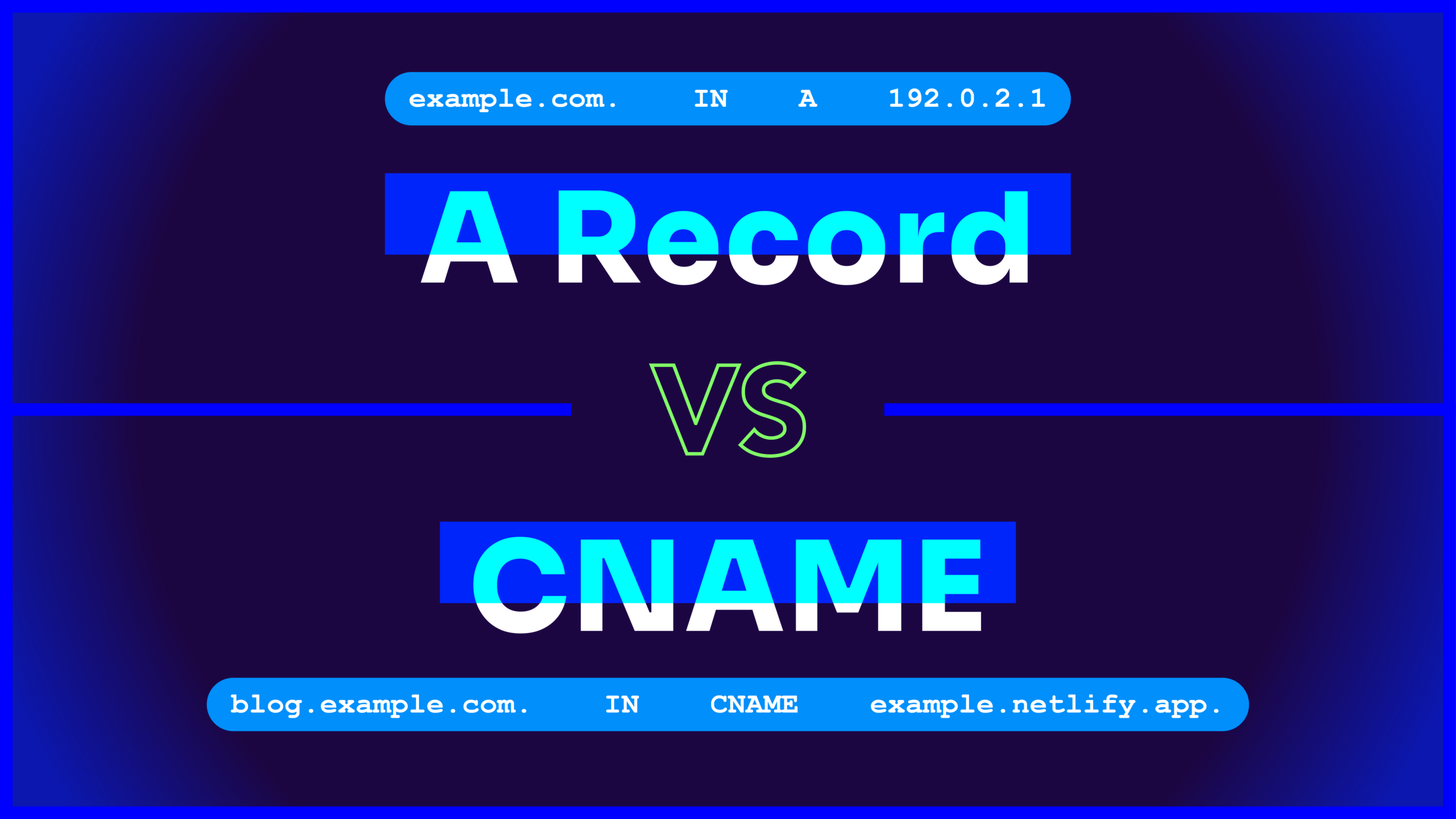
- The root domain name should normally have A(or AAAA) to the source IP
wwwIt's usually CNAME Points to the root or source domain
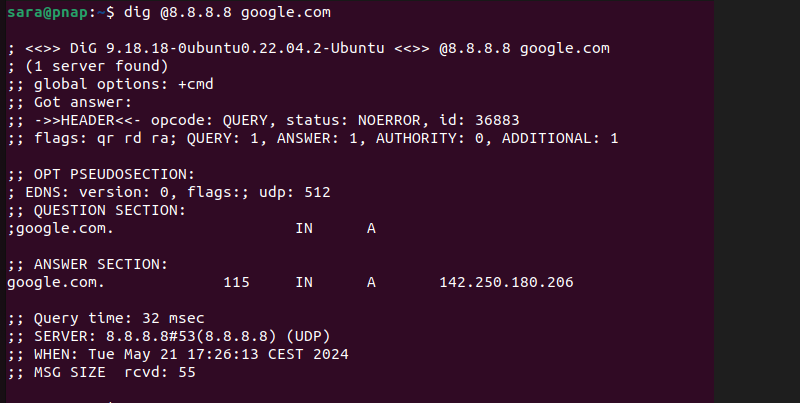
3-5 minutes: Use DNS commands to verify that it "really resolves".
Run it on your computer/server (either one):
dig +short A yourdomain.comdig +short CNAME www.yourdomain.comnslookup yourdomain.com 1.1.1.1nslookup yourdomain.com 8.8.8.8
What you need to see is:
- A Records can be returnedReal Public IP
- If it is a CNAME, the CNAME target domain name will continue to resolve to A/AAAA as well.
If A/AAAA returns null, or the CNAME target is not resolved, it's basically locked. Root cause of Error 1016The
5-7 minutes: focus on "CNAME target resolvability".
If your record is:www -> CNAME -> an external domain name
- Check it out right away.Target Domain NameWhether or not it resolves to A/AAAA
- Common pitfalls: expiration of the target domain name, DNS deletion, change of records by the service provider, spelling errors in writing
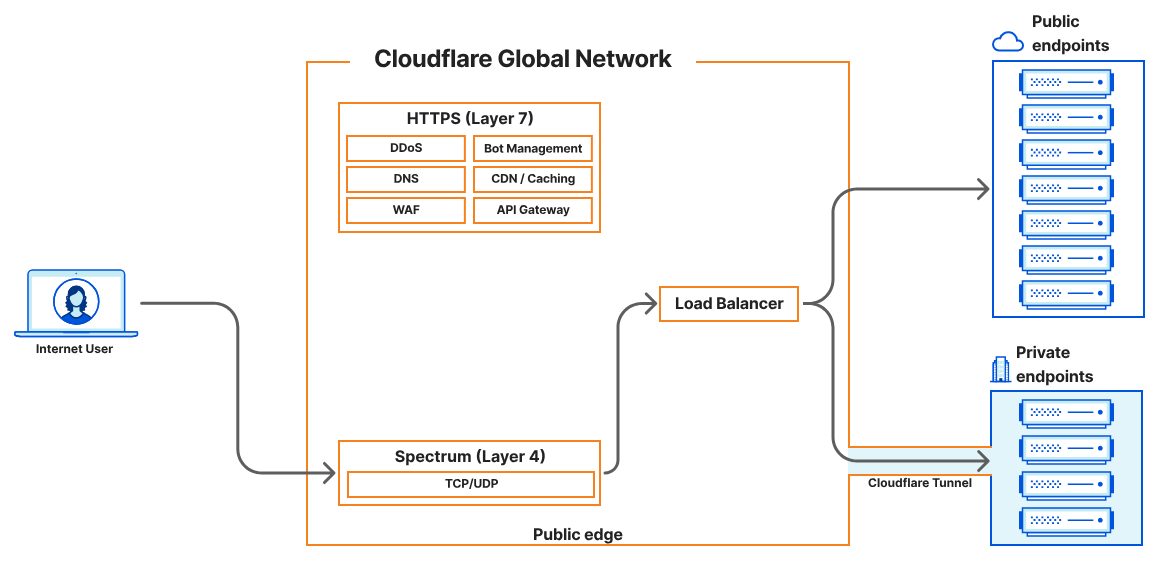
7-9 min: Are you using Load Balancer / Tunnel / Spectrum?
Right by your usage:
A) Cloudflare Load Balancer
- Check the pool's origin hostnames Are they all resolvable?
- It is recommended to configure a **fallback pool** to write directly to the source IP to avoid "all hostnames fail to resolve" resulting in 1016
B) Cloudflare Tunnel (cloudflared)
- The DNS record points to the tunnel, but the tunnel isn't running. 1016
Quick Verification:- See if your tunnel services are online (system services, containers, daemons)
- reopen
cloudflaredor revert to a program with an A-record directly connected to the source station.
C) Spectrum (CNAME origin)
- Official tip: Before doing CNAME origin for Spectrum, you need to create a CNAME pointing to origin on the Cloudflare DNS side, otherwise you may trigger 1016.
9-10 min: Is it a "Cloudflare for SaaS / SSL for SaaS / Workers" special scenario?
If you're doing SaaS custom domains or Workers sub-requests, Error 1016 has a more "configurable" meaning: Cloudflare will indicate that the custom hostname cannot be routed or proxied.
Cloudflare for SaaS / SSL for SaaS Common Causes(official listing):
- Customizing the hostname of theOwnership verification not completed
- fallback origin Not set correctly
- You used a wildcard to customize the hostname, but the requested hostname corresponds to a domain that also exists as a "standalone zone" in Cloudflare, with conflicting priorities
- There is no DNS record for the hostname in the SaaS target zone.
- Customized hostname not in
activestate of affairs
Workers Scene
- If the Worker's
fetch()Sub-requests hit the Partial (CNAME) Setup zone: you need to make sure that the hostname exists within the Cloudflare zone (and not just in the authoritative DNS).
Give the "most direct" by scenarioRepair Action"
Scenario 1: Missing A-record / Wrong IP for A-record
- Add or correct this hostname in Cloudflare DNS for the A Records(pointing to the correct source public IP)
- Wait for the TTL to take effect (usually minutes to tens of minutes)
- reuse
dig/nslookupVerify that the correct IP is returned
Scenario 2: The target domain pointed to by CNAME is not resolvable
Fix the DNS of the target domain (so that it resolves to A/AAAA), or just change the CNAME to an A record pointing to the source IP (more stable and intuitive)
Scenario 3: Tunnel didn't run
- recognize
cloudflaredProcesses/containers online - Recovering Self-Start and Reboot Policies
- If recovery is not possible in the short term, temporarily switch back to A-record direct connection to the source station to restore availability first.
Scenario 4: Pool of Load Balancerdomain name resolutionfail (e.g. experiments)
- Fix the origin hostname in the pool to be resolvable.
- Configure a fallback pool to write directly to the source IP to avoid a full hang 1016
Scenario 5: Cloudflare for SaaS Customized Domain Reporting 1016
- Check if the customized hostname is
active(Verification of completion) - Verify that the fallback origin DNS record exists and is set up
- Avoid wildcard hostname priority conflict with independent zone hostname
How to verify that it's "really good" after the fix.
- expense or outlay
dig/nslookupseparate investigation1.1.1.1respond in singing8.8.8.8Confirmation of parse consistency - No Trace Browser Access
https://域名/with the error path - If you have multiple locales: use an online DNS checker to see if the resolution is consistent from one locale to another (it is also officially recommended to use a DNS lookup tool to verify that the records are resolvable).
Minimum packet of information to be submitted to support/colleagues
If you're taking the issue to your hosting provider, coworkers, or Cloudflare support, it's recommended that you provide at once: the domain name, the URL where the error was reported, the time it occurred, a screenshot of the DNS record, a copy of your local dig/nslookup Output, whether using Tunnel/LB/Workers/SaaS. Cloudflare also has a specific "fault information collection" guide, which centers on bringing these key fields together.

Link to this article:https://www.361sale.com/en/86675The article is copyrighted and must be reproduced with attribution.















![Emoji[wozuimei]-Photonflux.com | Professional WordPress repair service, worldwide, rapid response](https://www.361sale.com/wp-content/themes/zibll/img/smilies/wozuimei.gif)

![Emoticon[baoquan] - Photon Wave Network | Professional WordPress Repair Services, Worldwide Coverage, Rapid Response](https://www.361sale.com/wp-content/themes/zibll/img/smilies/baoquan.gif)


 简体中文
简体中文  English
  日本語
日本語  Français
  Español


No comments