




DisclaimerThis tutorial is based on Google's official documentation and updated to reflect the latest policies, making it applicable to the current version. Given the frequent updates to Google's tools, we recommend verifying your actions against the official documentation. WordPress users can complete the entire process without writing any code!
Many new webmasters have written dozens of articles, yet no one ever sees them—not even themselves when they try to search for them. This usually isn't because the content is poor, but because Google simply doesn't know your website exists!
To make your website stand out in the search ecosystem, you must install two free tools:
- Google Search Console (GSC)Submit your website to Google for indexing, allowing crawlers to access your site.
- Google Analytics 4 (GA4)Show you real traffic: Who came, where they came from, and how long they stayed.
Install GSC + GA4 = Your website has an ID card + health check report. The entire process takes about 40 minutes. Just follow the steps one by one.
I. Why Must 99% Users Install It on Day One? (2026 New Version Comparison Chart)
| artifact | primary role | Consequences of not installing | New Highlights for 2026 |
|---|---|---|---|
| Google Search Console | Check keyword rankings, submit URLs, monitor indexing, and perform automatic diagnostics | Google may take several months to discover your website. | AI Crawl Priority Recommendation SystemDNS Smart Verification is faster |
| Google Analytics 4 | User sources, traffic volume, behavioral paths, content performance | It's impossible to know which content is effective and which is a waste of effort. | Upgrade in Automated Behavior ModelingEnhanced measurement enabled by default Improved privacy compliance |

II. Preparations (Still Only 2 Minutes in 2026)
You only need the following three things:
- One Gmail account (free)
- The website is accessible (with a domain name + resolved).
- (Recommended) Domain Name DNS Hosting Cloudflare ——2026: Faster verification speeds and support for automatic write logging
Quick tip: Beginners can use WordPress + Cloudflare—it's the easiest setup.
III. Detailed Installation Guide (Latest Steps for 2026)
Part One: Complete Google Search Console (GSC) Setup Process
The 2026 GSC has been further upgraded in areas such as verification methods, AI problem diagnosis, and data update speed, delivering a smoother experience than the 2025 version.
1. Open GSC
Visit:https://search.google.com/search-console
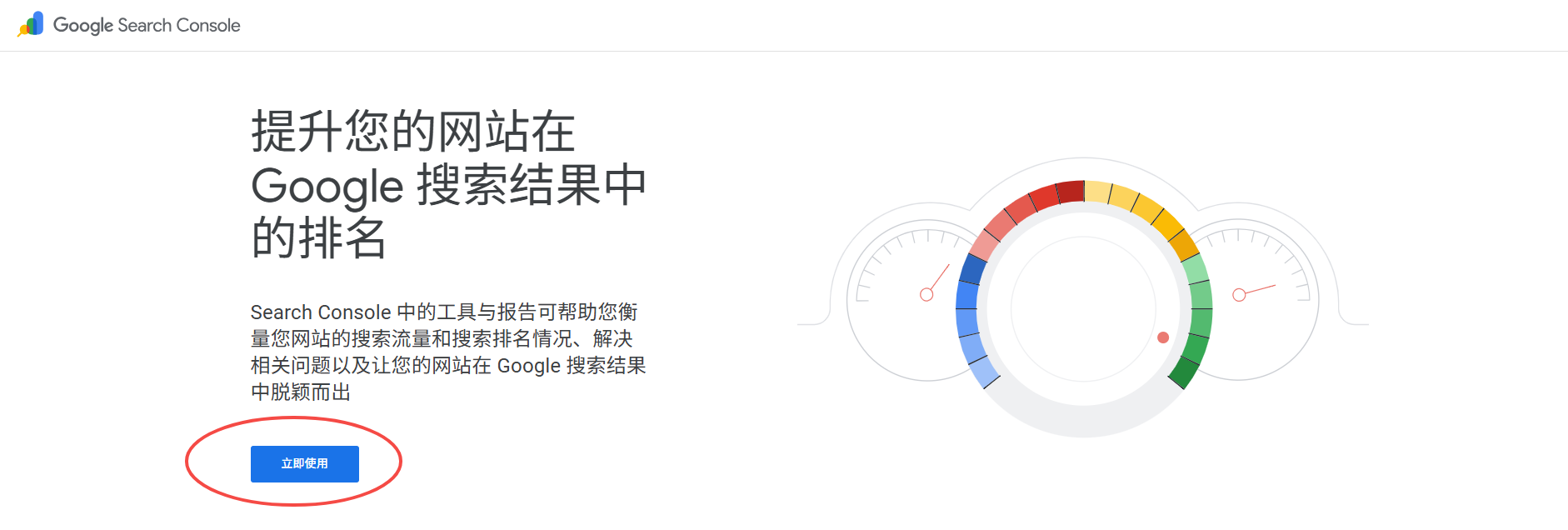
2. Click "Add Property"
A. Domain Name Pattern:
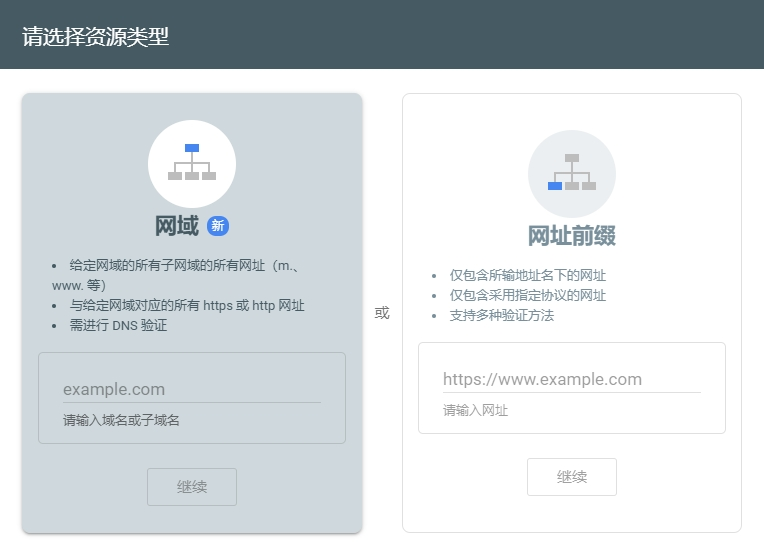
Domain name patterns remain the most recommended approach for 2026, for the following reasons:
- Single verification = Covers all protocols (http/https) + all subdomains
- New Version of DNS Smart Check is Faster
- Supports Cloudflare / GoDaddy automatic TXT record updates
B. Website prefixMode:
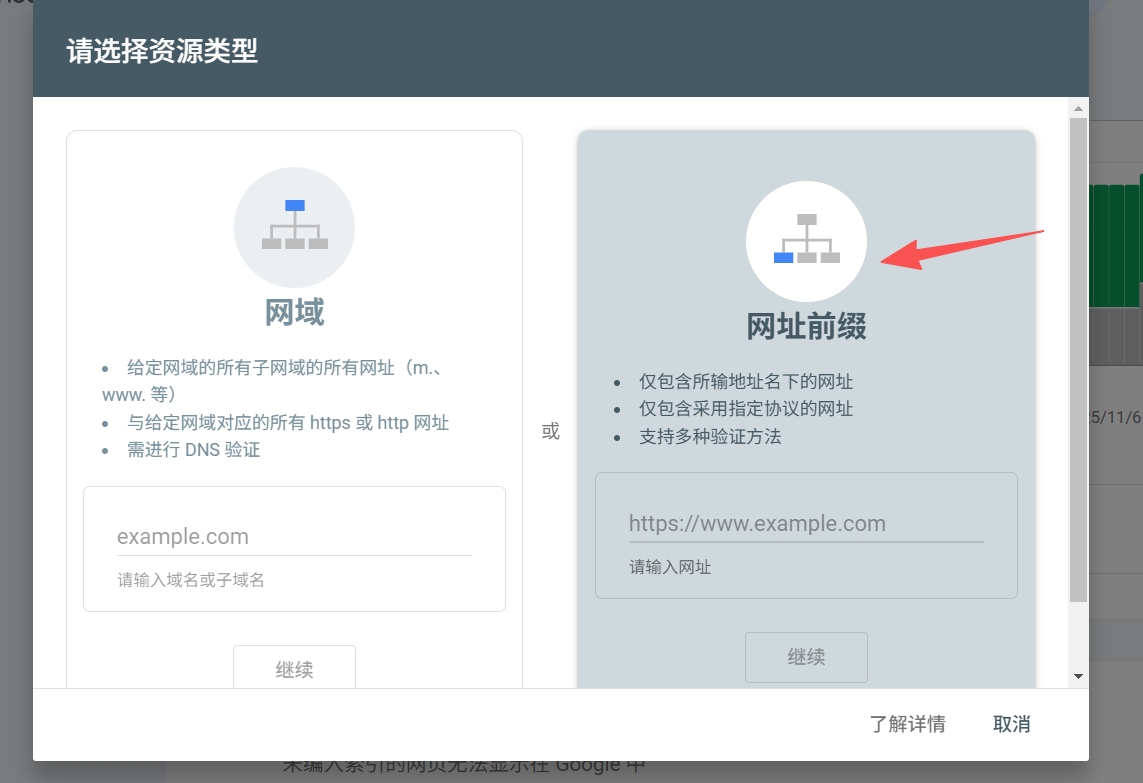
Welcome, webmasters!Refer to this articleDetailed step-by-step instructions are provided to assist you in adding GSC entries in this mode.
3. Copy the TXT record provided by Google (Version 2026 supports automatic synchronization)
New Version Changes:
- If you choose providers like Cloudflare or Namecheap, GSC canOne-Click Write to TXT
- Manual mode still requires you to add records yourself.
Format Example:
google-site-verification=abc123xyz
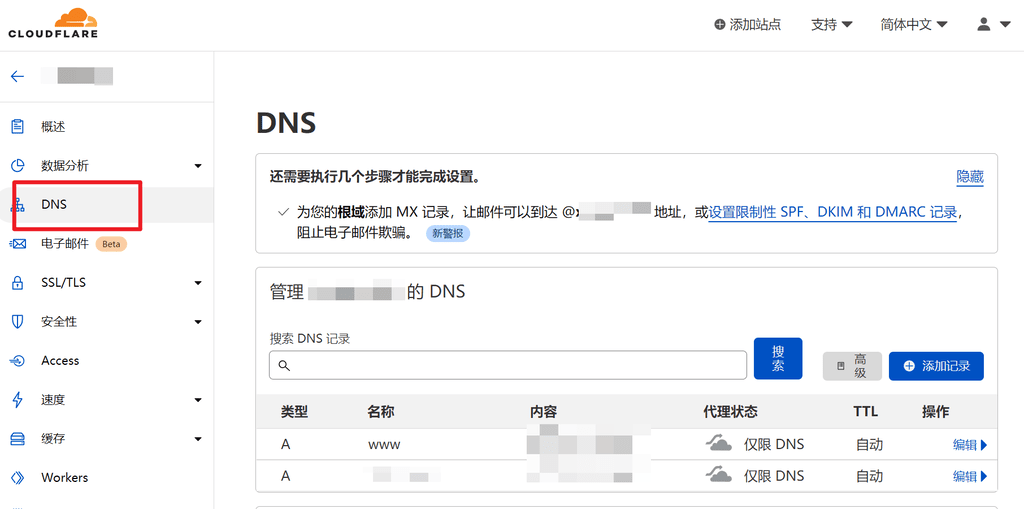
4. Go to your DNS provider and add a TXT record (Cloudflare example)
- Type: TXT
- Name: @
- Value: Google returns your complete string
- TTL: Auto (2026 recommends using Auto)
5. Return to GSC and click "Verify."
If unsuccessful:
- Check if the paste is complete.
- Try digging to query TXT
- GSC supports automatic retry + automatic diagnostics
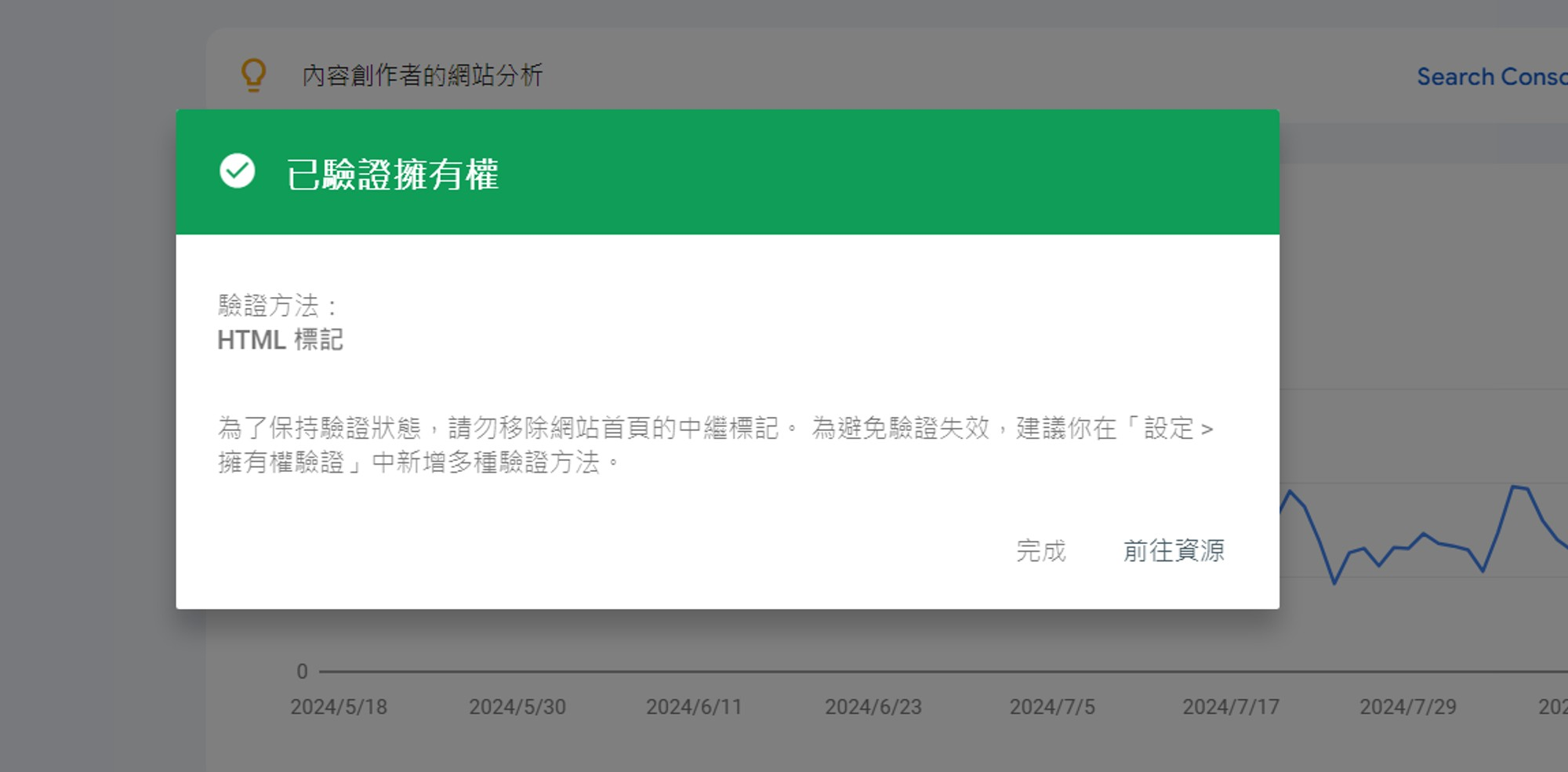
6. Three actions you must take immediately after successful verification
(1) Submit Sitemap (Accelerate Full-Site Indexing)
Input:
https://你的域名/sitemap.xml
Plugin Generation Method (Supported in 2026):
- Yoast SEO
- Rank Math
- Site Kit (New in 2026: Automatic Sitemap Support)
(2) Submit the homepage for crawling using URL Inspection
Enter the homepage URL → Click "Request Indexing".
The automatic crawl priority feature analyzes webpage content quality and provides recommendations.
(3) View Page Indexing AI Diagnostics
New additions in 2026 AI Page Diagnosisused to identify the following issues:
- duplicate content
- Thin Content Pages
- Mobile device availability anomaly
- Structured Data Issues
Part Two:Google Analytics 4 (GA4)Full Installation (2026 Edition)
GA4 will continue to enhance privacy and AI behavioral modeling in 2026, automatically tracking more user behaviors by default.
1. Opening https://analytics.google.com
After logging in, create a GA4 property.
2. Create a Web data stream and copy the measurement ID (G-XXXXXXXXXX).
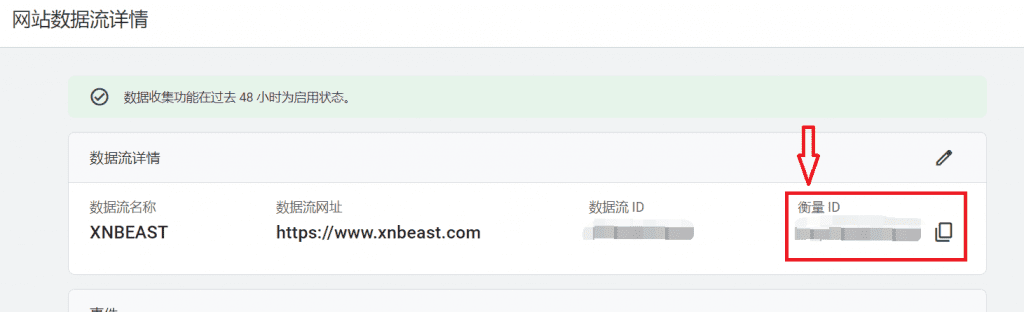
3. Three Installation Methods (Method A is still highly recommended for WordPress users)
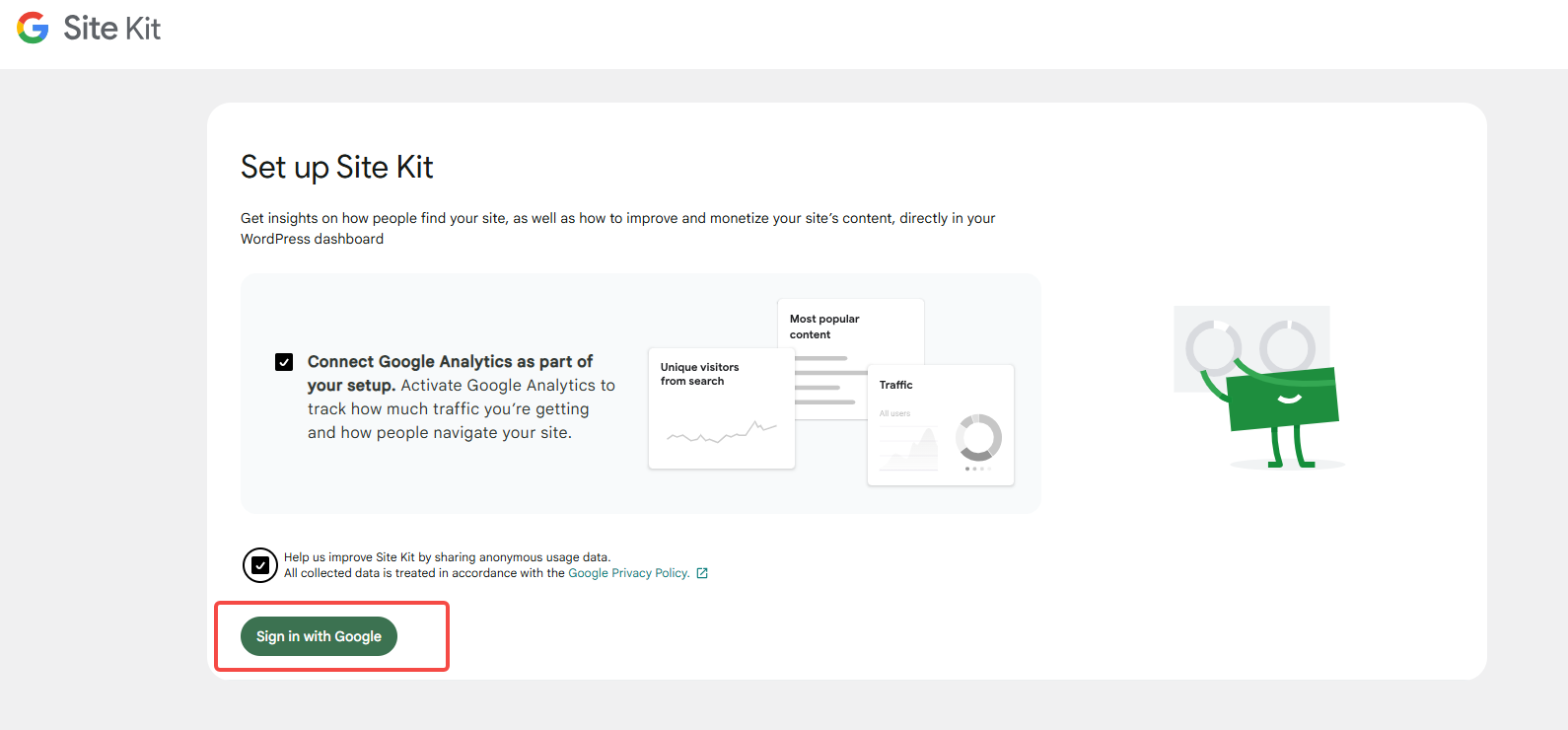
Method A (Recommended for 2026): Use Site Kit by GooglePlugin (Simplest, Zero-Code, One-Click Setup)
Enhanced Features in the New Site Kit (v3.x):
- Automatically install GA4 tags site-wide
- Automatically link GSC + PageSpeed + AdSense
- New GA4 Dashboards (Including Real-Time and Popular Content)
- Automatically generate sitemaps (New feature in 2026)
Installation Process:
- WordPress Dashboard → Plugins → Add New → Search Site Kit
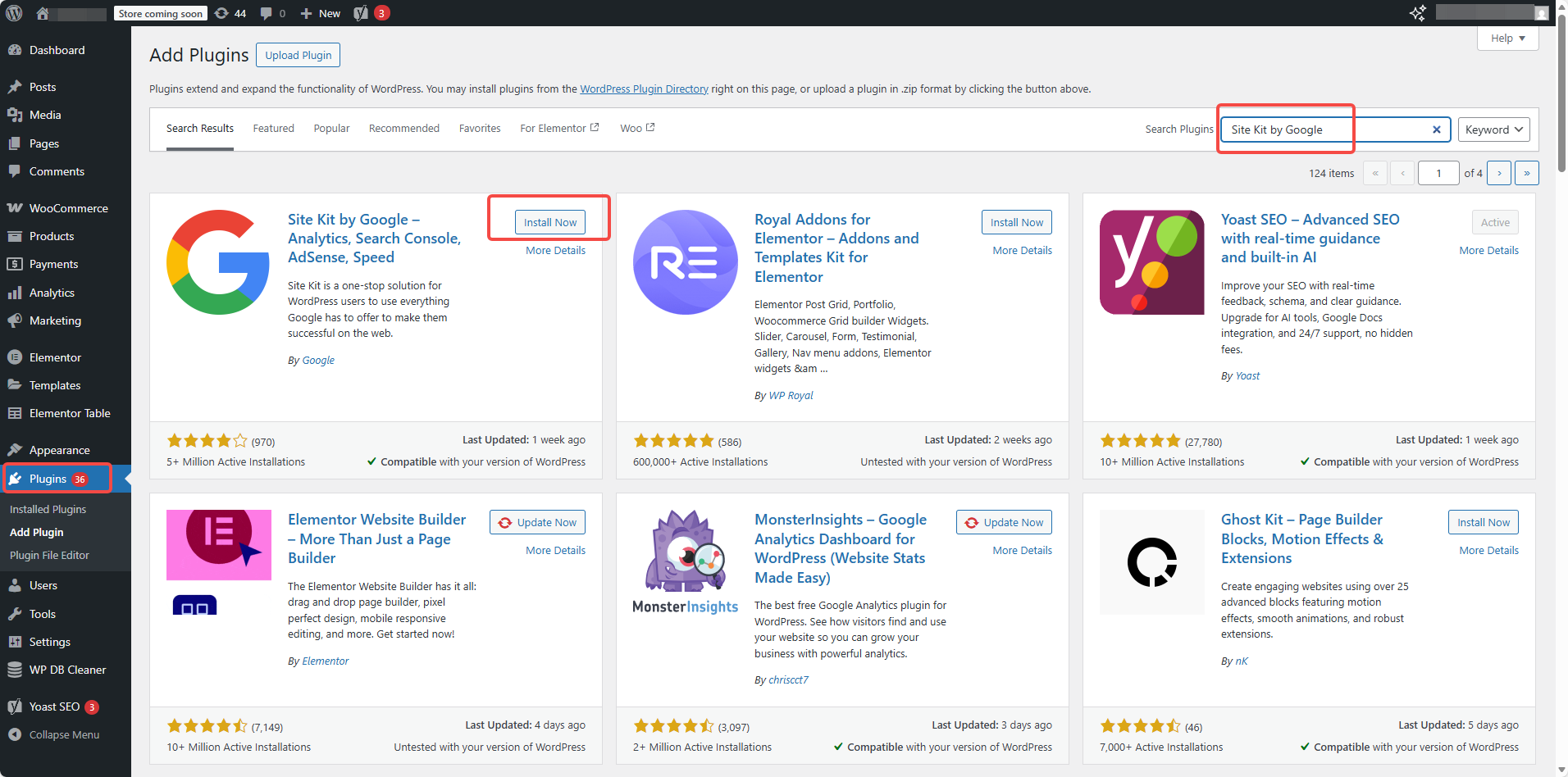
- Installation and activation
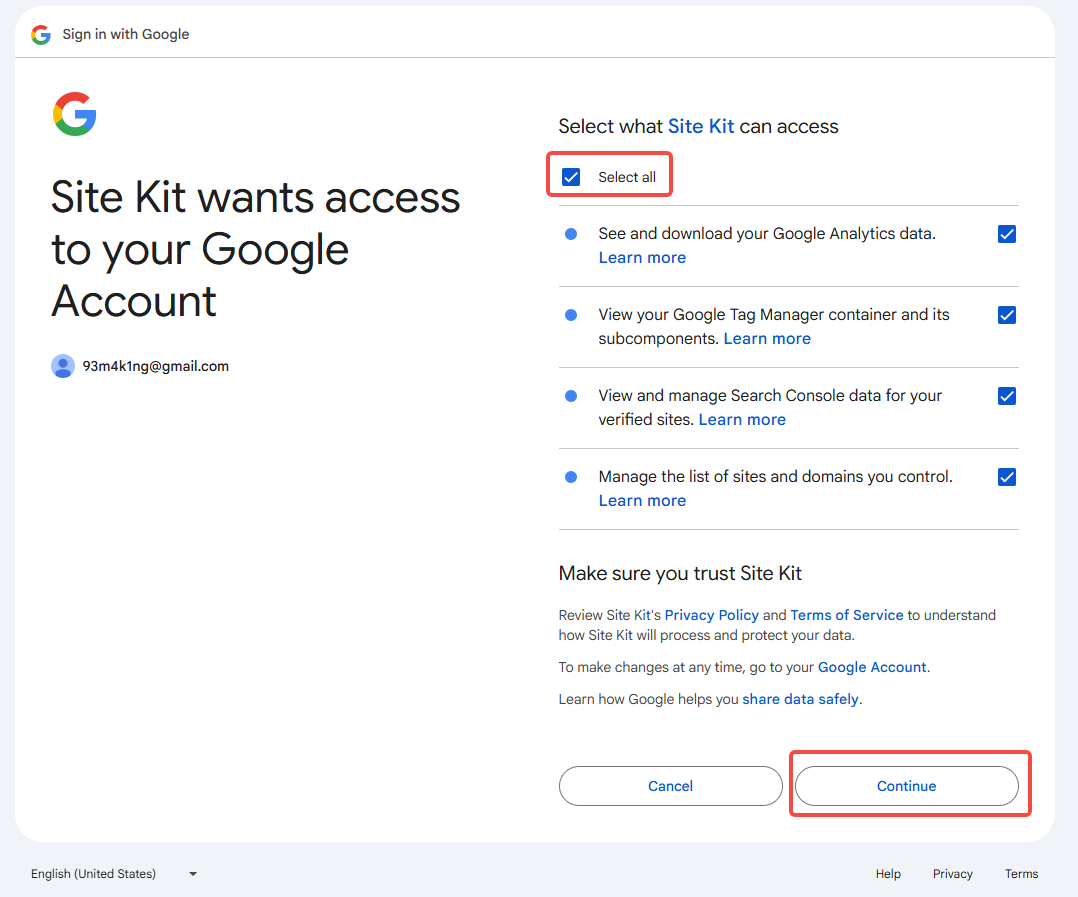
- Link your Google account
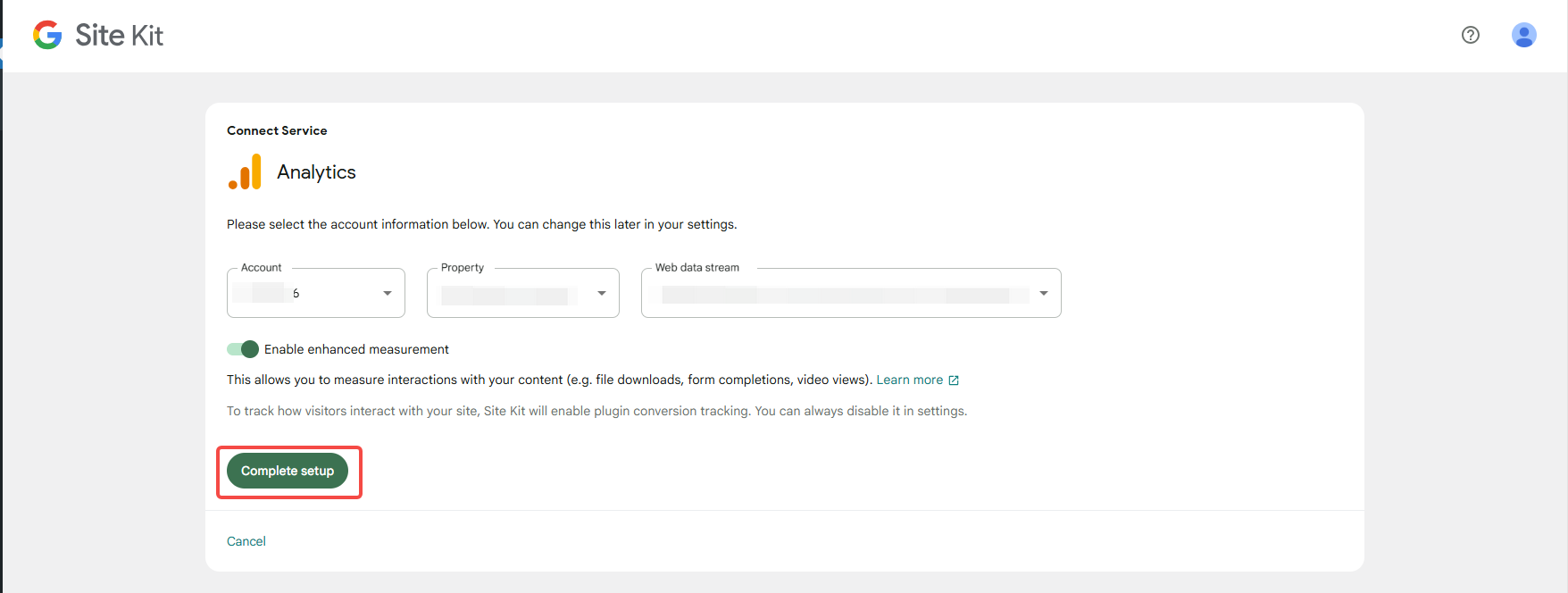
- Select GA4 Property → One-Click Tag Installation
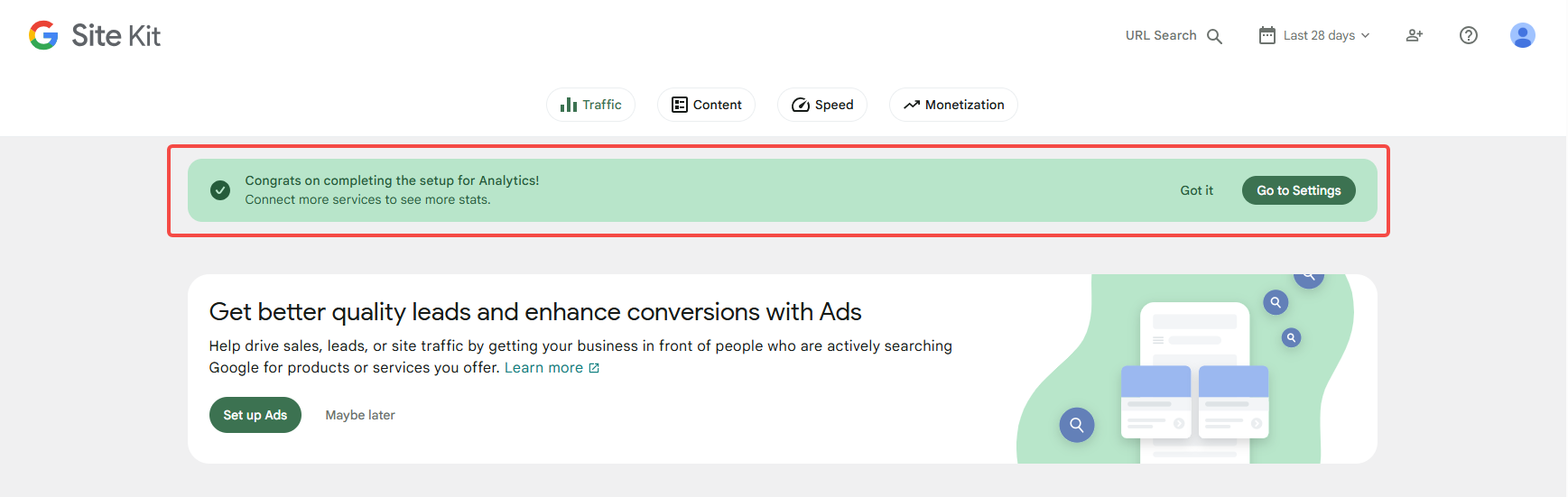
- Done!
Method B:Lightweight Plugin Installation for GA4 (For Non-WP Users)
As:
- gtag Manager Plugin
- GA Google Analytics Pro
Simply paste the measurement ID.
Method C:Manually Add Global Tags (For Developers)
Add the gtag.js provided by GA4 to <head> Center.
Recommended Plugin: Insert Headers and Footers.
4. Verify whether the installation was successful
Access GA4 → Realtime (Real-time Reports)
Open your website and browse for a few seconds, and you'll see one visitor arrive.
4. Five Essential Settings Newcomers Often Overlook in 2026
1️⃣ GSC: Remember to submit your sitemap.
Sites that are not submitted will experience slower indexing speeds by 80% or more.
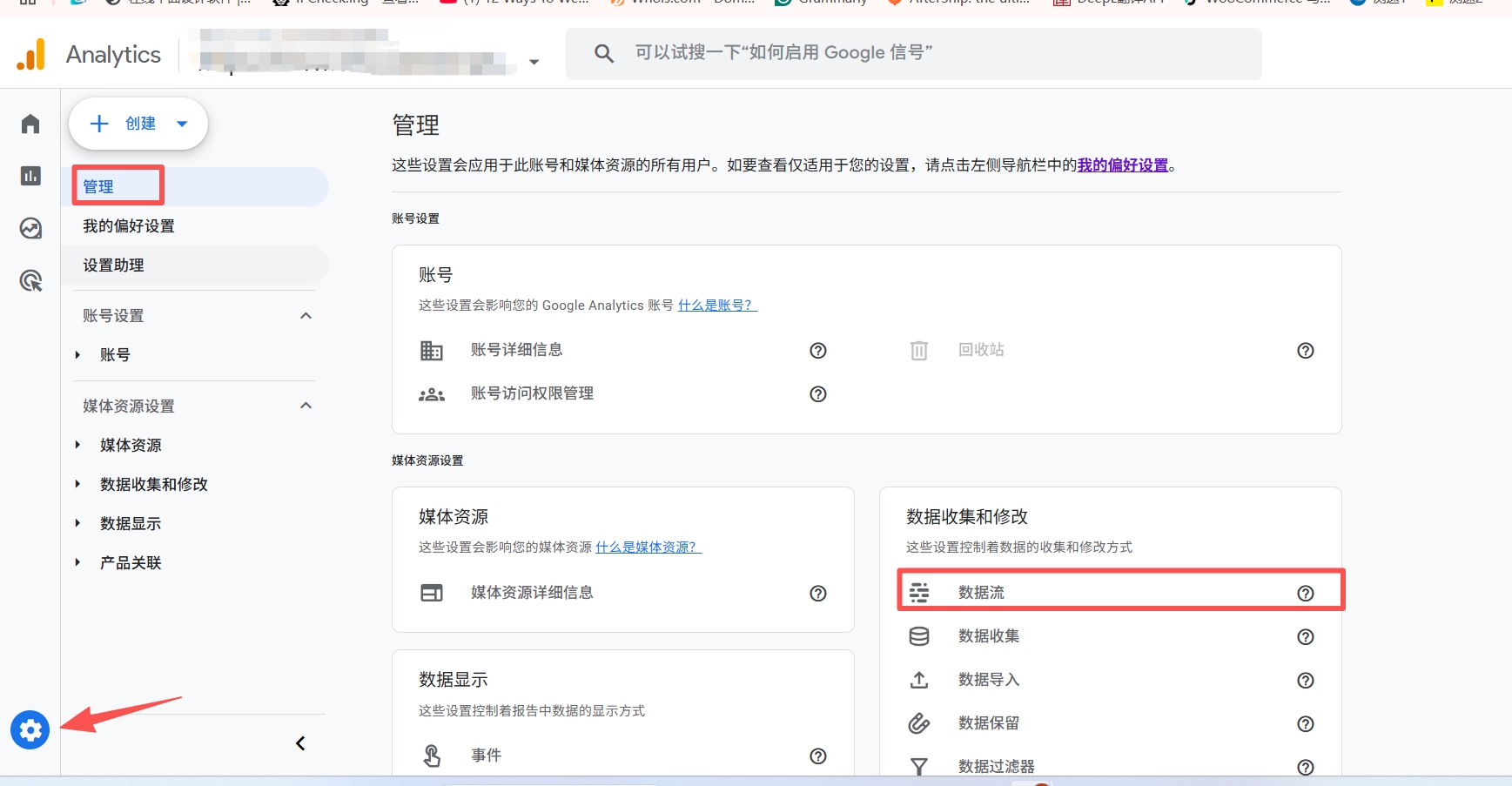
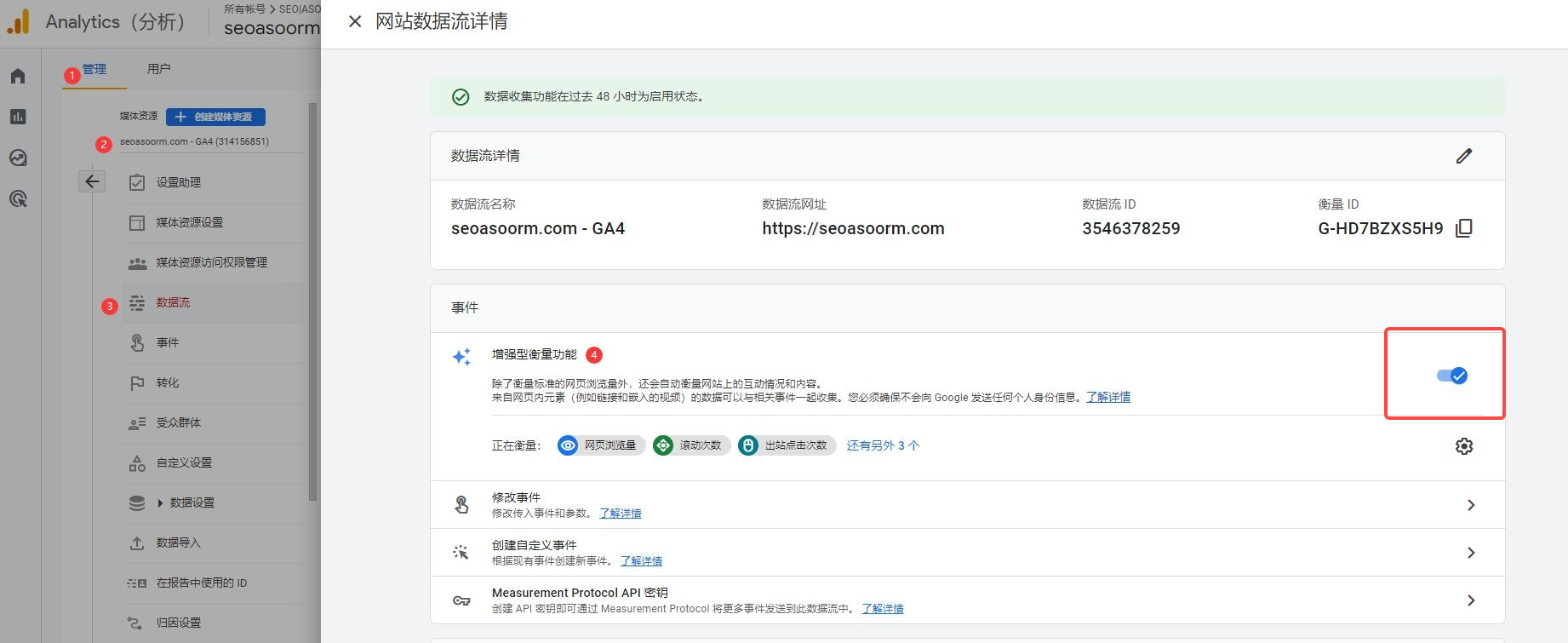
2️⃣ GA4: Must enable "Enhanced Measurement"
2026 New Feature: Auto-Tracking
- Video viewing progress
- Page Dwell Time Model
- Sliding behavior
- Common button clicks
Enable path: Settings → Management → Data Flow → Enhanced Measurement → Enable All
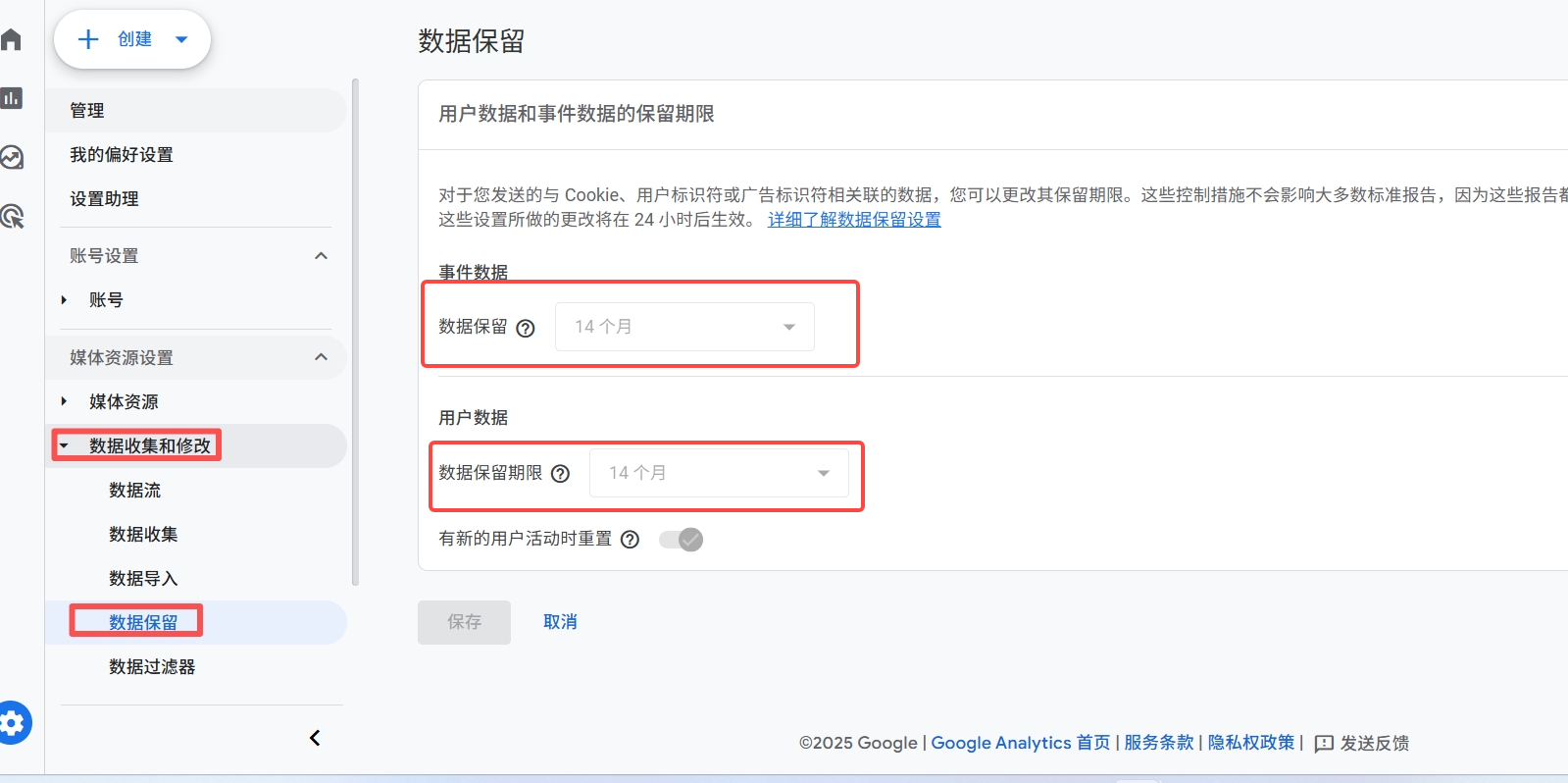
3️⃣ GA4 default data retention is 2 months → Must be changed to 14 months
Location: Management → Data Collection and Modification → Data Retention
4️⃣ Administrator privileges
Add your permanent email address to GA4 and GSC.
5️⃣ Link GA4 + GSC (Site Kit handles it automatically)
This way, you can see two sets of data in the WordPress dashboard.
6. Three "Perks" You'll Enjoy the Very Same Day After Installation
- GSC Performance Report Reveals First Exposure
Even if it happens just once, it indicates that Google has started paying attention to your website. - GA4 real-time reports show users browsing
Including visiting devices, source channels, and current page. - Within 2 to 5 days, the keyword will enter the Top 100.
The search index will gradually emerge.
This is the most powerful source of accomplishment when starting out with SEO.
VII. Conclusion
Congratulations on completing the most crucial step for beginners!
Once both GSC and GA4 are set up, you truly have a website that can communicate with Google.
Feel free to leave a comment:
"I have successfully added GSC + GA4 (2026 Edition) ✅"
I'll take a quick look at the site's health status for you.

Link to this article:https://www.361sale.com/en/82560The article is copyrighted and must be reproduced with attribution.




















![Emoji[wozuimei]-Photonflux.com | Professional WordPress repair service, worldwide, rapid response](https://www.361sale.com/wp-content/themes/zibll/img/smilies/wozuimei.gif)

![Emoticon[baoquan] - Photon Wave Network | Professional WordPress Repair Services, Worldwide Coverage, Rapid Response](https://www.361sale.com/wp-content/themes/zibll/img/smilies/baoquan.gif)


 简体中文
简体中文  English
  日本語
日本語  Français
  Español


No comments